



 310 / 310
ELECTRICAL
20
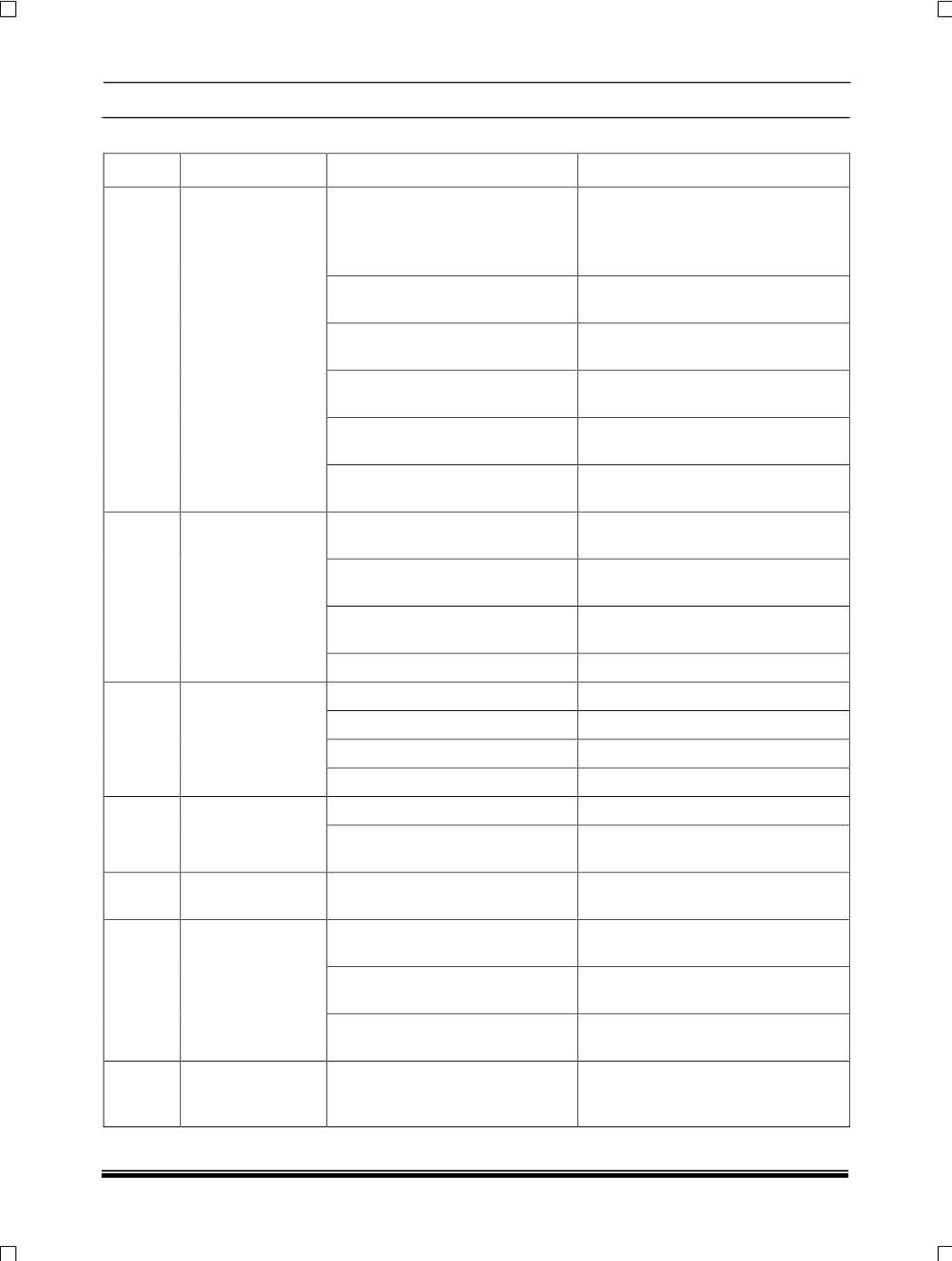
4.6. INFOTAINMENT TROUBLE SHOOTING:
SR. NO
CONDITION
CAUSE
CORRECTION
1
No Sound from
Speakers
No Power Supply to Amplifier.
Check fuse (F28, 30A) in engine
compartment fuse box.
Check connection between Battery
and Amplifier.
Loose connection between Radio
to Amplifier.
Fix the Radio and Amplifier
connector Properly.
Improper media input to Radio.
Check the input media like CD, USB
etc.
Battery voltage below specified
range.
Check the battery voltage and
charge it if required.
Check the battery voltage and
charge it if required.
Fix the Head Amplifier to Speaker
connector Properly.
Fix the Head Amplifier to Speaker
connector Properly.
Replace amplifier.
2
Few Speakers not
working
Loose connection.
Check fitment of wiring harness
connector to Speaker.
No output from Speaker.
Check fitment of wiring harness
connector to Speaker.
Improper settings of Radio.
Check the Fader and Balance
Settings of Radio.
Speaker Burn-out (Dead).
Replace Speaker.
3
Distorted Sound
from Speaker
Low Battery.
Mechanical damage to speakers.
Speaker terminal short to Ground Check the connection.
Improper settings of Radio.
Check the connection.
Mechanical damage to speakers. Replace the Speaker.
4
Buzzing, Rattling
sound
Loose screws.
Tighten the screws.
Door parts, wiring touching the
speakers.
Refit the door trims and route the
wires properly.
5
Rattling
sound
from Tailgate
Fitment of woofer on door Panel.
Check the proper fitment and sealing
of tailgate to avoid air leakage.
6
Intermittent Sound
Amplifier thermal protection.
Check ventilation blockage around
Amplifier.
Intermittent source.
Check the media played from Head
unit.
Loose connection.
Check positive fixing for all
connectors.
7
Check
positive
fixing
for
all
connectors
Noise pick up.
Reposition the wires and check
shielding.
NOTE: Refer Infotainment system circuit schematic.