




 298 / 310

ELECTRICAL
8
5. Select “start searching” using up/down & mode switch on st
eering
wheel switches.
During the search process for Bluetooth devices,
“searching…..” message will be displayed on the LCD screen.
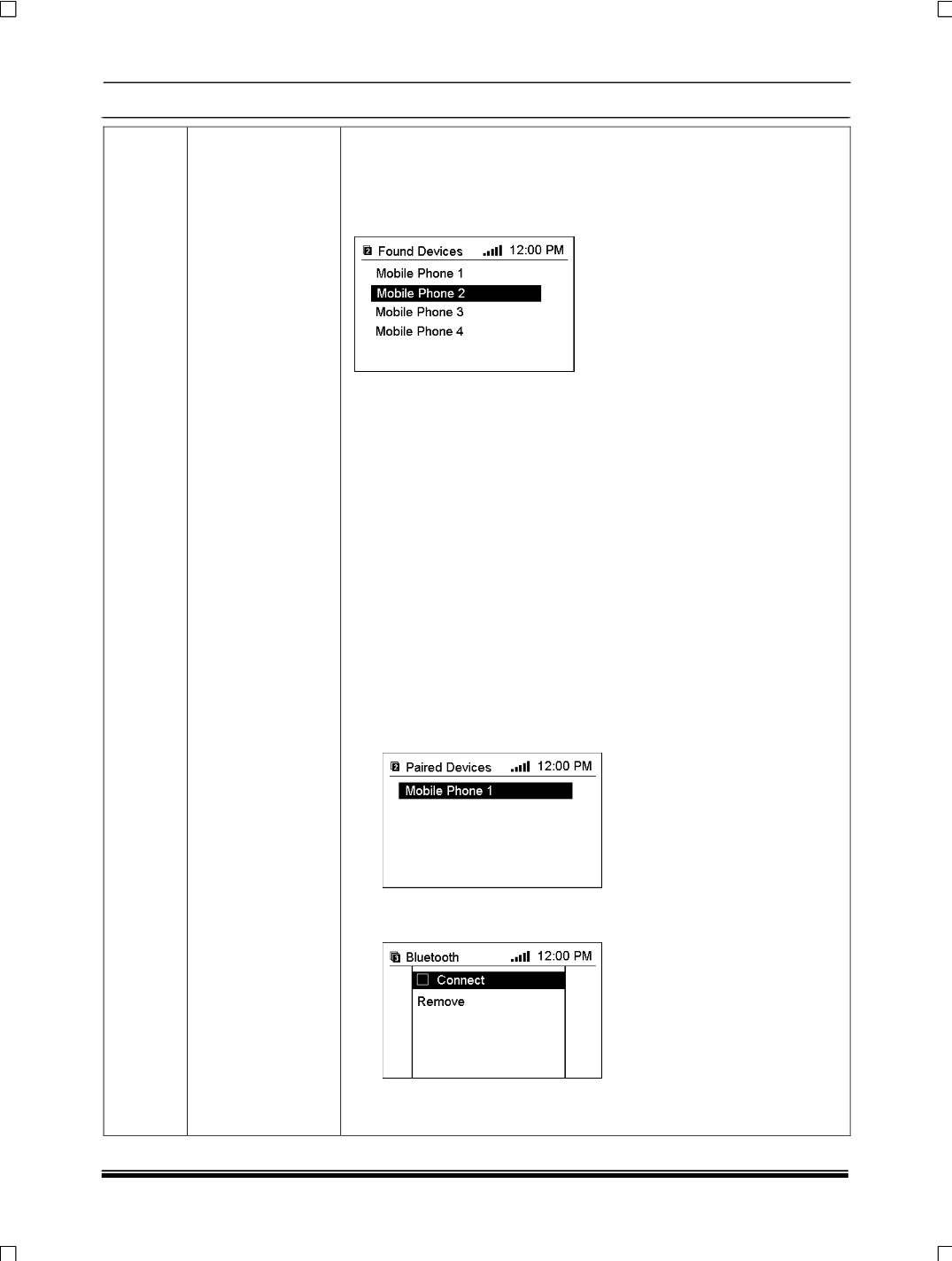
6. When the search process has ended, the Bluetooth devices are listed
in the “Devices found” menu.
7. Select the mobile telephone to be paired.
While pairing, user is
conveyed with the message “Pairing in Progress.” appears on the
display.” Please enter the Bluetooth PIN” or a similar request appears
on the display of user’s mobile telephone.
8. Using the keypad on mobile
t
elephone enter the same Bluetooth PIN
as for the infotainment system and confirm it with “OK “.
9
.
The message “Add device to known devices? Or similar message
appears on the mobile telephone display.
Confirm this on the keypad
of mobile phone by pressing “OK”.
10.
Once a connection has been made Successfully, the message
“Added to the Paired devices” appears on the display. The
connection between the mobile telephone and the infotainment
system has now been created.
NOTE:
Up to five devices can be added to the list
B.Closing the connection of mobile with infotainment system.
1. In the Bluetooth menu select “paired devices”. The “paired devices”
menu appears on the display.
2. Select the required mobile telephone. The Bluetooth menu appears
on the display. Select “Connect“ to deactivate Bluetooth connection.
3. The message “Disconnected!” appears in the Bluetooth menu.
4. Select “Remove”. The message “Removed!” appears in the Bluetooth