



 297 / 310

ELECTRICAL
7
4.4.1.4. FUNCTIONAL DETAILS:
SR. NO.
FUNCTION
OPERATION
1
Power ON/OFF
1.Switch on the music system by pressing Power button (
Button No.3
)
NOTE
:
Music system can be made ON without key in for a maximum
duration of 1 hour.
2
FM
1.Press left & right arrow switch for auto seek up/down (
Button No.8 &
12
)
2. Change volume using steering wheel switch.
3. Mute the volume using steering wheel switch.
3
CD
1. Insert CD.Systems take CD and starts playing first track.
2. Select the track through steering wheel switches UP/down.
3. Eject CD by pressing Button no.19.
4
USB
1. Insert USB (which has MP3 Songs).
System detects and starts
playing first track in USB
NOTE:
Music system should be ON.
5
AUX
1.Insert AUX device which plays audio and select aux by pressing
‘’AUX’’ Mode (Button No.4)
NOTE:
Music system should be ON.
6
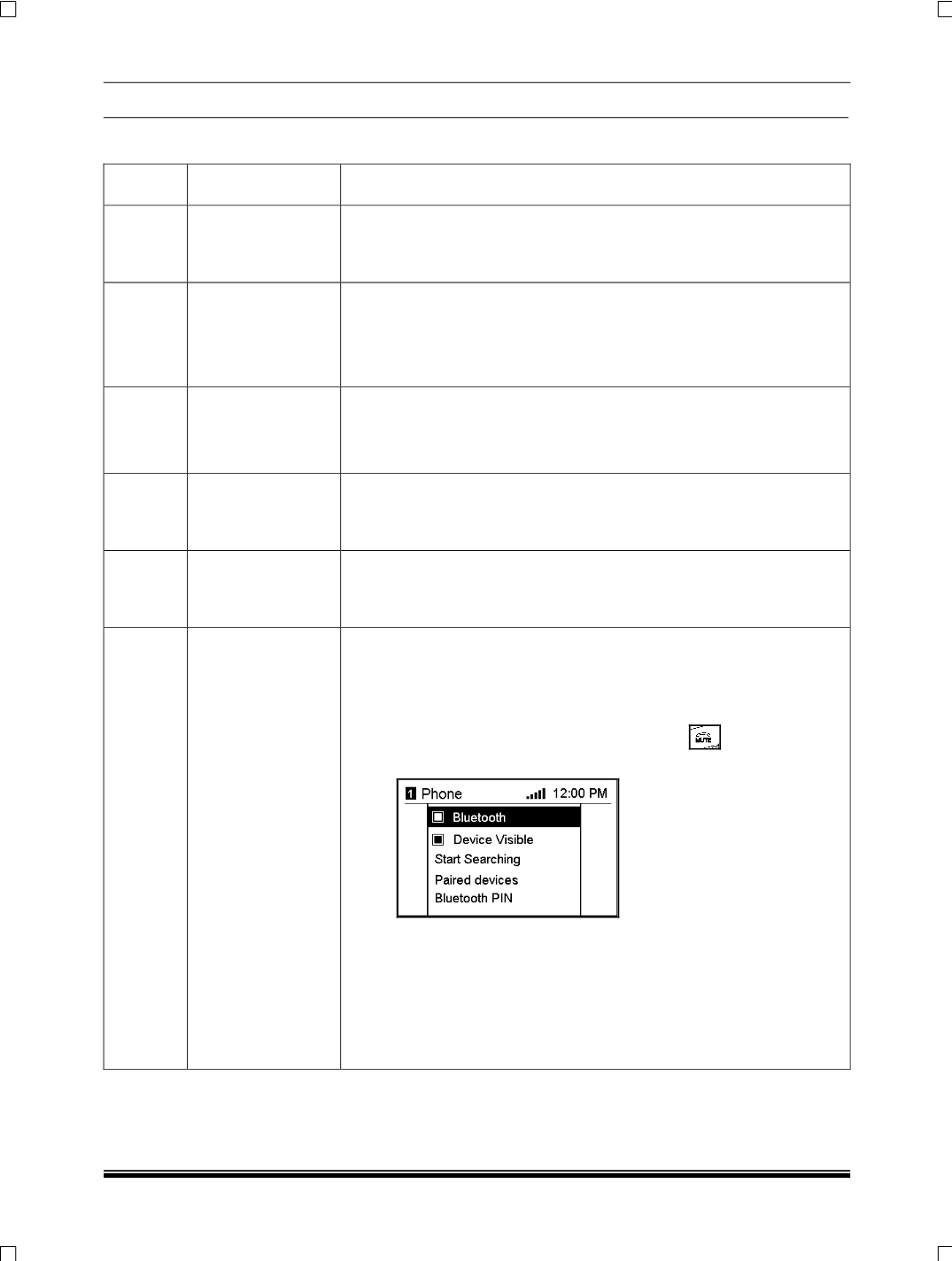
PHONE
A. Creating connection of mobile with infotainment system via
Bluetooth
.
Steps:
1. Active the Bluetooth in mobile.
2. On long press of steering wheel Mute button
.Phone menu will
be displayed on the LCD.
3. Select the Bluetooth menu.
4. Select the Bluetooth pin menu. The pin menu
The PIN menu appears
on the display. Enter a random Bluetooth PIN and confirm it with “OK”
NOTE:
For security reasons, a randomly selected PIN code of at least four
digits should be used.