



 781 / 1119

BODY
18
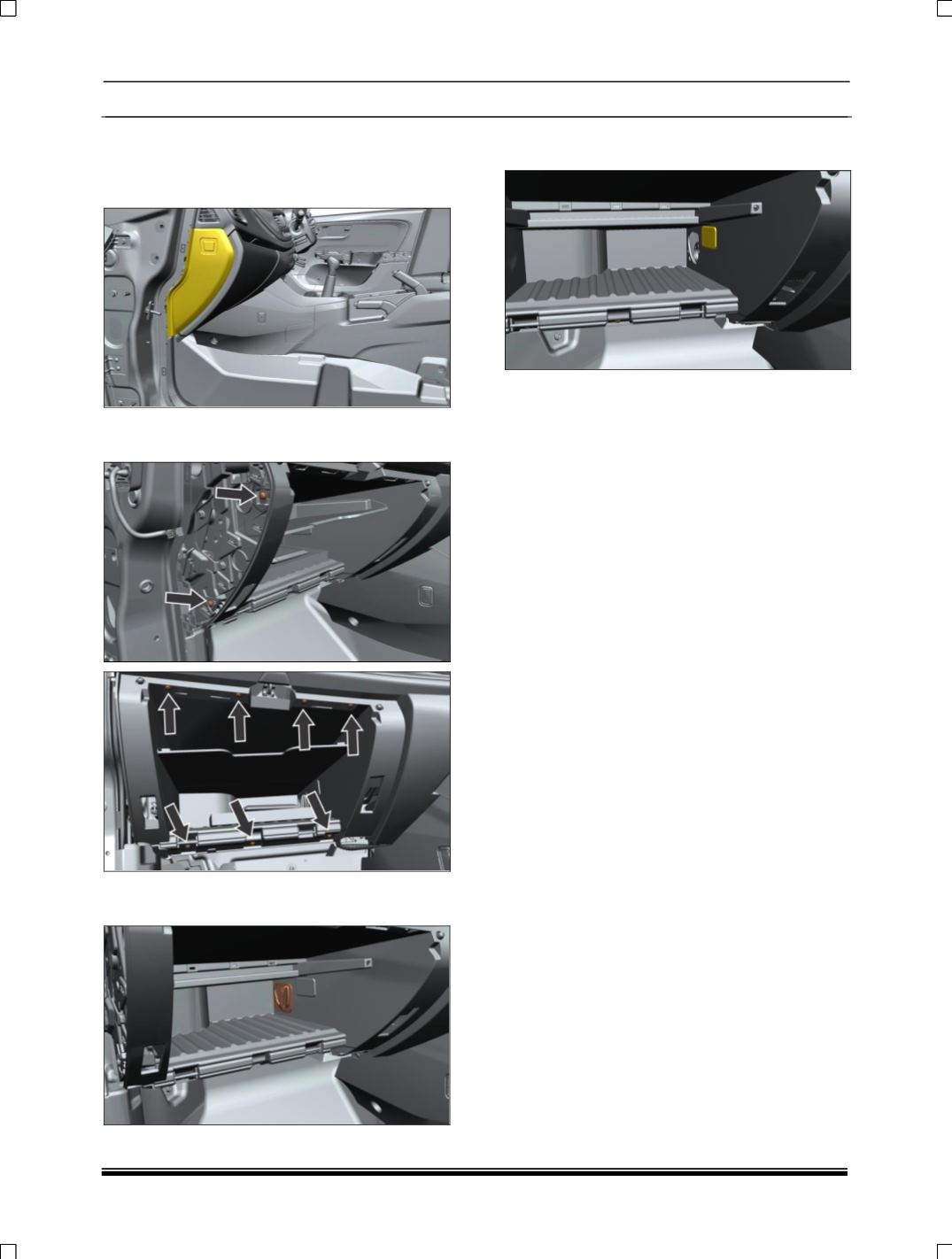
2.6 GLOVE BOX
REMOVAL
1. Pull out end cover LH side
2. Remove screw at glow box location and pay
out glow box.
3. Open the glove box and pull out AC adaptor
top Utility Bin.
4. Disconnect the electrical connection of glove
box lamp.
5. Take out the glove box assembly.
FITMENT
For fitment follow the reverse procedure of
removal.