



 779 / 1119

BODY
16
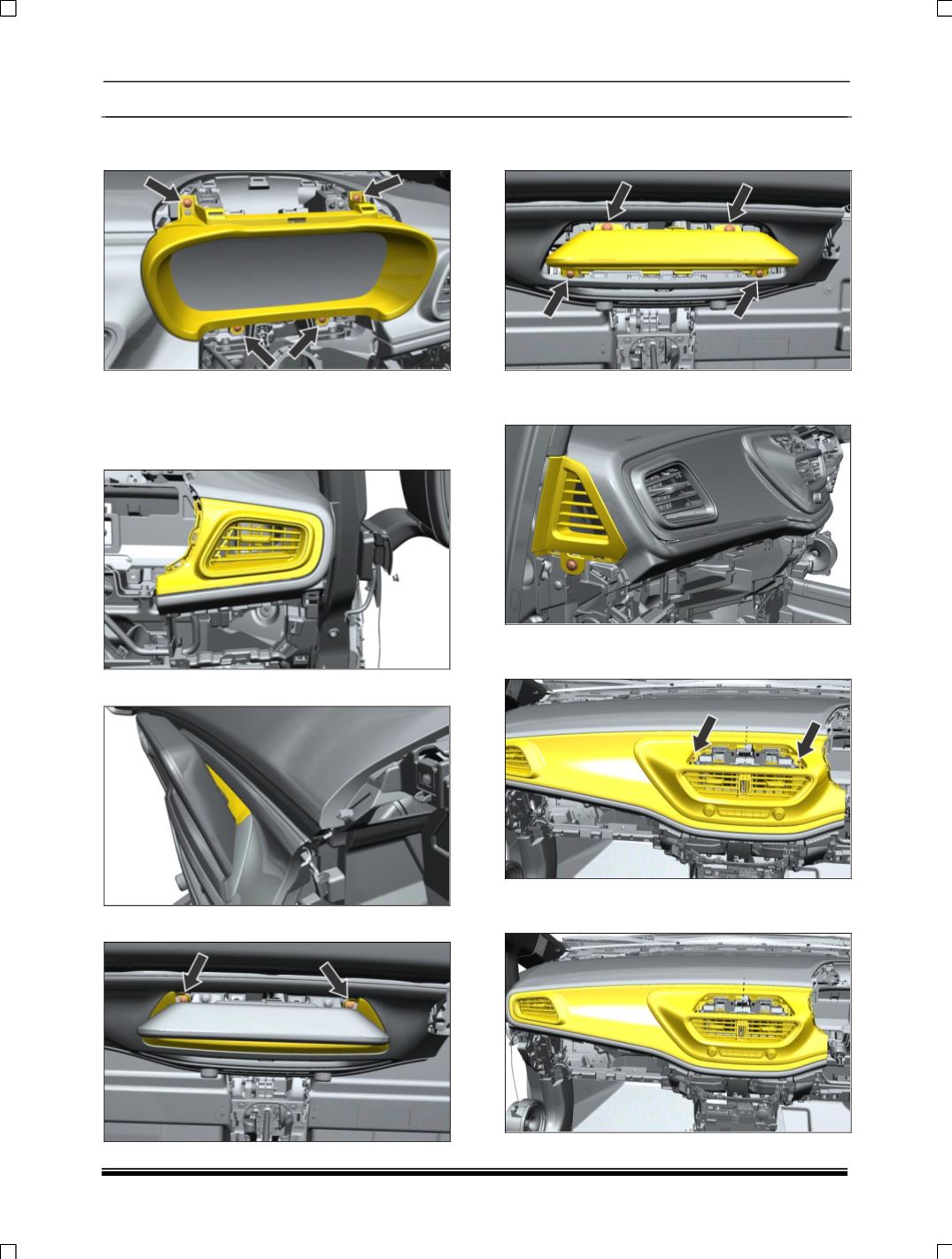
17. Remove the mounting screw of instrument
cluster cover.
18. Remove instrument cluster. (For procedure
refer instrument cluster removal process in
Electrical section.)
19. Pull out the side Air vent.
20. Pull out the Display cap.
21. Remove mounting screw of Display cover.
22. Remove the mounting screw of Display and
disconnect the electrical connection.
23. Remove the mounting screw of side demist
vent both side.
24. Remove the mounting screw of middle panel
dashboard,
25. Pull out the middle panel dashboard and
disconnect the wiring harness.