



 780 / 1119

BODY
17
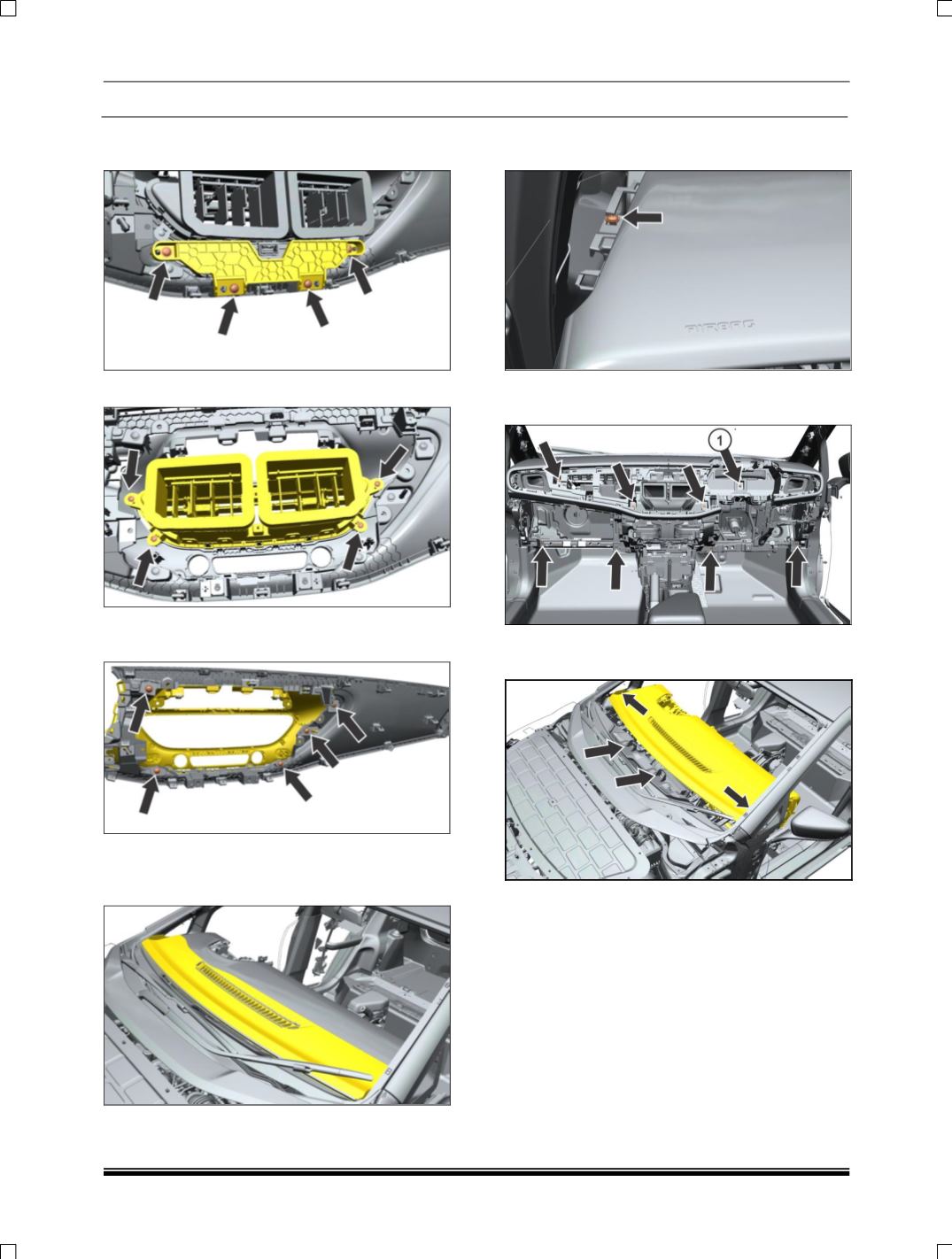
26. Remove the mounting screw of bracket and
Disconnect the electrical connection.
27. Remove the mounting screw of air vent.
28. Remove the mounting screw and pull out the
fascia center.
29. Remove A pillar Lower trim. (For procedure
refer A pillar trim removal process.)
30. Pull out the front panel.
31. Remove two mounting screw near A
pillar.(LH,RH)
32. Remove mounting screw and (1) nut of
dashboard.
33. Disengage 2 locators located on BIW plenum
panel brackets.
34. Remove the dashboard, while removing
Dashboard carefully disengage HVAC system
behind the glove box.
FITMENT
For fitment follow reverse procedure of the
removal.