




 1761 / 1906

BODY
26
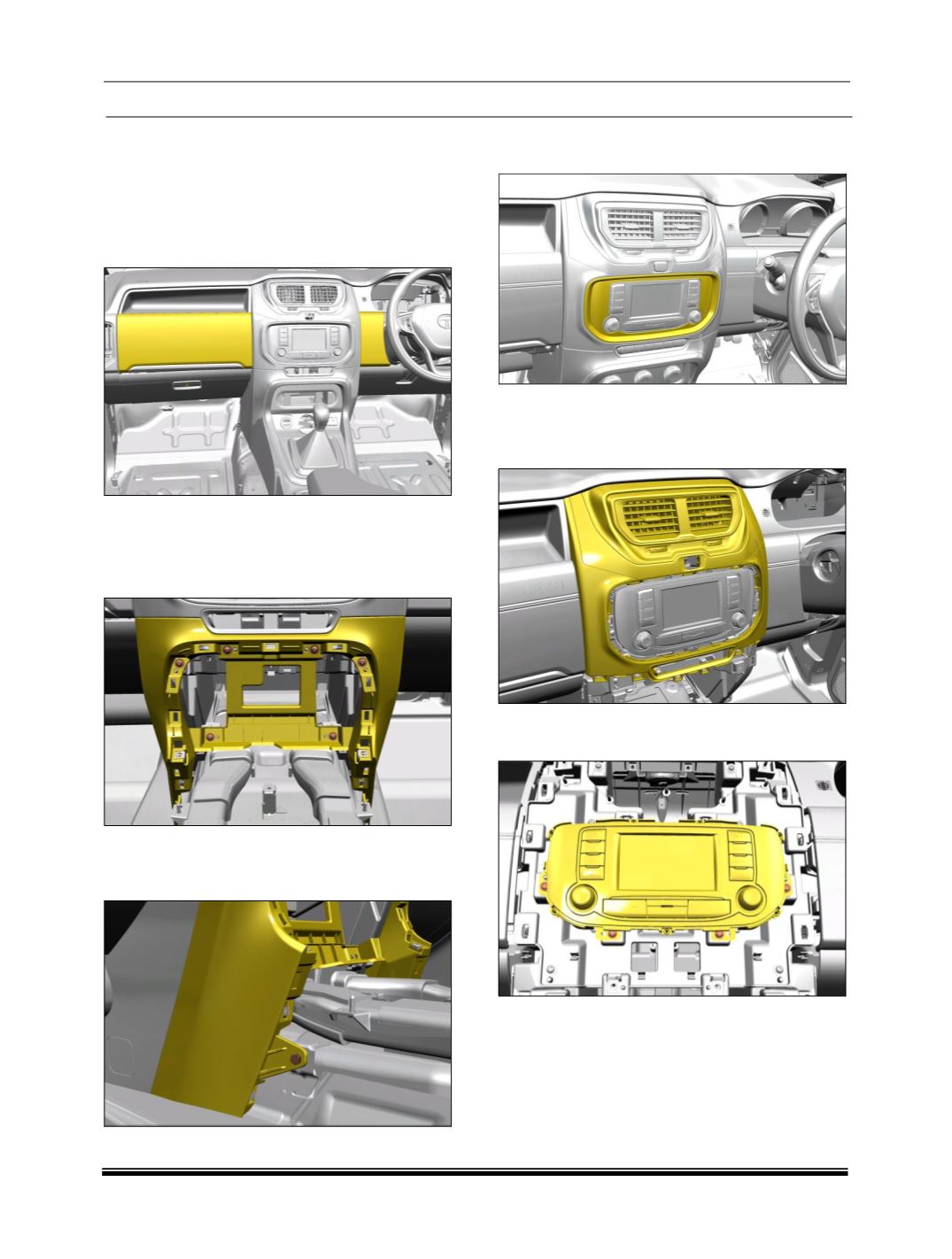
V. CENTRAL CONSOLE
REMOVAL:
1. Remove
top
utility bin
(For procedure refer
Utility bin removal process)
and remove the
upper cover of steering column left hand side
by pulling it outwards.
2. Remove the floor console housing with bezel.
(Refer floor console removal process).
3. Remove six fasteners of dashboard central
finisher lower assembly.
4. Remove bottom mounting screws of central
finisher lower. Follow the same procedure on
other end.
5. Remove the infotainment cover assembly by
popper tool set from dashboard.
6. Disconnect the all electrical connections.
7. Remove the dashboard assembly cover
central facia.
8. Remove the four fasteners of hardware control
module (music system).
9.
Remove FATC from the central finisher.
(For
procedure refer FATC removal process)