




 902 / 1906

TOD
22
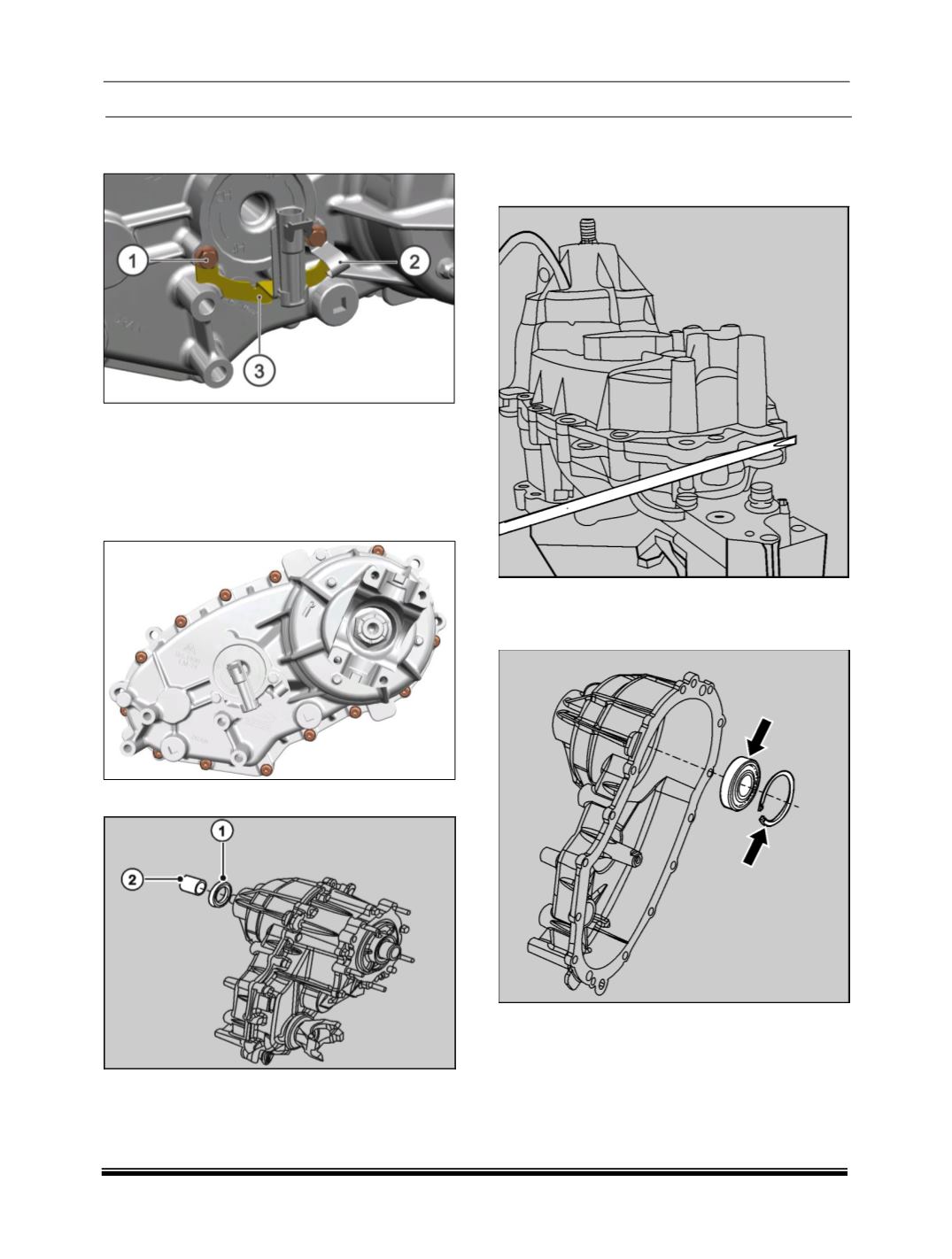
2. Remove bolts
(1)
and remove ‘J’ clip
(2)
and
harness bracket
(3)
.
3. Insert a thin pointed object into the connector
and press down the locking strip and pull out
from the sleeve by pushing the connector
outwards.
4. Remove the mounting screws
(13 Nos.)
of
cover assembly.
5. Remove oil seal
(1)
and take out the spacer
(2
6. Pry at the bosses provided on the cover and the
case to break the sealant bond of the cover and
the transfer case in such a way that the metal
surface is not damaged.
7. Remove the snap ring and push out the ball
bearing from the cover using a drift
(Part No.
287058902606.)