




 1592 / 1906

ELECTRICAL
290
Note
The screens illustrated in this text are intended as
examples. These images may differ from the
image that is actually displayed on the screen.
Park assist system is not standard in all vehicle
variants. If your vehicle not equipped with
ultrasonic park Assist system, following
information will not applicable
2. ULTRASONIC PARK ASSIST
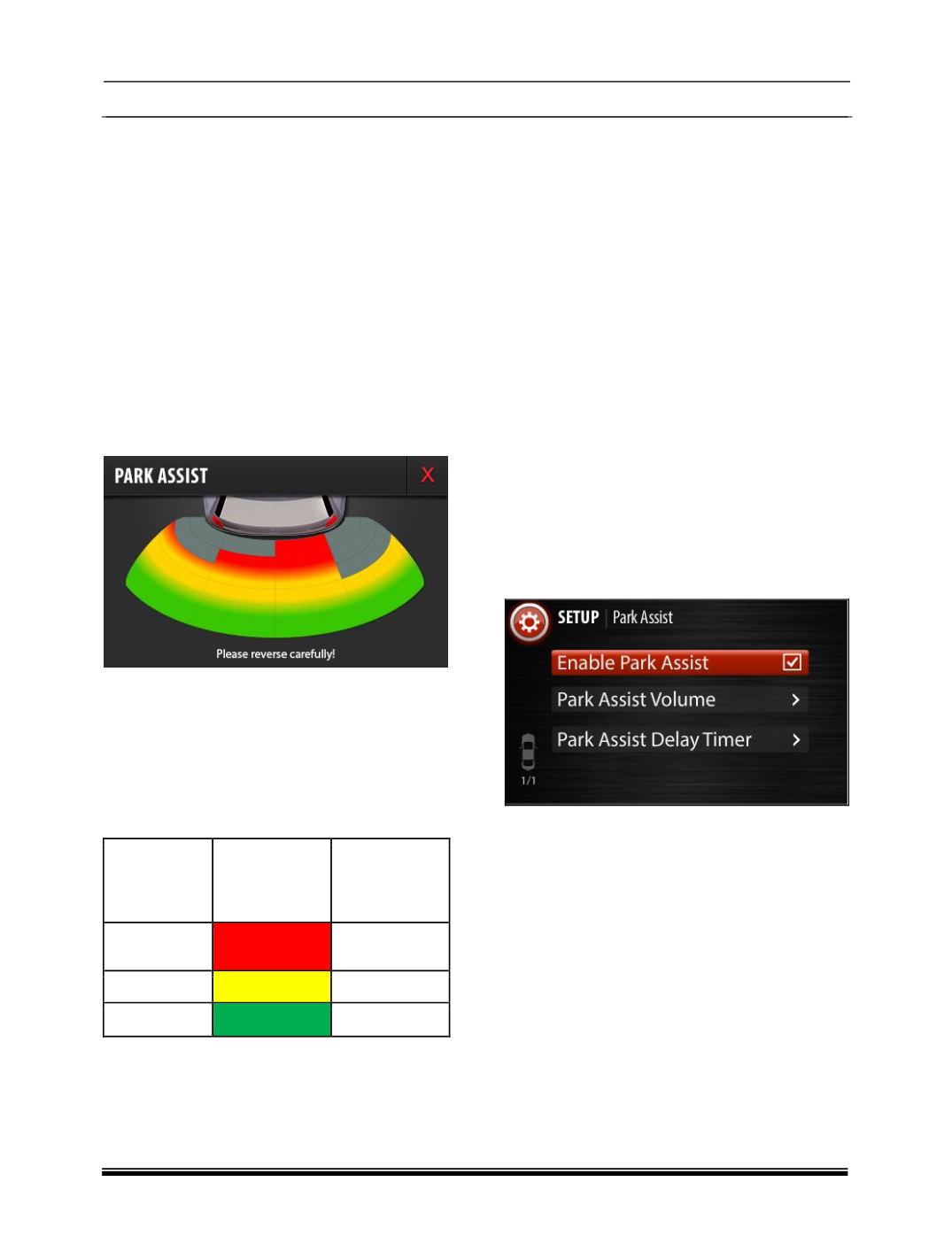
Ultrasonic Park Assist feature will assist you to
park vehicle safely in reverse to avoid objects
which can hit or damage the rear bumper by
alerting with audible and visual information from
car infotainment system. Audible and visual
information is with respect to the proximity of the
object from the rear bumper.
3. ULTRASONIC PARK ASSIST OVERVIEW
There are 4 ultrasonic sensors placed on the rear
bumper of the vehicle. Once Park Assist system
gets activated, sensors will start detecting the
proximity of an obstacle approximately at 150cm
from the rear bumper and gives the proximity
information to Infotainment music system in the
form of audio and visual information.
Distance
range from
Bumper (in
cm)
Visual
Information
Audible
Information
0-50
Red Zone
Continuous
beep
51-100
Yellow Zone
Fast beep
101-150
Green Zone
Slow beep
NOTE:
0-25cm obstacle detection performance is not
guaranteed due to ultrasonic sensor
technology limitation.
Values mentioned in the table are approximate
values only. Values may differ from actual
based on the vehicle and environmental
conditions
4.ULTRASONIC PARK ASSIST ACTIVATION
PROCEDURE
There are 3 ways to activate Park Assist:
Reverse gear:
Park assist feature will automatically start
functioning once you engage the reverse
gear.
Park assist Button (if equipped):
When you press the “Park Button” on the
Fascia switch, Park assist feature will start
functioning.
Infotainment music system touch display:
In Infotainment system user interface, press
the following button sequence to enable the
park assist feature,
Go to “Set Up -> Vehicle Setup -> Park Assist ->
Enable Park Assist “