




 1594 / 1906

ELECTRICAL
292
9. MIX WITH AUDIO
By default, Park Assist volume is mixed with
infotainment system audio. “Mix with Audio”
option allows you to enjoy music even when park
assist is active. With this option, Park Assist
warning tone and media tone are smartly mixed
together in such a manner that park assist
warning tone sounds louder than media tone
when park assist is active.
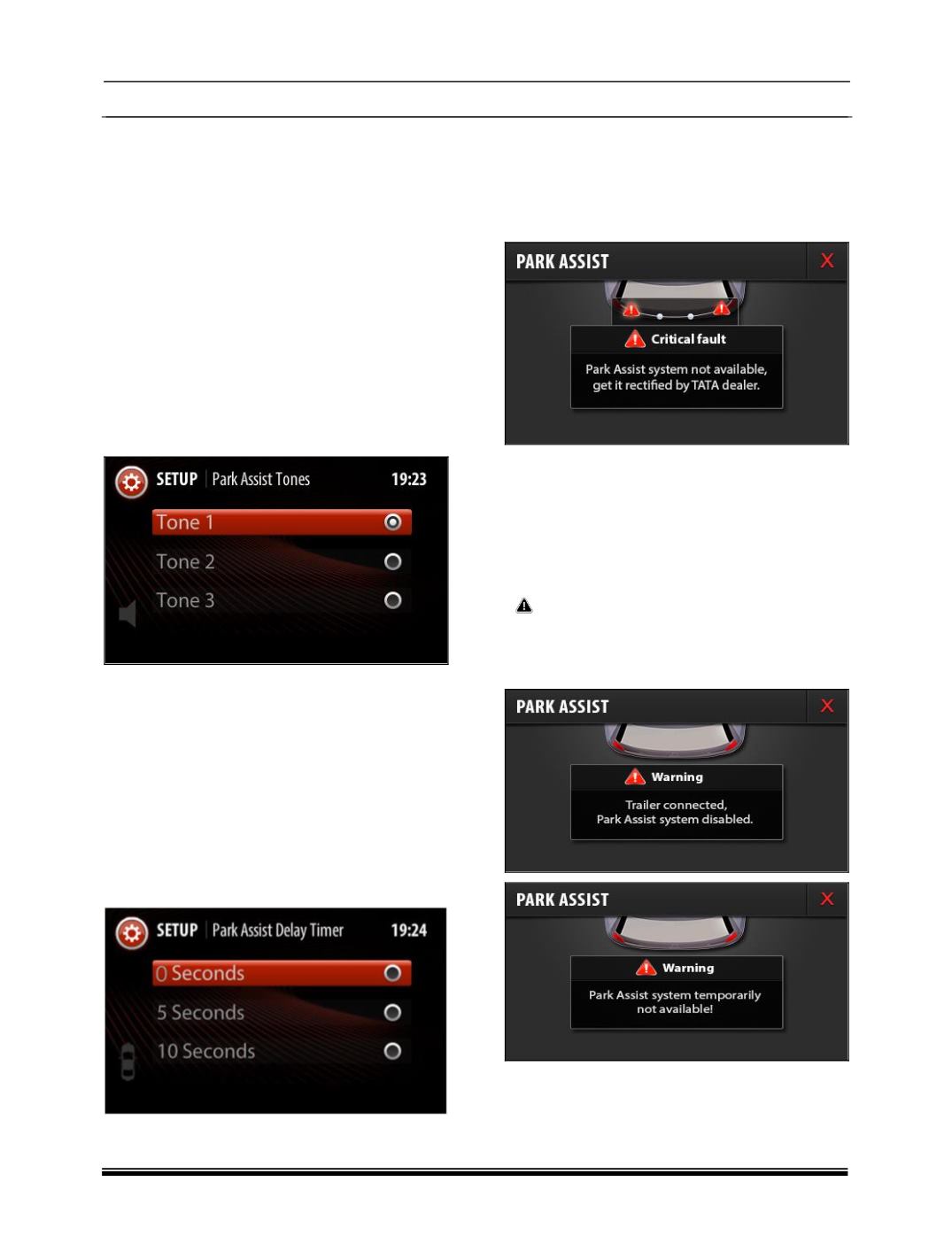
10.PARK ASSIST TONE
You can select 3 different types of Park Assist
tones. To change any tone, you have to following
sequence of operations,
Go to “Set up -> Vehicle Setup -> Park Assist -
> Park Assist Volume ->Park Assist Volume ->
Park Assist Tone “
11.PARK ASSIST DELAY TIMER
If Park Assist system is deactivated by “Reverse
Gear”, it will take certain configurable time period
to go to previous infotainment screen. This is to
ensure that, Pak Assist should not switch off
immediately for repeated engagements or
disengagements of reverse gear.
You can configure this delay time period by the
following sequence of operations,
“Set Up -> Vehicle Setup -> Park Assist ->Park
Assist Delay Timer”
12.ULTRA PARK ASSIST HMI INDICATIONS
In case of park assist fault or malfunction,
following screens may appear on the infotainment
music system.
Critical Fault:
Reasons for this fault might be
a. Park Assist Controller failure
b. Sensor malfunction
c. Partner components such as Infotainment
Music System or Instrument Cluster or Body
Control Module failure.
If you see above screen on Infotainment
music system display, please contact TATA
dealer for rectification.
Warning:
Reasons for this fault might be
a. Trailer Connected to the vehicle.
b. Vehicle speed is too high where Park Assist
system can’t function