




 456 / 801

BODY
12
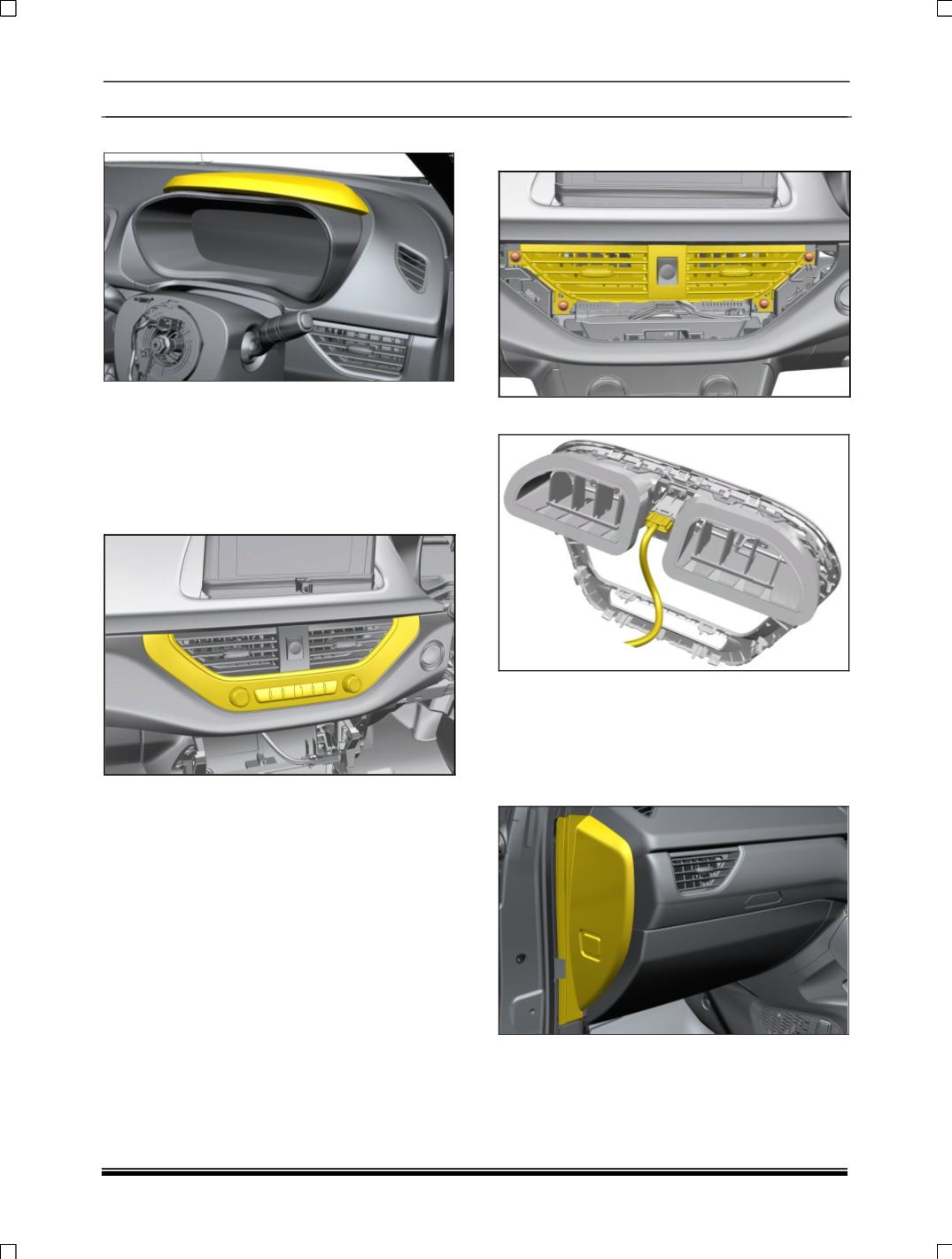
6. Pull out instrument cluster hood.
7. Remove Cluster Cover Assy. (Two M4.8x16
screws at top, two rib-locks at bottom & snaps
on either sides) Remove instrument cluster.
(For procedure refer instrument cluster
removal process in Electrical section.)
8. Pull out Center Fascia Panel and Disconnect
the electrical connection
9. Loosen and remove the four mounting screws
of air vent
10. Disconnect the electrical connection.
Remove music system (If applicable). (For
procedure refer music system removal process in
Electrical section).
11.Remove floor console assembly. (For
procedure refer floor console removal process).
12. Pull out end cover LH side.