



 453 / 801

BODY
9
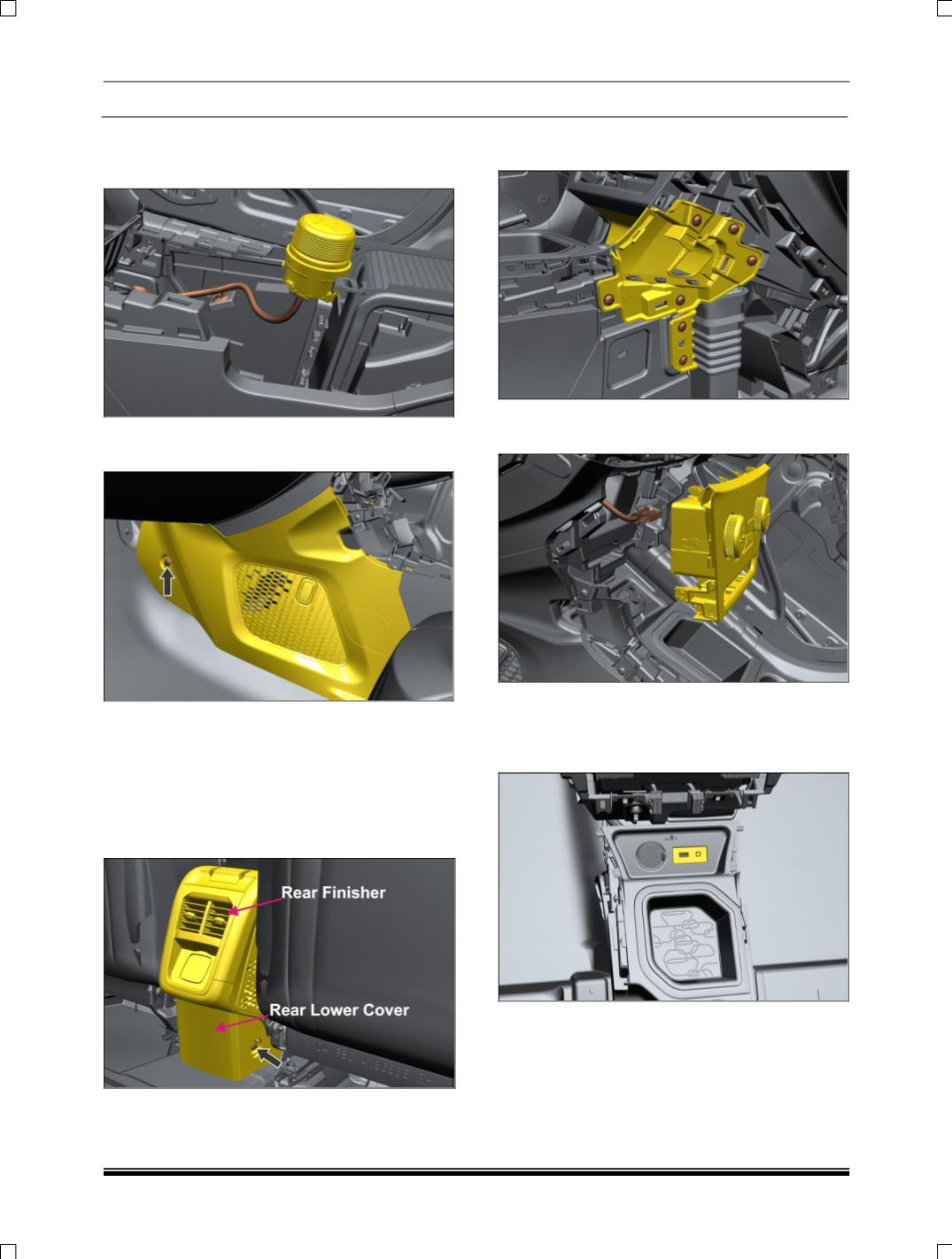
4. Disconnect one electrical connections behind
the floor console assembly. First pull out the
knob(Snap fitted) and unclip the wiring
5. First unscrew the scrivet then pull out the side
panel.
6. Remove two mounting bolt (LH & RH).
To get
access to remove bolts which are mounted on
lower bracket
•
First remove rear finisher
•
Remove rear lower cover
•
Remove the bolts on lower bracket
7. Remove LH ,RH side mounting screw of
console panel
8. Disconnect two connections behind the control
panel assembly.
9. Disconnect USB auxin connectivity module
Assembly. (For removal refer USB auxin
connectivity module removal process in
Electrical section.)