



 400 / 801

FATC
13
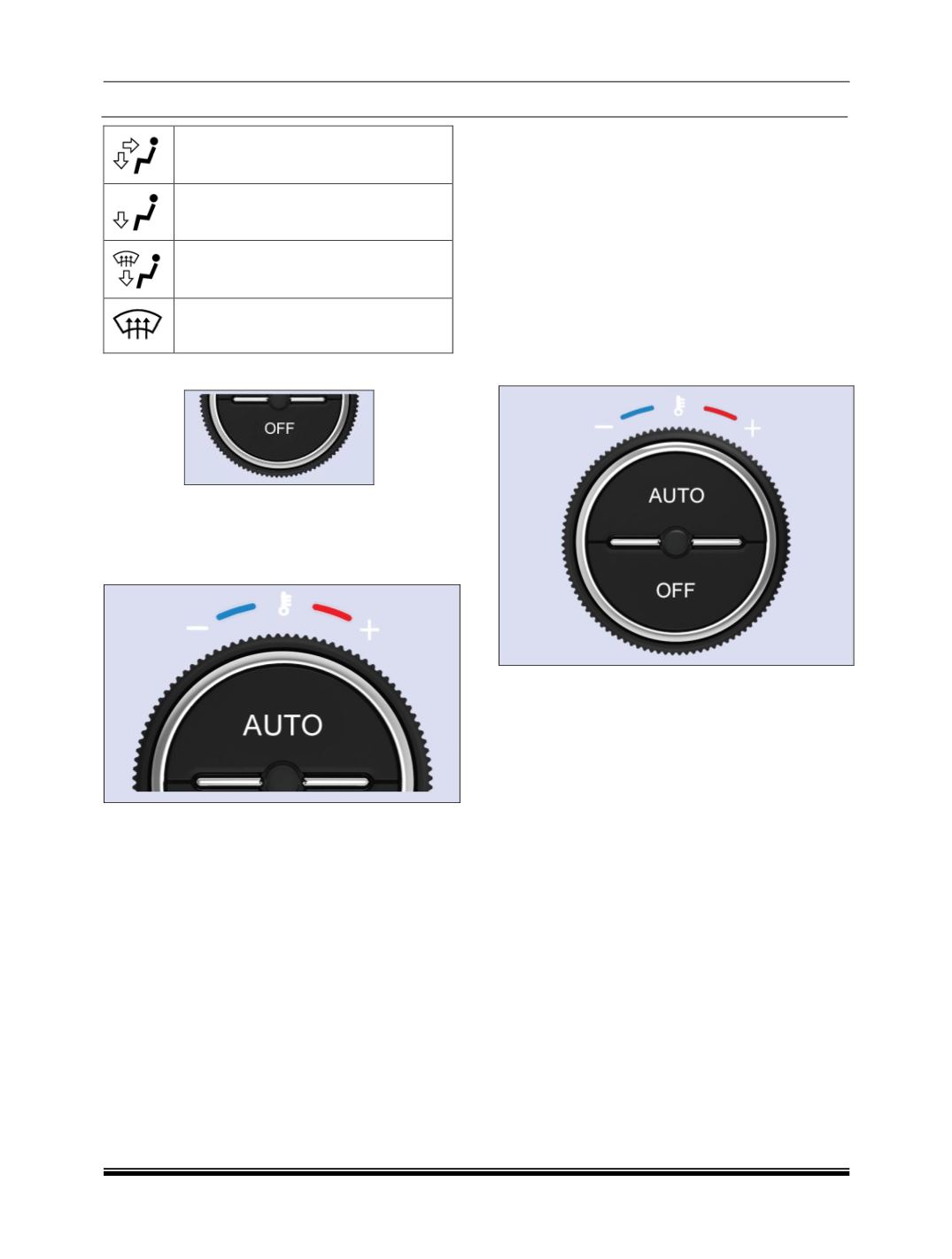
Directs air through the center, side and
foot well vents
Directs air through the foot well air
vents
Directs air through the defroster & foot
well vents (De-fault fresh air mode)
Directs air through the defroster vents
(Default fresh air mode)
viii. “OFF” BUTTON”
Press the OFF button to switch OFF the system.
The display will no longer show the climate control
option when panel is OFF.
ix. AUTO ON SELECTION BUTTON
To put the automatic climate control in fully automat-
ic mode:
A. Press the ‘AUTO’ button.
B. Set the desired temperature by turning tempera-
ture control knob. The display will show all the
functions during ‘AUTO’ mode.
C. The system automatically selects the proper mix
of conditioned and /or heated air that will, as
quickly as possible, raise or lower the interior
temperature to your preference.
D. When you set the temperature to it lower limit (-)
or upper limit (+), the system runs at full cooling
or heating only. It does not regulate the interior
temperature.
Semi-automatic Operation
You can manually select various functions of the cli-
mate control system when it is in fully automatic
mode. All other features remain automatically con-
trolled. Making any manual selection causes the
word ‘AUTO’ in the display to go OFF and overridden
setting is displayed. System will remain in semi-
automatic mode till ‘AUTO’ is re-pressed.
NOTE
In ‘AUTO’ mode, the FATC systemwill regulate the
blower speed automatically.
x. TEMPERATURE CONTROL KNOB
Turning the temperature control knob clockwise in-
creases the temperature of the air. The desired
temperature will be increased by steps of 0.5ºC. Us-
er can select temperature range from 18ºC to 30ºC.
Whereas the anticlockwise direction decreases the
temperature.
When you set the temperature to its lower limit (-) or
its upper limit (+), the system runs at full cooling or
heating only. It doesn’t regulate the interior tempera-
ture.