



 871 / 1119

ELECTRICAL
58
5. Remove HMI Display.(Refer procedure
mentioned on page no 66)
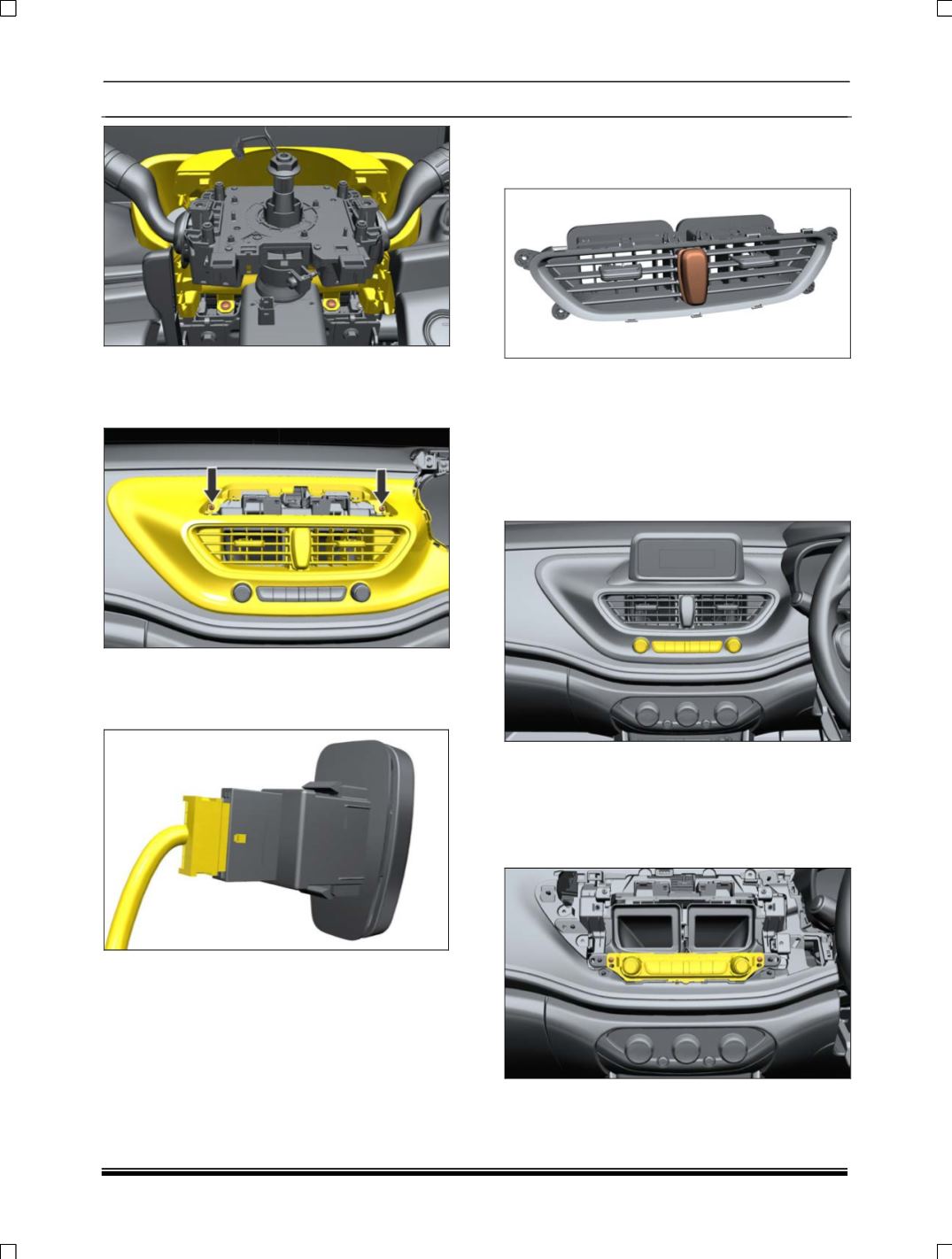
6. Remove screws on Fascia center.
7. Pull out Fascia center with Air vent Assembly.
8. Disconnect the electrical connection from
Hazard switch.
9. Dismantle Air Vent to it’s child part level till
Hazard switch snaps are accessible for it’s
defeat.
10.Defeat Hazard switch snaps from back side to
remove it.
REFITMENT
Follow the removal procedure in reverse.
18. BUTTON PANEL REMOVAL
LOCATION
REMOVAL
1. Pull out Fascia center with Air vent Assembly.
(Refer Hazard switch removal procedure as
given above)
2. Remove screws on button panel.
3. Disconnect Electrical connection.
4. Take out button panel.