




 4179 / 4910

Q5/X451 FATC
DTC Troubleshooting Data
Version: 1.0
Date: 16-Oct-2018
Copyright ©
TATA MOTORS Ltd.
This document must not be used in any way, such as copying and redistributing to third parties, without the consent of author.
Author: ERC
Page: 119 of 202
B1F33-23:- Auto Request Button-Signal Stuck Low
Overview:-
ISO Code
B1F33– 23
Customer Symptom
Auto request cannot be manually selected
Fault Effects (On Vehicle)
The Auto switch is stuck and Auto is deactivated also
Auto LED status is not changing
Lamp Status (If Any)
if AUTO button is stuck in AUTO mode and AUTO Key
Jam is detected, then control algorithm shall run in
manual modes as per the user interventions.
If Key Jam(Stuck) is cleared, AUTO will be activated
with single AUTO key press.
Fault Detection Condition
Auto Request Button -Signal Stuck Low
Normal Operating Condition
When the Auto button is pressed. CCM shall take the
input from different sensors and maintain the user
temperature.
Probable Trouble Area
Auto switch component failure.
Healing Condition
Check and lubricate switch, replace control panel
Component Details:
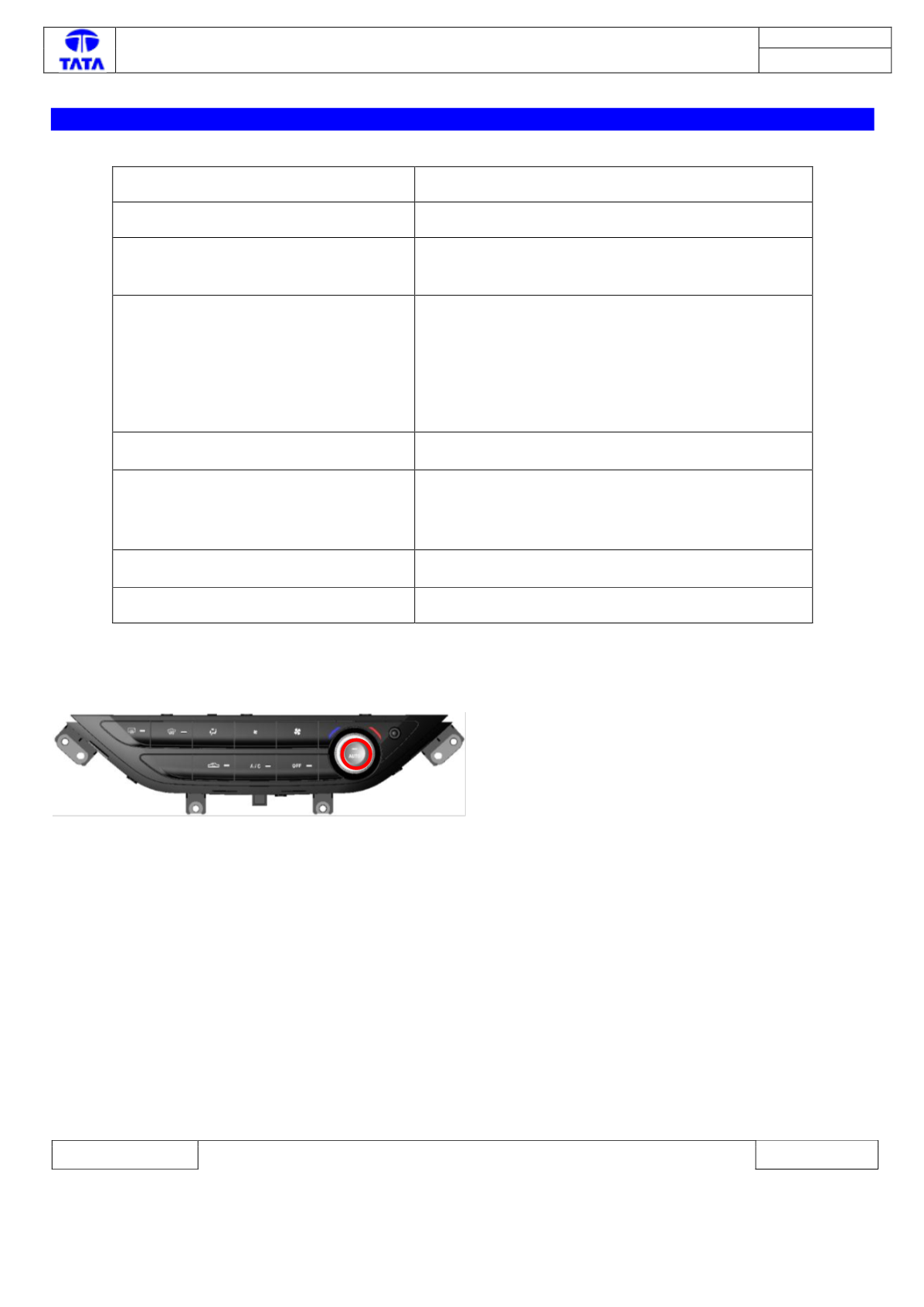
Auto switch Button is shown in above image. The user shall be able to activate fully automatic temperature control
when the Auto request button on CCH is pressed.
Preliminary Checks:
Switch On the IGN & perform the following check.
1) Connect the Diagnostics tool & check the DTC fault code
2) If the fault code exists, refer the corrective actions