




 1114 / 4910

TML Harrier Infotainment Reflashing
and Replacement Spec
TITLE :
TML Harrier Infotainment Reflashing and Replacement Spec
Doc No:
Date
: 10
th
Dec 18
Revision
: 0.3
Page: 8 of 15
Prepared : Pritam B
Checked: Phani Kumar J
Approved: Anand Sikchi
This specification is the exclusive property of Tata Motors Limited. Without their consent it may not be
reproduced or given to third parties
.
The above specifications are subject to change and therefore suppliers
are requested to refer the latest one.
CONTROLLED COPY FOR RESTRICTED CIRCULATION
© TATA MOTORS LTD.
2.4 Infotainment Software Reflash Procedure
2.4.1 Preconditions
1. Infotainment System should have USB interface to support flashing.
2. Ensure USB has a valid
Infotainment system software flash file. Flash file should be in supported
format.
2.4.2 Procedure
Below is the step by step procedure to Reflash Infotainment system
Step 1
Ensure that IGN status is in OFF condition and vehicle battery is in good condition
Step 2
Ensure that system is in ON condition. If system is not in ON condition, using power button
switch ON the system.
Step 3
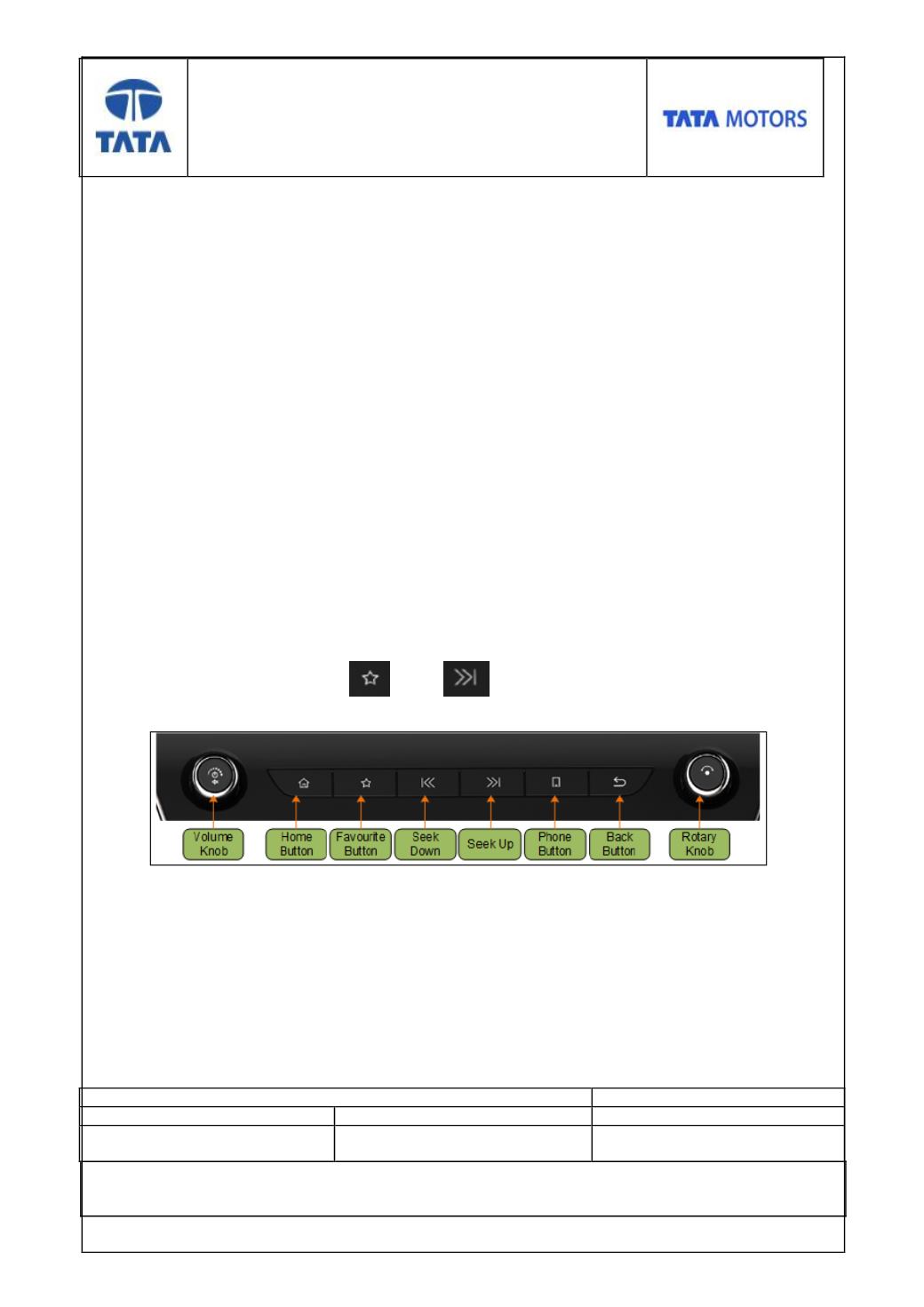
To verify Silver Box software version navigate through Home-> Predefined key combination
at once (Key combination 2
nd
and 4
th
key of button panel).
Step 4
Ensure that USB has a valid Infotainment software flash file. Infotainment software flash file
should be placed at the USB root folder.
Step 5
Insert USB in to USB docking location