




 1887 / 1906

HVAC
73
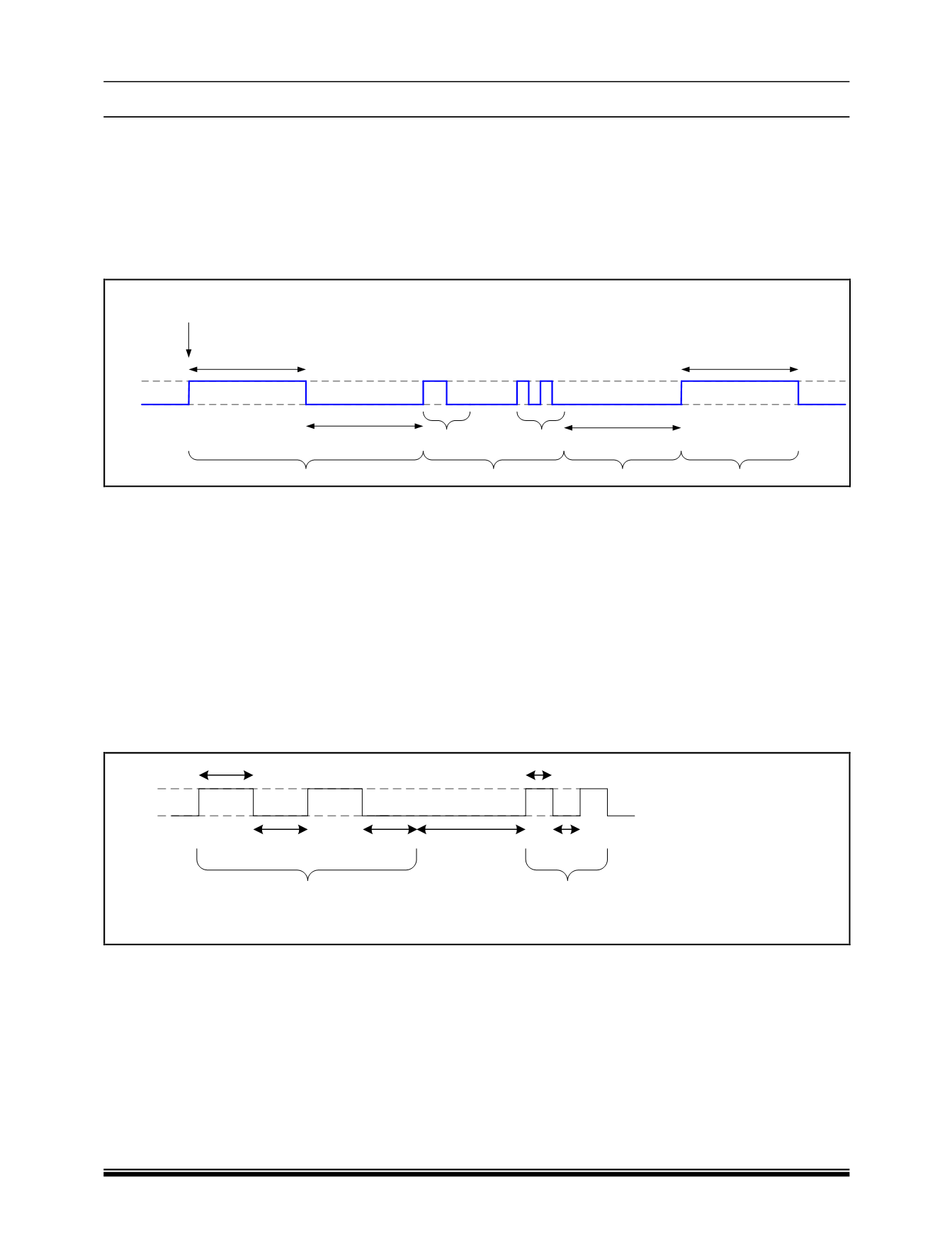
B DISPLAYING BLINK CODES
1. Activate the diagnostic mode.
2. Press the AC button and keep it depressed for 5 seconds or more.
3. The recirculation LED will glow for 5 seconds and be OFF for 5 seconds to confirm that the blink codes will be
displayed.
4. After this the recirculation LED will start giving out the blink codes.
Pattern A
Pattern B
ON
OFF
Blink Code (1,2)
5 sec
Start Pulse
5 sec
5 sec
5 sec
Stop Pulse
Pause after Blink Sequence
AC Key pressed and
held for 5 seconds to
query faults
NOTE
All faults (permanent, temporary and history) shall be displayed by the control head. The user shall be able to
distinguish the permanent and non-permanent (temporary/history) by erasing the faults after querying them once.
C READING BLINK CODES
A blink code sequence comprises of 2 blink patterns A and B in the sequence A,B. Blink pattern A and B is dif-
ferentiated by the ON and OFF timing delays:
a. Blink Pattern A has 1 second ON time and 1 second OFF time.
b. Blink Pattern B has 0.5 seconds ON time and 0.5 seconds OFF time.
c. Blink pattern A is followed by Blink Pattern B with a time delay of 2 seconds.
A sample blink sequence (2, 2) is indicated as illustrated below.
1s
1s
0.5s
0.5s
2s
Pattern
A
Pattern
B
Recirc LED Status
ON
OFF
1s