




 1348 / 1906

ELECTRICAL
46
ASSEMBLY:
1.Lightly oil pinion bearing surface. Lightly grease
spiral splines of armature shaft.
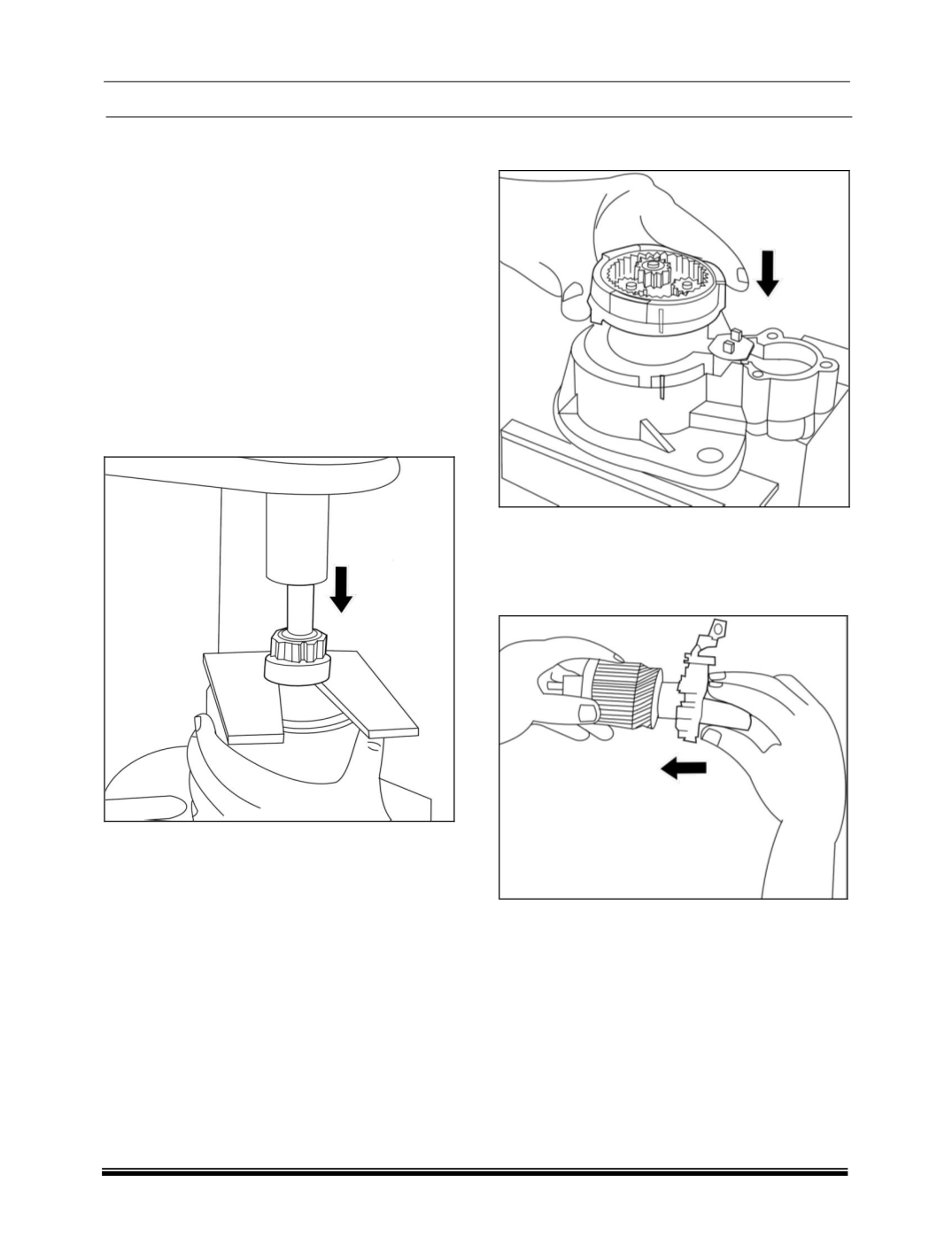
2.Slide overrunning clutch with fork lever and
bearing pedestal on to drive shaft. Slide stop ring
onto shaft.
3.Using pliers slightly open up new retainer and
insert into armature ring groove.
4.Slide mounting sleeve 03-KDAL 5028 onto
armature shaft (
turned side of sleeve pointing to
retainer
) and caulk retainer into stop ring using
03-KDAL 5487 and a mallet. Alternatively, press
the retainer into the stop ring with tool 03-KDAL
5028 using an Arbor Press supporting the pinion
on supporting plate H-S/KDEP 189 as shown in
figure.
5.Align the marks made during dis-assembly and
insert the epicycloidal gear with pinion,
overrunning clutch, fork lever and bearing
pedestal into the drive end bearing housing.
Insert rubber seal.
6.Align the marks and position the cover plate on
the ring gear.
7.Position tool H-S/KDEP 188 with brush plate on
the armature shaft at the commutator end and
slide the brush plate over the commutator,
making sure that the brush holders are properly
seated at anchor point. Remove the tool.
8.Lightly oil gasket (felt ring) with oil and insert on
commutator end.
9.Slide commutator end shield onto armature
shaft.