



 1446 / 1863

ELECTRICAL
144
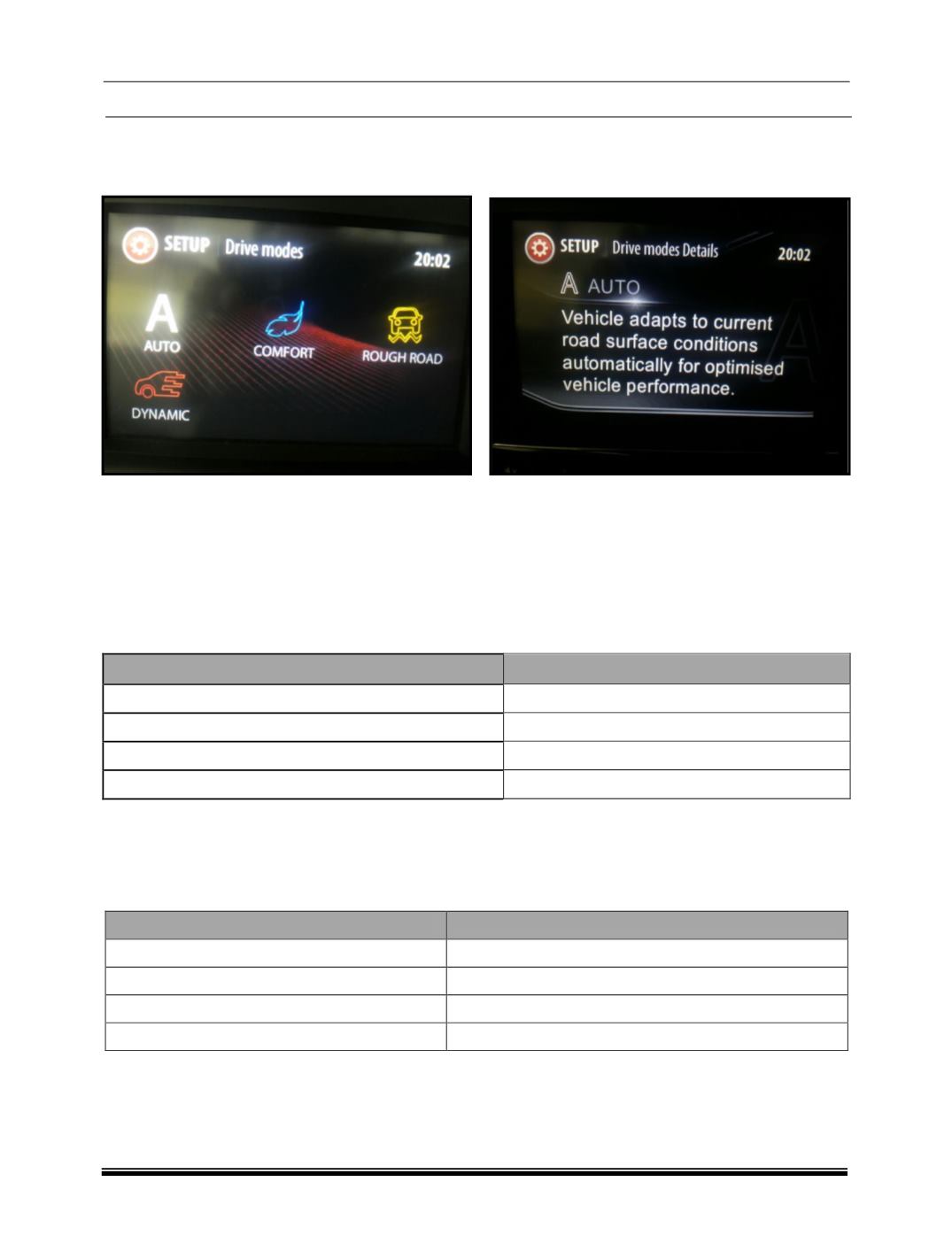
III. On the head unit display the drive mode information can be found at Menu ==> Settings ==> Drive
Modes.
Auto Drive Modes Active:
Help Text for Auto Drive Mode:
b) Display on Instrument Cluster:
Display of vehicle drive modes in IPC shall be displayed in IGN ON and Engine running condition, while
drive mode feature is active. IPC shall dynamically display the drive mode selected by the user, along
with a text message about the drive mode name at the time of user intervention. That is, whenever
there is a change of drive mode state, IPC shall honor the change, prioritize the drive mode state and
display the current drive mode chosen.
IV. The drive mode display icon colors shall be as defined in below table. Please refer the design studio
recommendations for the drive mode icons.
Vehicle Drive Mode Selected
Color in display
AUTO
White
COMFORT
Cyan
DYNAMIC
Red
ROUGH ROAD
Yellow
c)
Drive Mode based Mood Lighting:
The mood lighting colors shall be changed in accordance with the user selected drive mode.
As long as Mood Lighting is in AUTO mode, BCM activates the mood lights with the preset color as per
the vehicle drive mode information received on CAN from EMS and/or ESP (if present).
Vehicle Drive Mode
Mood Lighting Color
AUTO
Polar (Bright White)
COMFORT
Cyan Blue
DYNAMIC
Ruby (Red)
ROUGH ROAD
Yellow