



 1445 / 1863

ELECTRICAL
143
DRIVE MODES
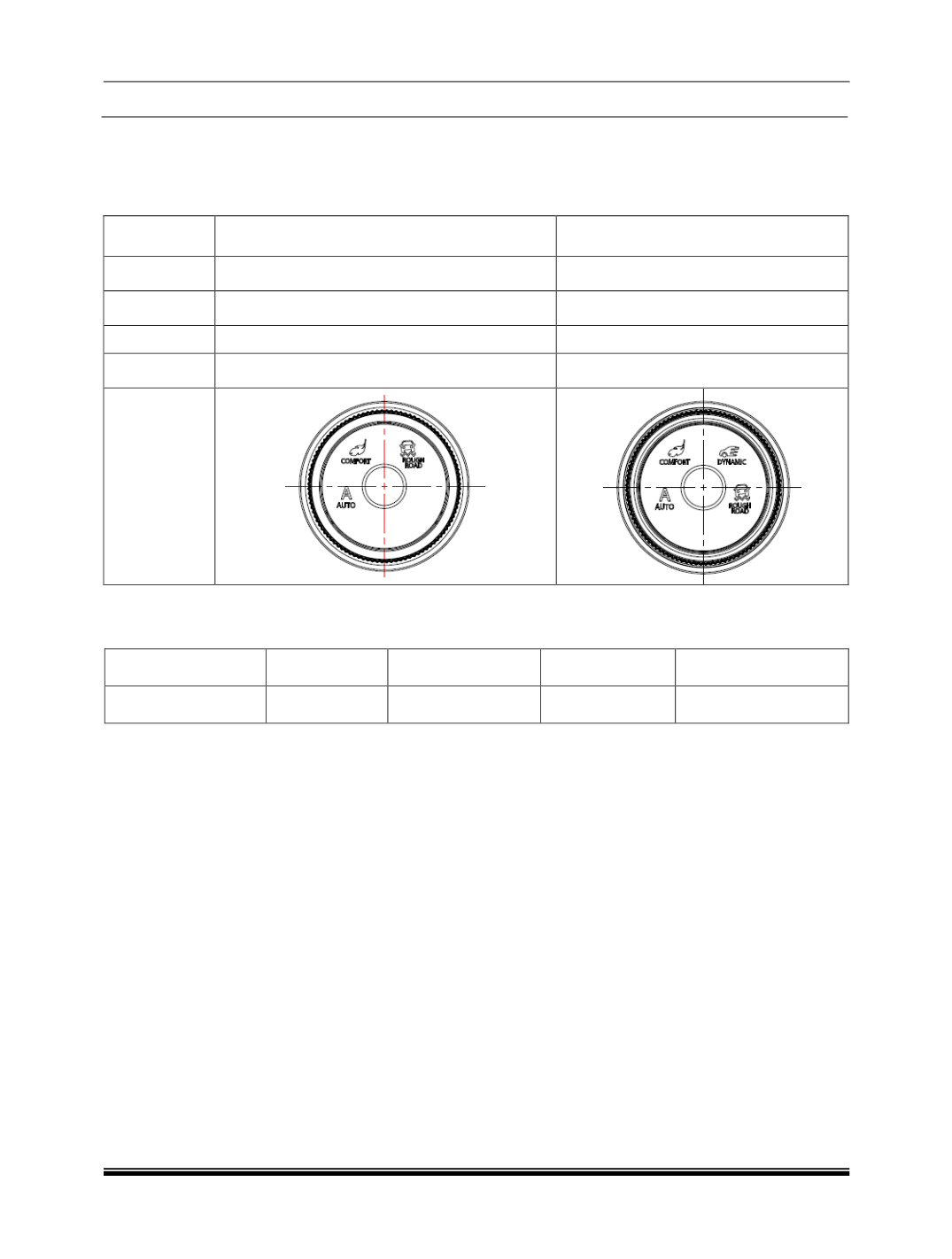
There are two variants of switches available based on the vehicle features and variant. Drive Control Switch
is available in 3 modes selection variant applicable in XM variant and 4 modes variant applicable in XT
variant.
Sr. No.
XM
XT& XT(4x4)
1
Auto
Auto
2
Comfort
Comfort
3
Rough Road
Dynamic
4
------------------------------
Rough Road
TOD MODES (If applicable)
TOD mode is selected based on the drive mode selected by the user.
Drive Mode
Auto
Comfort
Dynamic
Rough Road
TOD Mode
4X4
4X2
4X2
4X4
DRIVE MODE FUNCTIONALITY
a) Welcome Strategy
The Welcome strategy shall come for 3 sec when the Key is inserted and in IGN ON position, All Drive mode
LED’s shall lit up with white colour followed by Amber for 3 sec. After 3 sec the AUTO mode shall be
selected as a default Drive mode in every ignition cycle.
NOTE:
The User can select the Drive mode approximately after 6 sec from the IGN is turned ON as an initialization.
Any mode selection would be discarded by the DCS till this Initialization time.
DRIVE MODE DISPLAY
The selected drive mode is also shown on the instrument cluster and the head unit display screen.
a) Display on Head Unit
I. Display of vehicle drive modes in HU shall be occur only in vehicle IGN ON or Engine running
condition, when HU is in Active or Media OFF mode.
II. In the HU menu, user will be able to see the Drive modes available in the vehicle and be able to read
the help text corresponding to each drive mode, as the user select the corresponding drive mode in
the menu.