




 1317 / 1428

STEERING
11
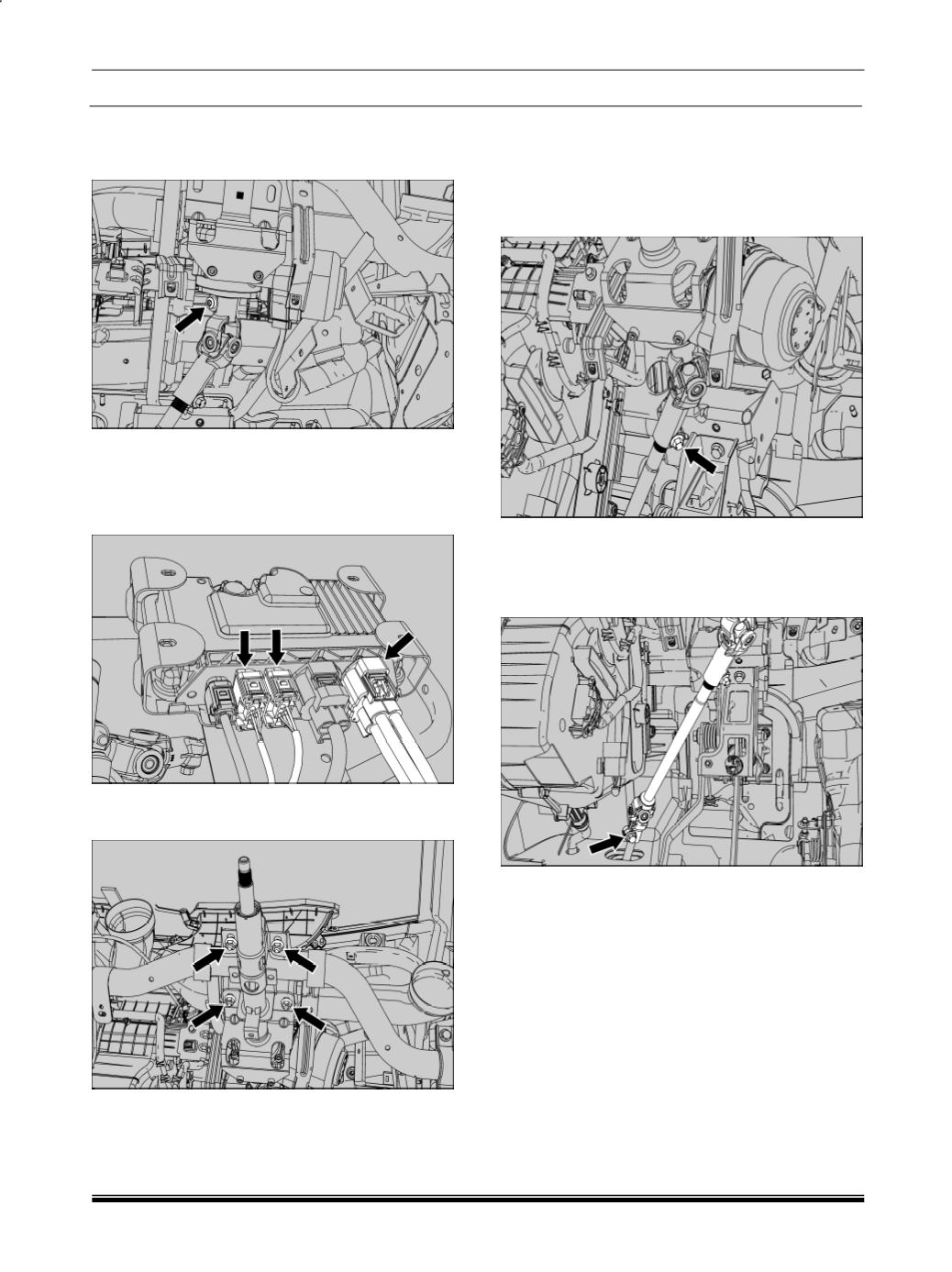
6. Loosen & remove the universal joint bolt (column
side) between steering column & intermediate
shaft.
NOTE:
Do not reuse the bolts.
7. Disconnect the electrical connector’s from the
ECU.
8. Remove the steering column mounting bolts (4
no.).
9. Disengage the column assembly from intermedi-
ate shaft and take out the column.
REFITMENT:
For assembly follow reverse procedure of removal.
1.2.3.3 INTERMEADIATE SHAFT REMOVAL
1. Loosen the universal joint bolt between steering
column & intermediate shaft.
NOTE:
Do not reuse the bolts.
2. Remove the universal joint bolt between inter-
mediate shaft and rack & pinion assembly.
NOTE:
Do not reuse the bolts.
3. Disengage the intermediate shaft from rack &
pinion assembly and take out the intermediate
shaft.
REFITMENT:
For assembly follow reverse procedure of removal.