




 1381 / 1906

ELECTRICAL
79
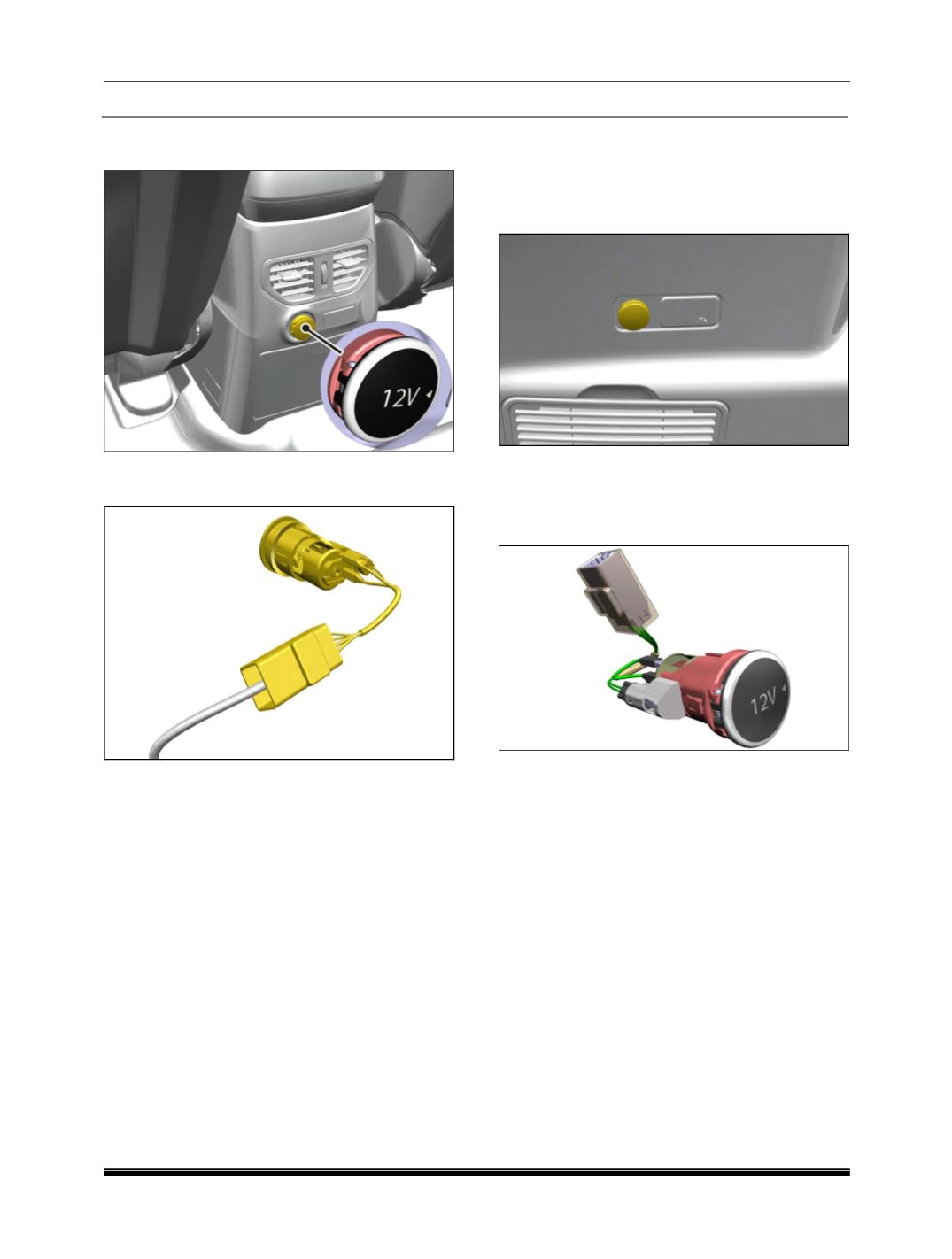
3. Carefully pry out LED holder from illumination
ring
4. Press the snaps and pull out the power socket
from mounting cutout
REFITMENT:
1. Slightly pull out the wiring harness through cut
out and connect the electrical connections.
2. Insert the Illuminating ring into cut out provided
on the rear power socket.
(Snap fitted)
3. Press the power socket into illuminating ring.
4. Fit the power socket.
POWER SOCKET ON REAR QUARTER TRIM:
REMOVAL:
1. Disconnect the electrical connection.
2. Open the rear quarter trim LH.
3.
Carefully pry out the power socket assembly
from its illumination ring.
4. Press the snaps and pull out the power socket
from the Mounting cutout.
REFITMENT:
1. Insert and snap fit power socket into mounting
cutout.
2. Fit LED holder to illumination ring
3. Connect the electrical connections
SMART USB CHARGER ON REAR OF CENTER
CONSOLE:
The Smart USB charger with single USB port fitted
in the vehicle. The USB charger provides current
as per the charging requirement of the connected
device with maximum of 2.5 Amps or less. The
charger has illumination for night visibility.
NOTE:
The USB charger availability is dependent on
the vehicle variant.
This device shall be used only for USB
charging. It does not support USB
communication.