



 770 / 801

NEXON EV
X114H
DTC Troubleshooting Data
Version: 1.0
Date: 11-12-2019
`
6
Author: Prashant Ghadigaonkar/ Samir Tikhe
Copyright © TATA MOTORS Ltd.
This document must not be used in anyway, such as copying and redistributing to third parties, without the consent of author.
Pre-Check Points:-
a) Check connection of the E-drive terminal are properly connected
b) LV Battery voltage
c) Check for the proper terminal connection of the 12V LV Battery
Trouble Shooting:-
Flow Diagram or table format for diagnosing the
Hardware
Fault:
Step no
.
Description
Check Point
if YES
if NO
1
Remove the 12V LV battery
negative terminal. After a
minute connect 12V LV battery
negative terminal and Press the
start button to Ignition ON.
Crank the Vehicle and wait for
2 Minutes.
Check for the fault code.
Fault Code
P130000 is
present?
Contact the
authorized dealer
and replace the e-
drive.
Repair
complete.
DTC
’
s confirmation:-
After rectification, ensure the following points by referring E-drive parameters using TML
diagnostic tool before handing over to customer.
a) Check the HV Voltage of the system If it showing in-between Desired voltage range.
b) Check the torque value
c) Check whether the vehicle runs properly in Forward and reverse direction
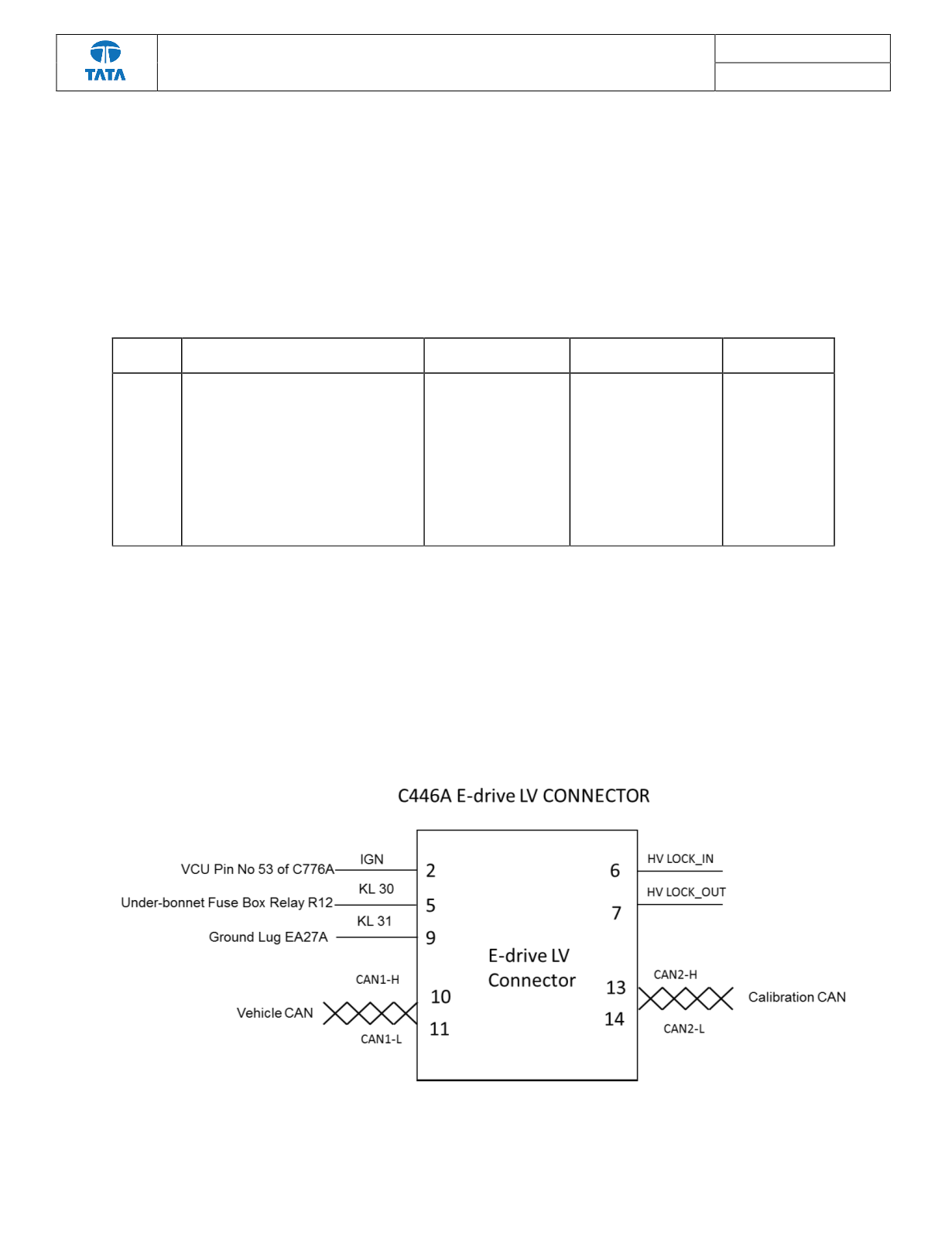
Schematic Block Diagram:-
Refer the LV schematic for more details