



 155 / 801

LV ELECTRICAL SYSTEM
69
KEY BATTERY REPLACEMENT
FOR FLIP KEY
Remote control key contains a battery, which is
housed under the cover.
If red LED on remote flashes for 5 times after
operating any button on remote. lt is
recommended to replace battery at a TATA
MOTORS Authorized Service Centre.
You should, however, proceed as follows if you
wish to replace the discharged battery yourself:
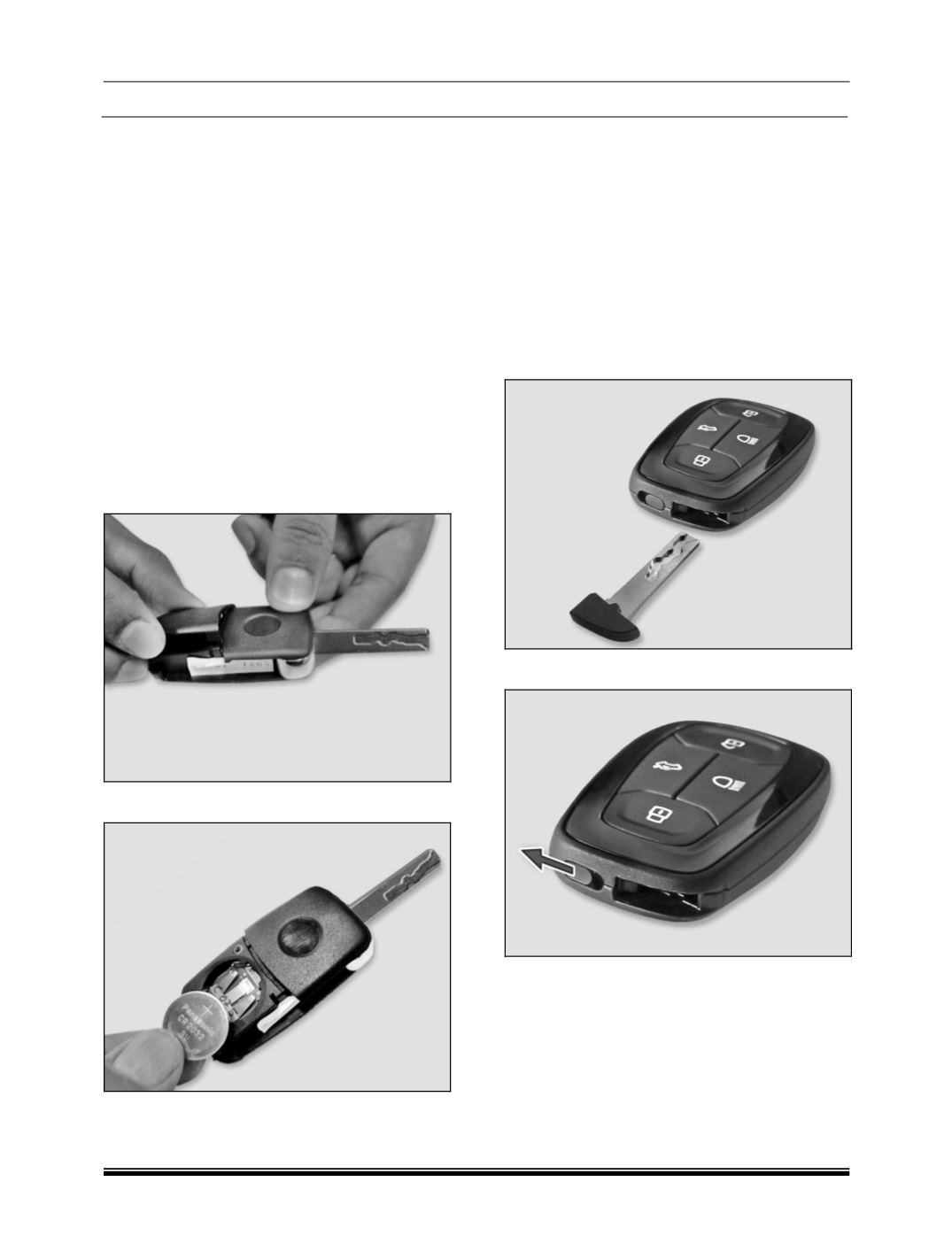
1. Open the key blade.
2. Press off the battery cover with your thumb or
using a flat screwdriver at the points of the arrows.
3. Remove the discharged battery from the key by
pressing the battery downwards at the point of the
arrow.
4. Insert the new battery.
5. Ensure that the “+" symbol on the battery is
facing upwards. The correct polarity is shown on
the battery cover.
6. Position the battery cover on the key and press
on it until it is heard to lock in place.
NOTE
•
Use CR 2032 battery only.
•
An inappropriately disposed battery can be
harmful to the environment and human health.
Dispose the battery according to your local
law(s) and regulation.
FOR SMART KEY
1. Remove emergency key from smart key.
2. Move back/unlock key release button.