




 15 / 801

HV ELECTRICAL SYSTEM
7
A. NORMAL/AC CHARGING
Precautions for Normal Charging
1. Proper maintenance of earthling pit is must.
Add water & add salts at regular intervals into
the earth pits in order to maintain the value of
earth resistance. Check annually the condition
of the electrodes so as to add or replace
electrodes.
2. The electrical socket used for EV charging
and its associated wiring should be able to
supply 15A dedicated load continuously.
3. Check the charging inlet for accumulation of
dust or any foreign objects.
4. Don’t try to pull off the charging gun during
charging.
5. Don’t pull out the charging gun if it is in locked
condition as excess force can break or
damage the locking mechanism.
Charging instructions
1. Vehicle must be parked with park brake in
engaged state before connecting the charging gun.
2. Vehicle charging port must be free of dust, water
or snow while connecting the charging gun; if not
proper cleaning method must be used to remove
dust, water and ice. Refer ‘Section 6. Cleaning of
Vehicle Inlet’.
3. If the charging gun is removed, reinsertion
should be done after at least 10 seconds of
removal of the charging gun.
Gun unlocking feature on EV
The charging gun will automatically un- lock once
you switch off AC power sup- ply, in Normal
Charging. In case of Fast Charging it will take
around 15 seconds for the charging gun to unlock.
Normal Charging procedure:
1. Engage the park brake. (Charging will not
start without engaging the park brake).
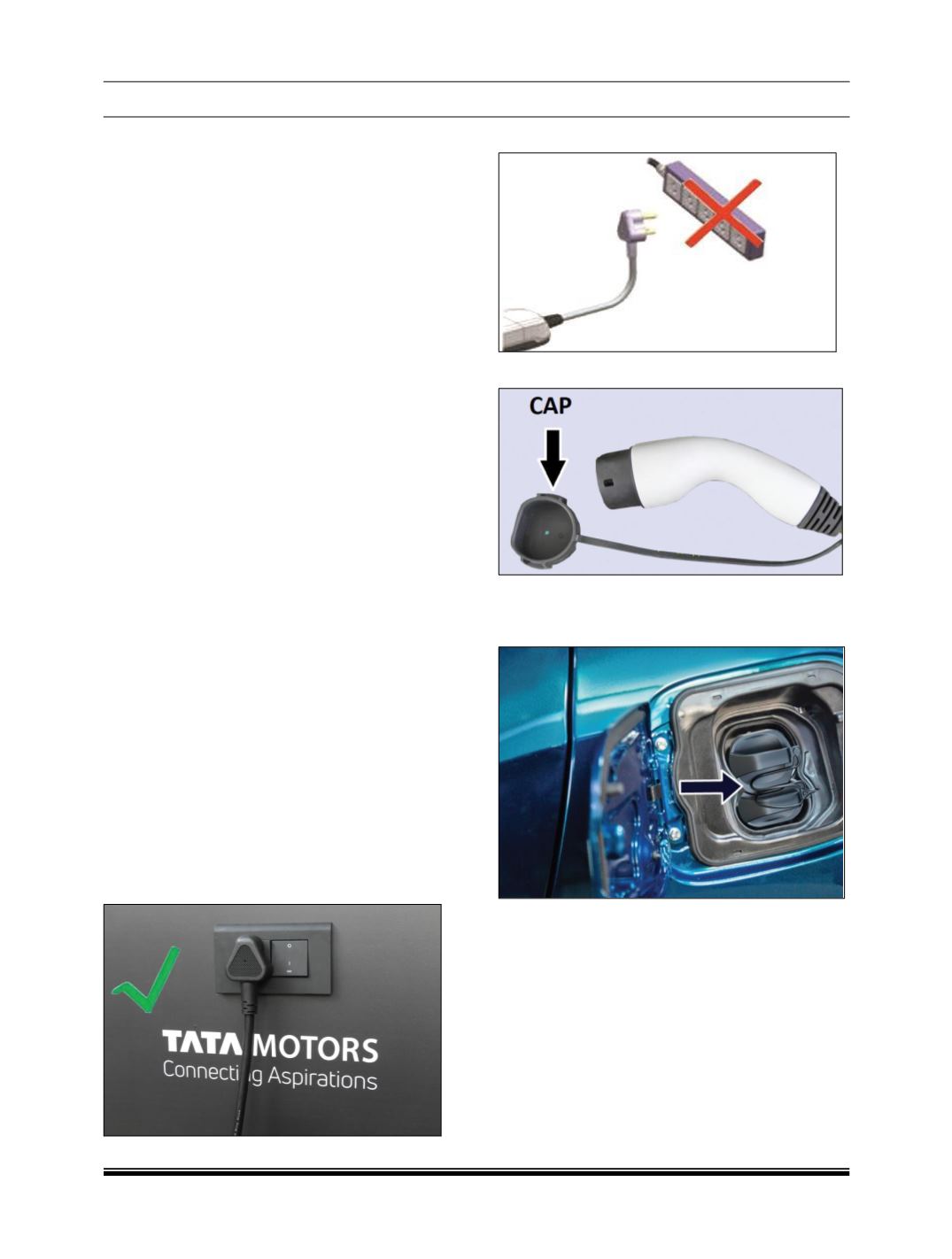
2. Connect the plug to the AC power socket.
3. DO NOT plug into a power strip.
4. Open the protective cap on Charging Gun.
5. Pull the ‘Charging-inlet Flap Open Lever’ to
open the charging inlet flap.
6. Open the protective cap on Charging Inlet.
7. Before connecting the charging gun to vehicle
charging socket, make sure the gun lock is
released.
CAUTION:
If the Gun Lock is not released please don’t insert
the Charging Gun forcefully into the socket. It may
damage the Charging Socket.
8. If the actuator is engaged and the gun is not
getting inserted properly, contact TML service
center.