




 797 / 1003

FATC
18
CLIMATE SETTINGS CHANGE POPUP
The system displays message when you change any
of the climate settings like temperature / blower us-
ing the FATC controls. The system displays popup
message when you:
Switch ON/OFF the AC
Increase/decrease the blower speed
Increase/decrease the temperature
Shift between air re-circulation options (Recircu-
late or Fresh)
Change the air distribution mode
Set Maximum Defrost
Set AUTO mode
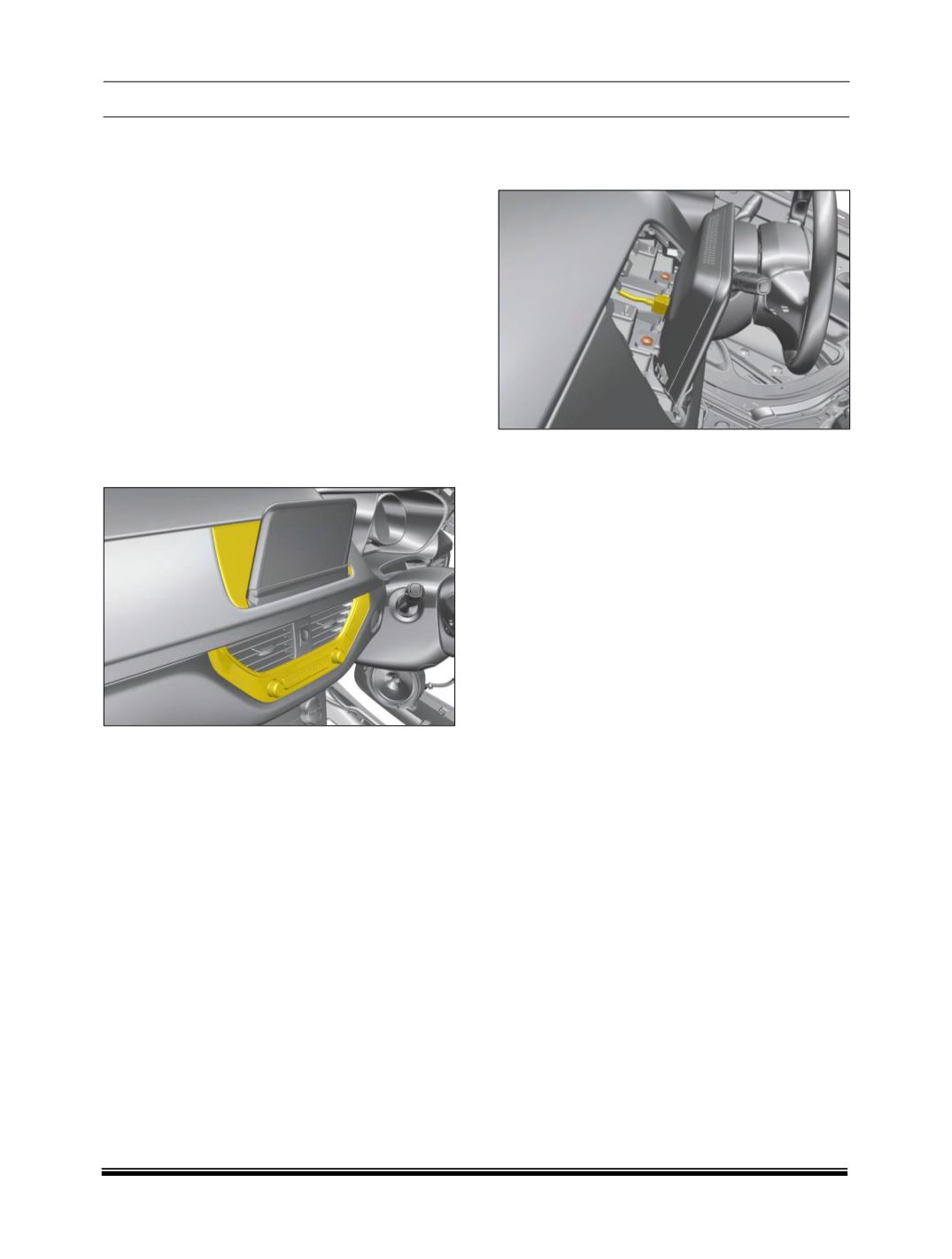
REMOVAL
1. Carefully pry out cover assembly and the air vent
assembly.
2. Remove the 2 mounting screw and Disconnect
all the electrical connections to take out the dis-
play.
REFITMENT
For fitment, follow reverse procedure of removal.