




 3361 / 4910

Vehicle Platform: OSPREY / AMP
ECU Name: PEPS
DTC Troubleshooting Data
Version: 1.2
Date: 29 Mar 2017
Author:
Rajasekhara Reddy
Page: 79 of 369
Copyright ©
TATA MOTORS Ltd.
This document must not be used in any way, such as copying and redistributing to third parties, without the consent of author.
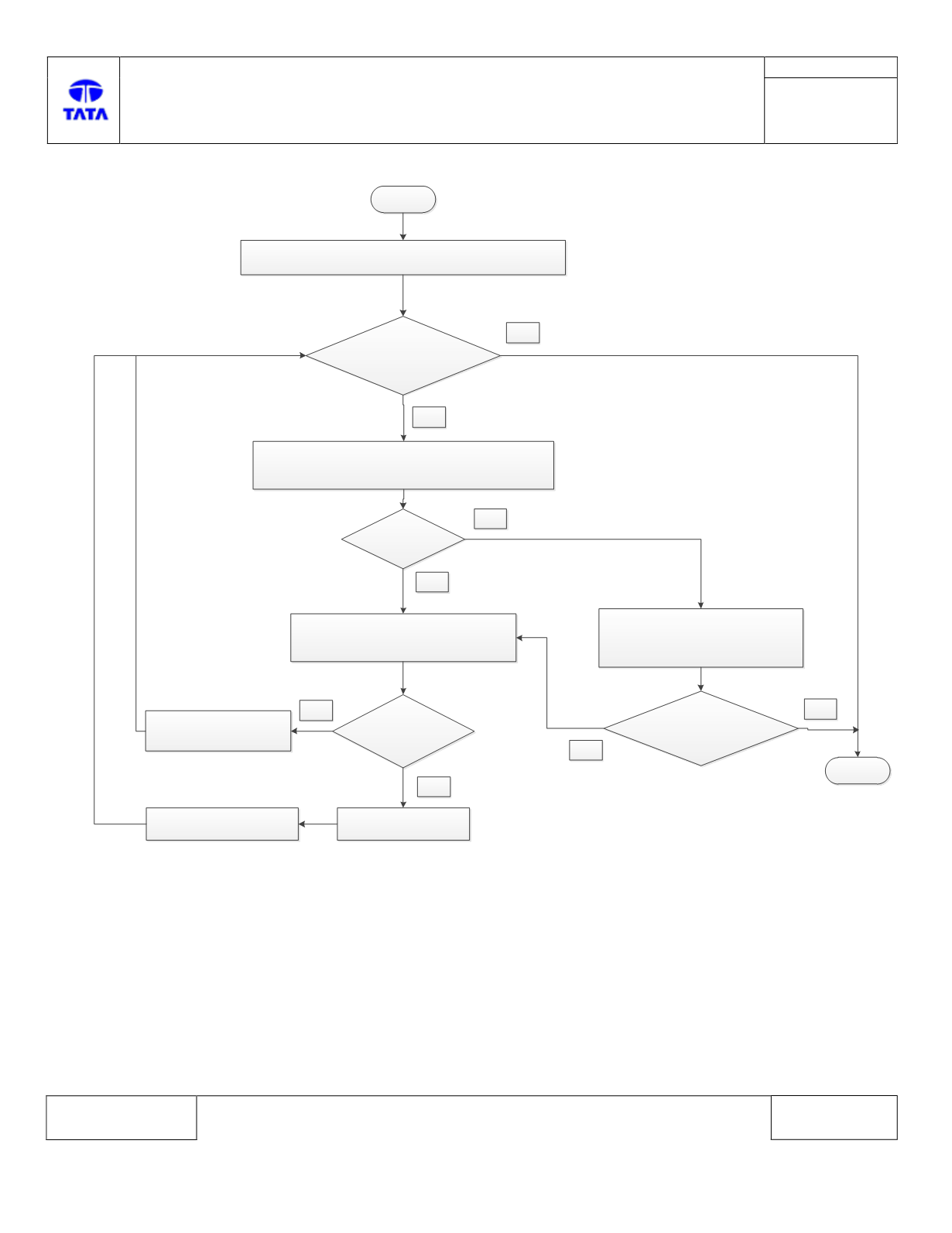
Troubleshooting:-
Start
Connect Diagnostic tool and Check for DTCs.
Is DTC B1648 – 00
present?
Yes
Stop
No
Check DTC present is Permanent or Historic
Is History?
Yes
No
1. Clear the DTC from memory
2. Turn the IGN to OFF
3. Start the IGN
Is DTC B1648 – 00
present?
No
Yes
Check the Vehicle Identification
Number of both PEPS & IPC.
Are both VIN
same?
Correct the wrong
VIN no. in PEPS/IC.
No
PEPS ECU faulty
Yes
Replace PEPS ECU
DTC’s confirmation:-
After rectification, ensure the following points by using TML diagnostic tool before handing over to customer.
a) DTC B1648 – 00 is not logged at IGN ON.
Circuit Schematic Diagram:-
NA