




 128 / 801

LV ELECTRICAL SYSTEM
42
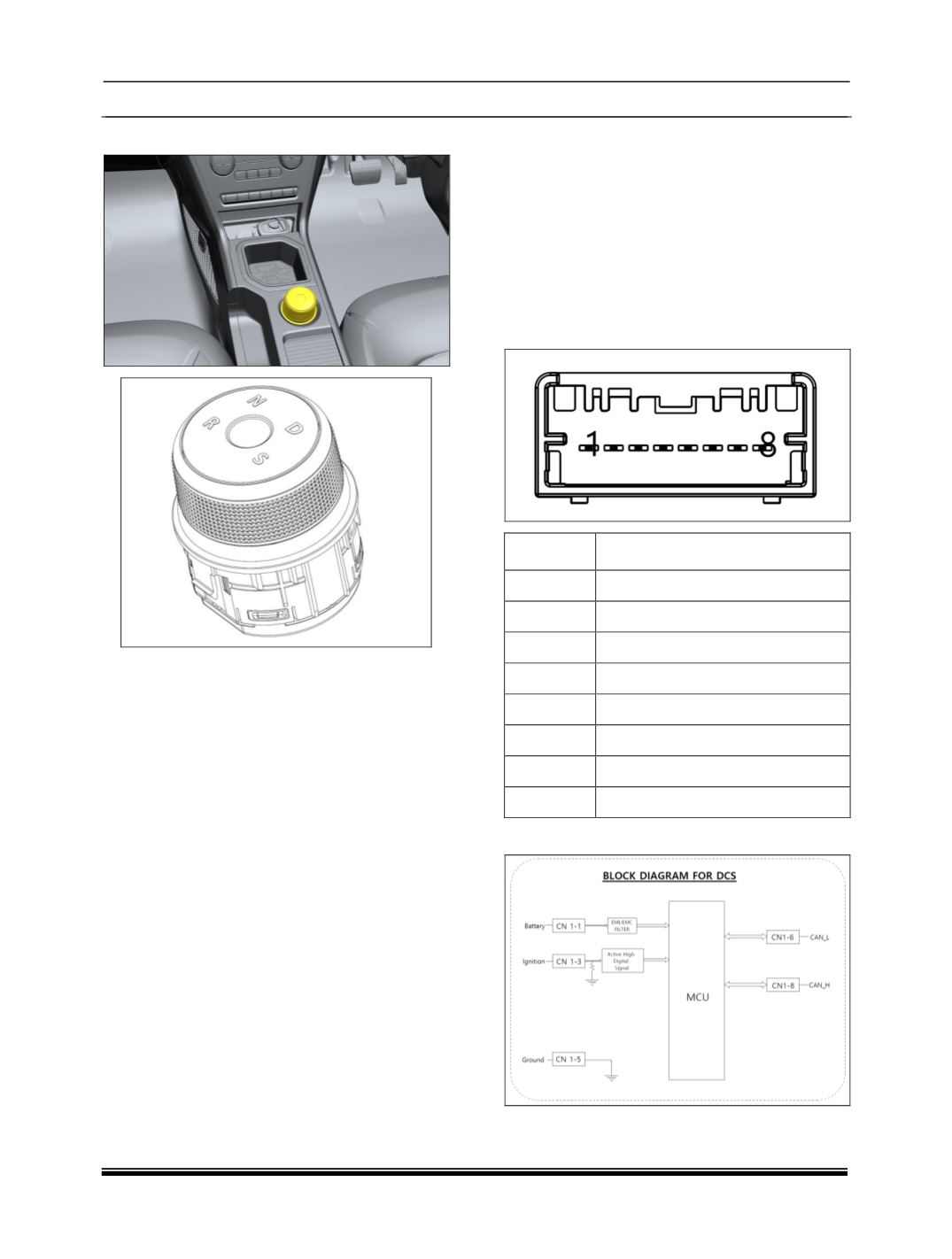
E. GEAR SELECTION KNOB
GEAR SELECTION KNOB
Gear Selection knob is a rotary knob. User can
change vehicle gear positions starting from
Neutral (N), Drive (D), Sports (S), and Reverse
(R) by rotating the knob to select the desired gear
positions.
To change the gear state (from N to D or N to R),
brake should be pressed while rotating knob.
Gear Selection knob is located on floor console.
WELCOME STRATEGY
When Ignition is switched ON from OFF, rotary
knob will perform Welcome Strat-egy for 3
seconds.
Changing gears during welcome strategy is not
allowed.
After welcome strategy, default gear po-sition will
be ‘N’ (Neutral).
GEAR SELECTION KNOB LOCK STRAT-EGY
The rotary knob will allow fast rotation from S to R
or R to S in static condition.
GEAR DISPLAY ON CLUSTER
Current gear selected by user will be shown in the
instrument cluster.
GEAR SELECTION KNOB ILLUMINATION
The rotary knob will have the backlight illumination
in the night condition when position lamp is ON.
This illumination varies in accordance with the
intensity levels set from instrument cluster.
GEAR SELECTION KNOB FAILURE BEHAVIOR
The rotary knob will turn on all function ON
Indication LEDs. Please contact TATA Motors
service centre.
CONNECTION PIN DETAILS
PIN NO.
DESCRIPTION
01
BATT
02
NA
03
IGN SW
04
NA
05
GND
06
CAN L
07
NA
08
CAN H
CIRCUIT DETAILS