




 892 / 1006

ELECTRICAL
66
REMOVAL LEVEL A
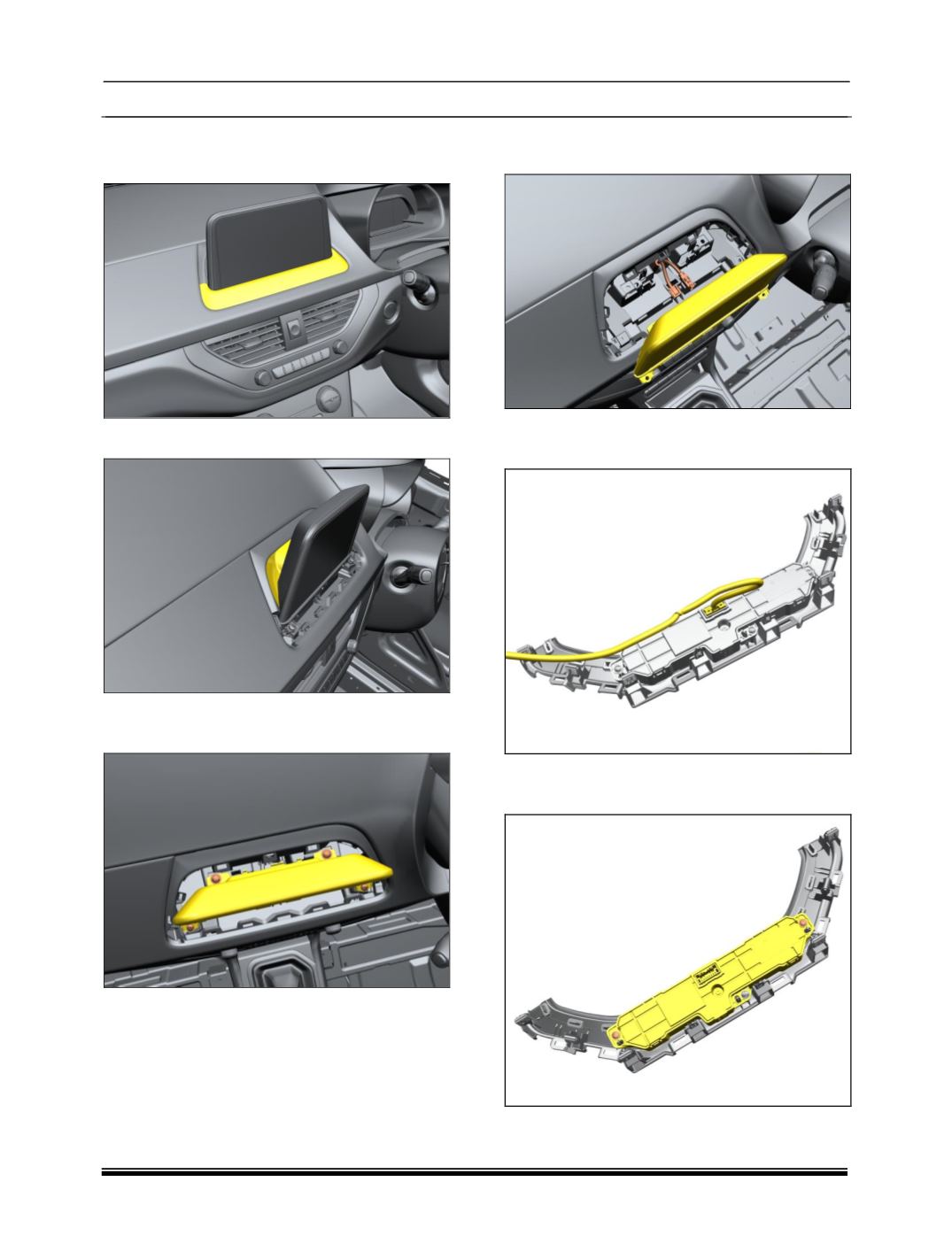
1. Carefully pry out Lower Display cover.
2. Take out cap Display.
3. Remove 4 mounting screws on Infotainment
head unit.
4. Disconnect all the electrical connections to
take out the display.
5. Disconnect all the electrical connections to
the control panel.
6. Remove the mounting screw and take out
the panel.