




 424 / 1119

CLUTCH_PETROL
17
B.
CLUTCH
CABLE
REMOVAL
AND
INSPECTION:
REMOVAL
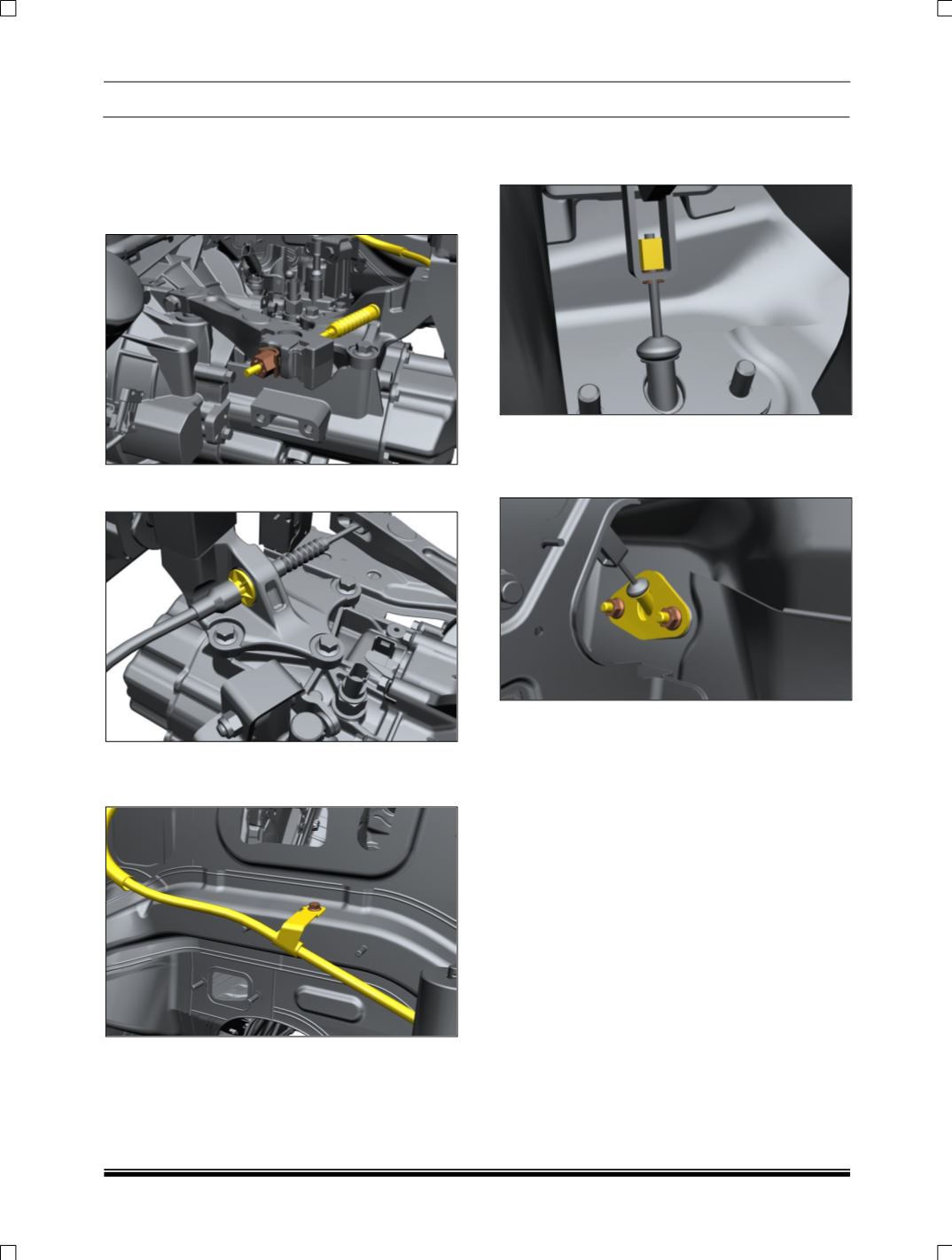
1. First loosen the clutch cable nut from clutch
release lever end.
2. Remove the clutch cable form the “B” mount
Hole.
3. Remove mounting bolt on Clutch cable holding
bracket mounted on BIW, then separate the
clutch cable.
4. Now let’s go to driver compartment & disconnect
the Clutch Cable from clutch pedal lever hook,
by lifting up clutch pedal.
5. Finally, clutch cable to be loosen from firewall by
removing the two mounting nuts of clutch cable,
from driver compartment & take out the clutch
cable form engine compartment.
INSPECTION
Replace the cable if
1. There are any permanent bends or kinks.
2. The cable is having a worn end.
3. The cable boot is broken in the engine
compartment.
4. The inner cable strands are broken.
INSTALLATION
1. Grease the Clutch Cable roller.
2. Insert the Clutch Cable inside the firewall, clutch
cable mounting hole and mount the clutch cable
abutment on firewall by using two M6 Hex flange
nut and applied appropriate tightening torque
(0.8-1 kgm), Insure that the clutch cable is free
inside the abetment.
3. Insert the Clutch Cable in the clutch pedal lever
hook, by lifting the clutch pedal upward.
6. Install Clutch cable properly inside the Cable
holding bracket mounted on BIW, then tighten
the mounting on Bracket.
4. Insert the Clutch Cable in the “B” mount Clutch
cable holding hole & ensure cable end rubber is
properly inserted & fitted inside the hole.