




 1142 / 1232

ELECTRICAL
108
WARNING
Swapping to analyze cluster defect:
It is strictly prohibited to swap clusters for defect
analysis from vehicles or from available stock.
Due to immobilizer Odometer learning strategy,
cluster odometer value will change permanently
to a higher value. For defect analysis, use
Diagnostics Tool or ETC (Engineering Test
MODE).
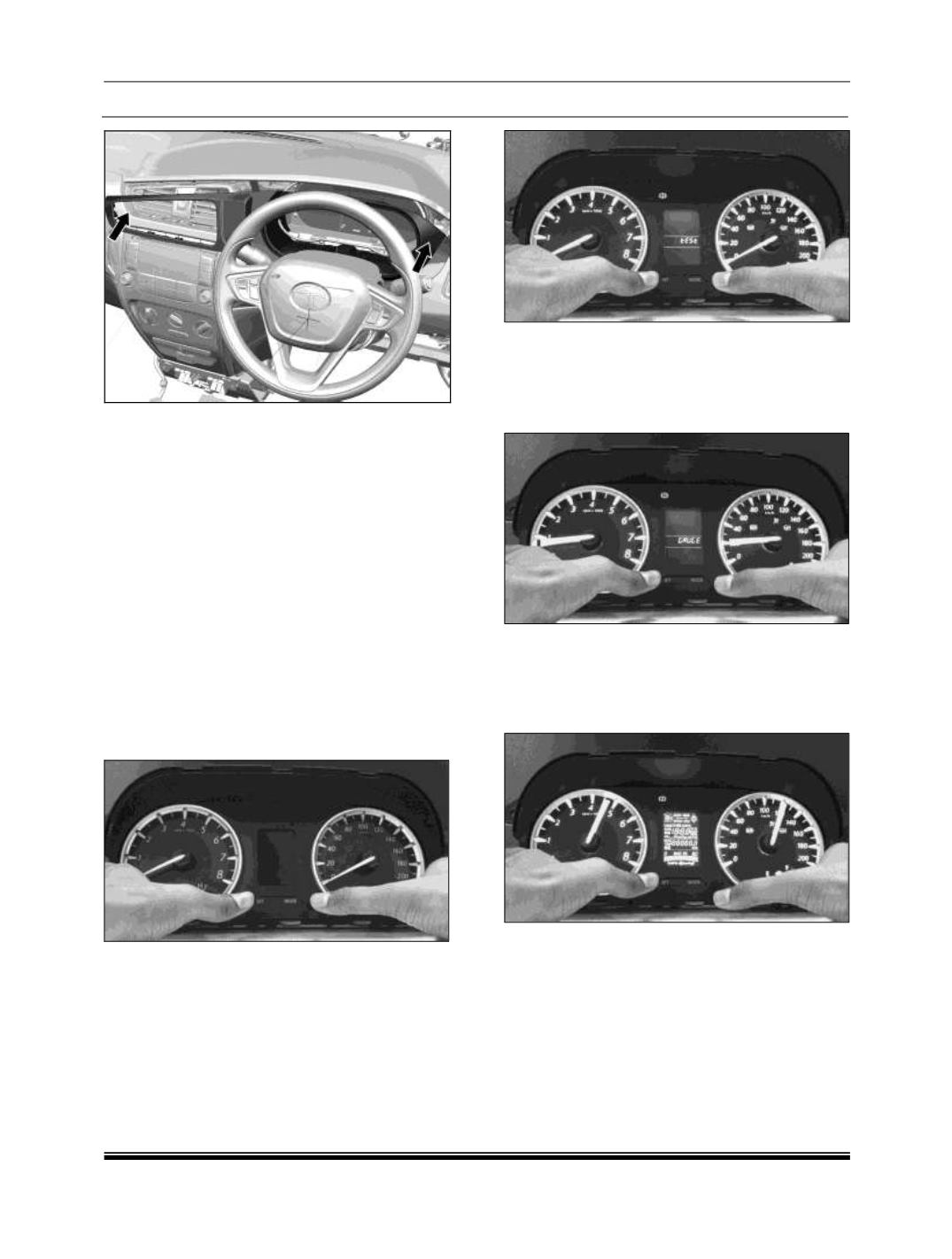
12.24.9 ENGINEERING TEST MODE (ETM)
ETM mode can be used to check Gauges, LCD
display, Telltales and Software Version of Bolt
and Zest Instrument Cluster.
Follow below procedure to enter in ETM mode:
1.
Press and hold both SET and MODE switches
on cluster when Ignition is OFF.
2. Make Ignition OFF to ON without releasing
both the switches.
3. Hold both the switches after ignition ON up to
6 seconds. Cluster will display TEST.
4. When Cluster displays ‘TEST’, release both
the switches and press SET within 2 seconds
to enter GAUGE testing. In this mode,
Gauges will sweep from zero position to Full
Position.
5. Again press SET switch to test LCD display.
In this mode all the segments on LCD will
glow. This mode can be used to check if all
the segments in LCD display are functional
and working Okay.
6. Again press SET to enter LED test mode. In
this mode, all the available Telltales or
Warning Lamps will glow. This mode can be
used to check if all the Telltales or warning
lamps are functional and not damaged.