




 908 / 1232

BODY
6
3. ORVM :
Removal :
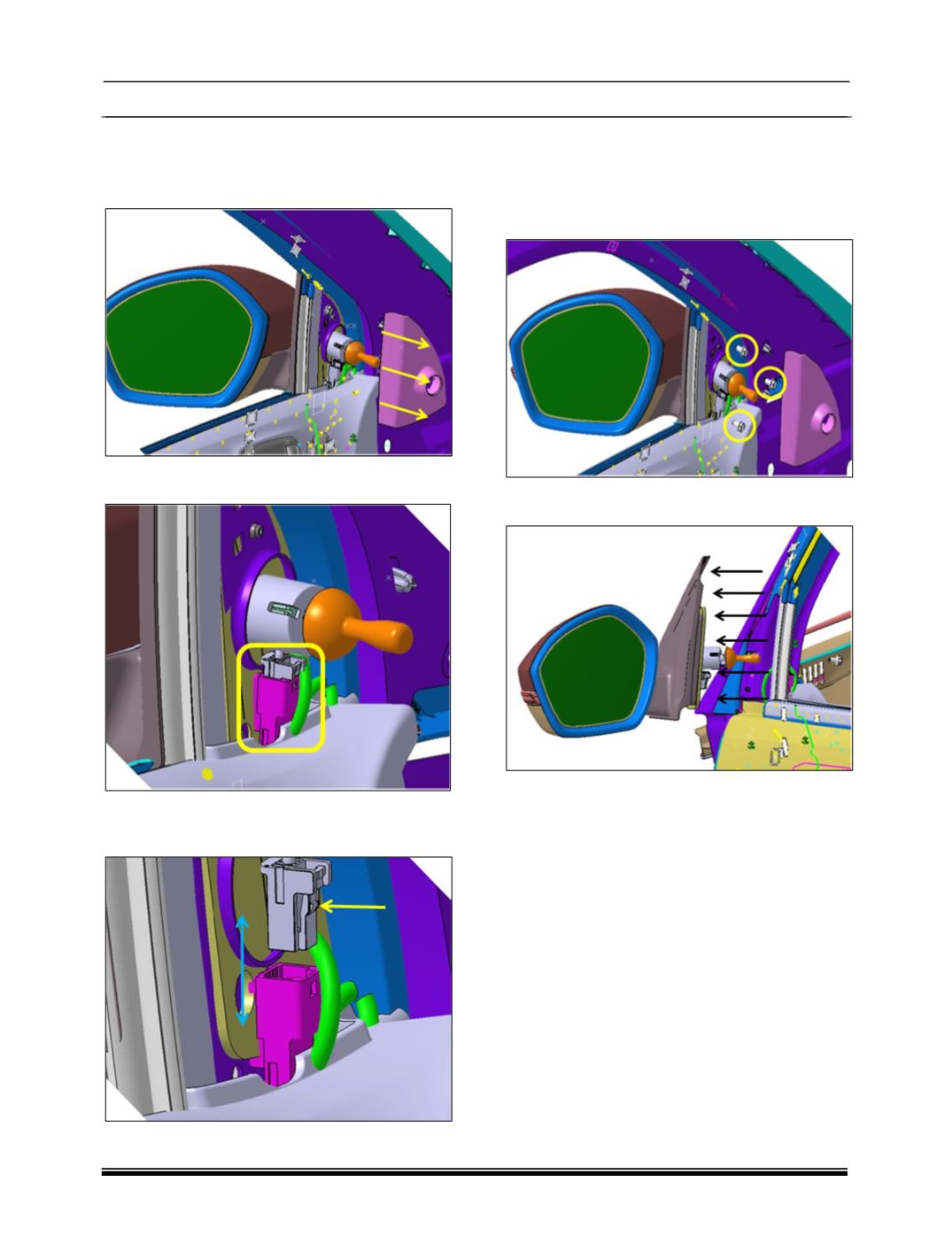
1. Remove the ORVM inner cover by pulling
towards the direction shown in image.
2. Now you will see the connector assembly
inside ORVM inner cover.
3. Disassemble the connection between these
male-female connectors properly by pushing
the switch inside shown by arrow.
4. Remove all three fasteners properly from BIW
panel, care should be taken that someone
should hold the ORVM from outside of the
door.
5. Now you can remove the ORVM from the
door panel easily from outside of the door.