




 661 / 1265

CONSOLE
4
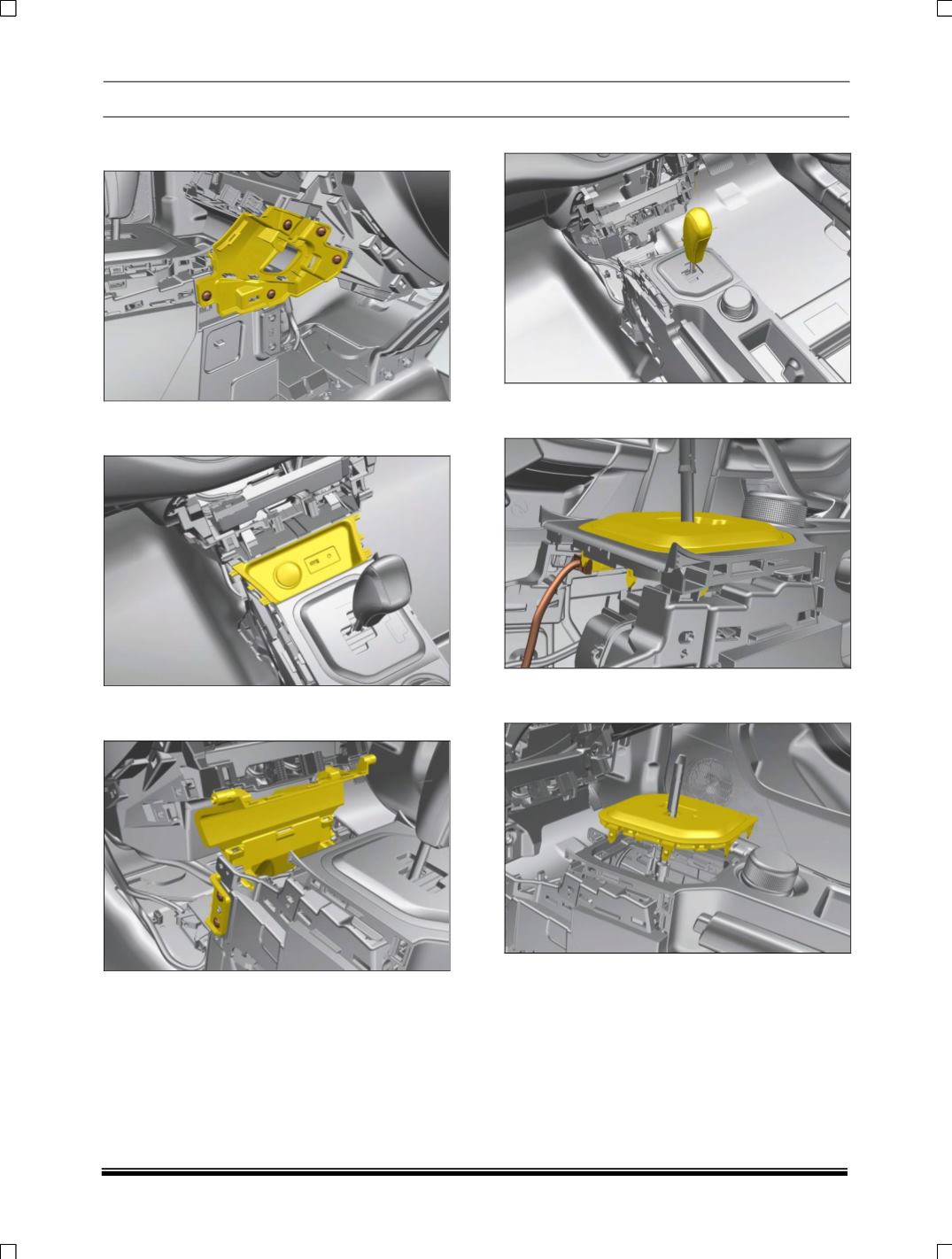
8. Remove FL TAP SCR C-ST4.8X16 & take
out console Assy panel RH.
9. Pull out floor console upper with USB module
& front power socket.
10. Remove screw on LH & RH side & pull out
Assy. console front bin upper.
11. Pull out Assy. AMT knob as shown below
12. Remove Electrical connection from top panel
PCB as shown
13. Pull out console Assy panel top with PCB as
shown