




 1380 / 1863

ELECTRICAL
78
8.6 POWER SOCKET
This can be used for connecting loads
(up to 10
Amp maximum)
like mobile charger. To use this,
open the Cap first.
NOTE:
Always keep this socket covered with the cap
when not in use.
LOCATION:
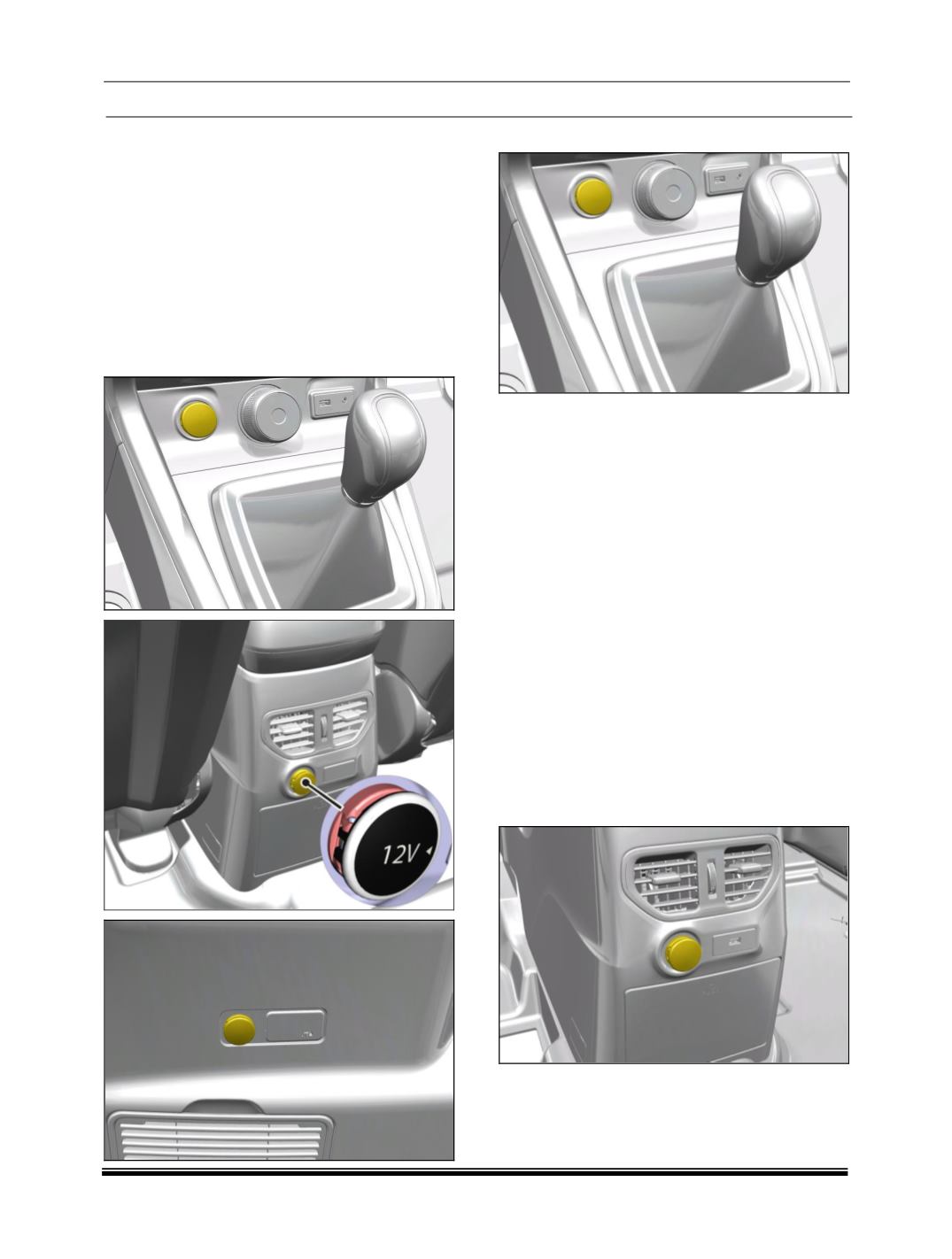
In Vehicle three power sockets are provided, one
in center console, second on center utility bin and
third on rear quarter trim LH (if fitted).
POWER SOCKET ON CENTER CONSOLE:
REMOVAL
:
1. Disconnect the electrical connection.
2. Open the cover of center utility bin.
3. Carefully pry out the power socket assembly
from its illumination ring.
4. Press the snaps and pull out the power socket
from the Mounting cutout.
REFITMENT:
1. Insert the power socket in mounting cutout.
2. Fit LED holder to Power socket illumination ring
3. Connect the electrical connection.
4. Fit the assembly into cutout provided on the
tray. (
Snap fitted
)
4. Press the power socket assemble into
illuminating
ring.
POWER SOCKET ON CENTER UTILITY BIN:
It is located on the rear of Center console.
REMOVAL:
1. Disconnect the electrical connection.
2. Remove cover of center utility bin.