



 1199 / 1236

HVAC
41
HVAC
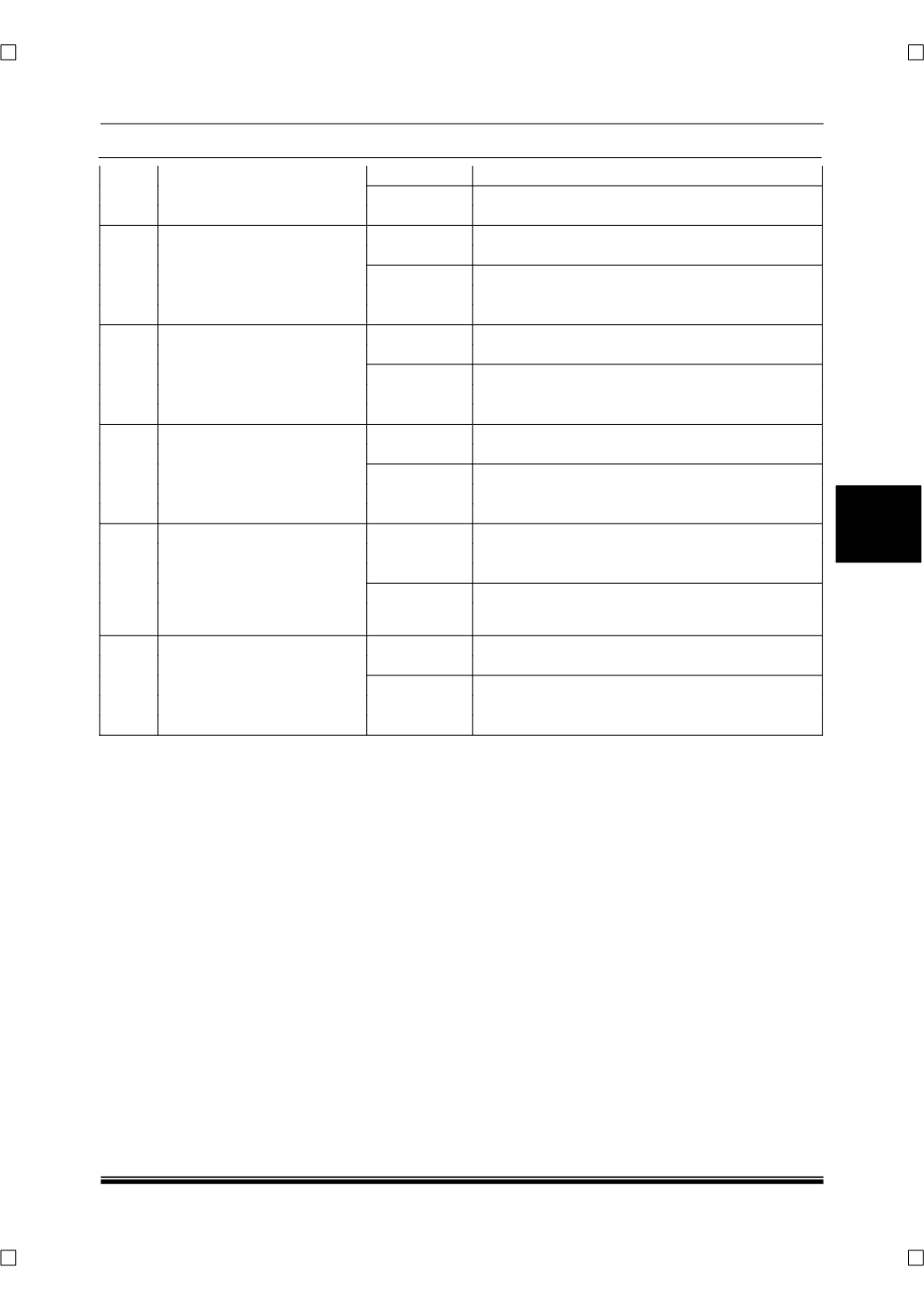
where Is noise heard imme-
diately after A/C compressor
is stopped?
No
Go to next step.
15
Inspect drive belt
Is it okay?
Yes
Go to next step.
No
Adjust or replace drive belt, then go to Step 19.
16
Inspect drive belt condition
Is drive belt worn?
Does it have foreign material
imbedded in it, or gave oil on
it?
Yes
Remove obstruction, remove oil, or replace drive
belt, then go to Step 19.
No
Go to next step.
17
Inspect magnetic clutch.
Is it okay?
Yes
Replace A/C compressor, go to Step 19.
No
Replace A/C compressor, then go to Step 19.
18
Verify whether malfunction is
in A/C compressor or refrig-
erant lines
Is noise emitted from A/C
compressor?
Yes
Visually inspect A/C compressor, replace appro-
priate parts if necessary, then go to next step.
No
If noise is due to refrigerant lines, repair detached
or missing clips, tighten loose bolts, then go to
next step.
19
Verify that malfunction
symptom occurs after repair
Has A/C compressor noise
stopped?
Yes
Troubleshooting completed.
No
Explain repairs to customer. Recheck malfunction
symptoms, then repeat from Step 1 if malfunction
recurs.