



 1078 / 1236

BODY
18
REMOVAL
1. Remove steering wheel.
(For procedure refer
steering wheel removal in Steering section.)
2. Remove combi switch.
(For procedure refer
combi switch
removal in Electrical section)
3. Remove ignition switch.
(For procedure refer
ignition switch
removal in Electrical section
)
4. Remove instrument cluster
(For procedure refer
instrument cluster removal in Electrical section)
5. Remove master light switch.
(For procedure
refer master light switch
removal in Electrical
section
.)
6. Remove center finisher.
(For procedure refer
center console
removal in this section
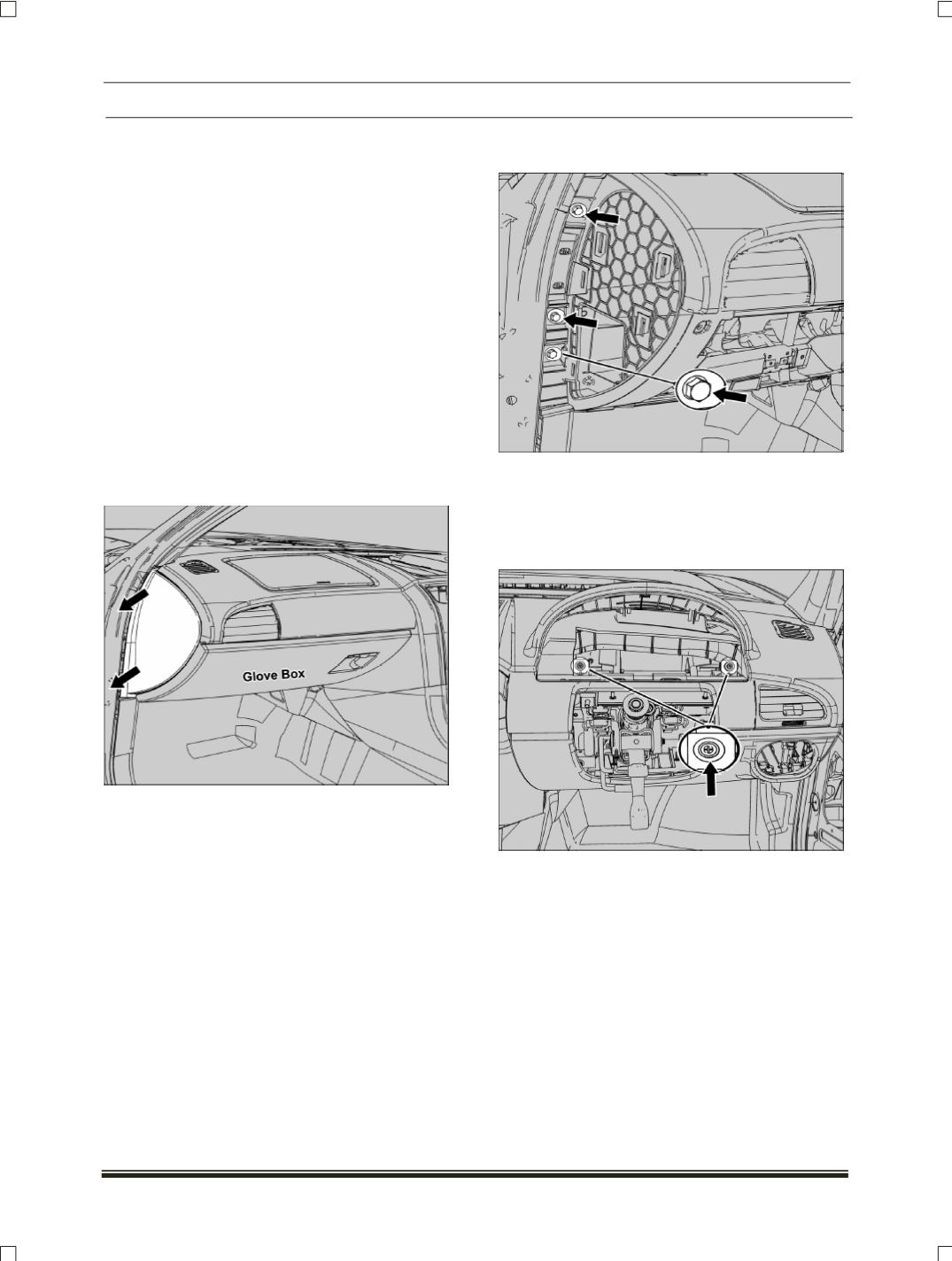
7. Pull out and remove end cover cap from left
hand side and follow the same procedure for
other end also.
8. Remove glove box
(For procedure refer glove
box removal)
9. Loosen and remove two mounting bolts which
are located on “A” pillar
.
10.Follow same procedure for right hand side
mounting bolts.
11.Loosen and remove two mounting screws
which are visible after the removal of instrument
cluster.