



 1002 / 1236

ELECTRICAL
224
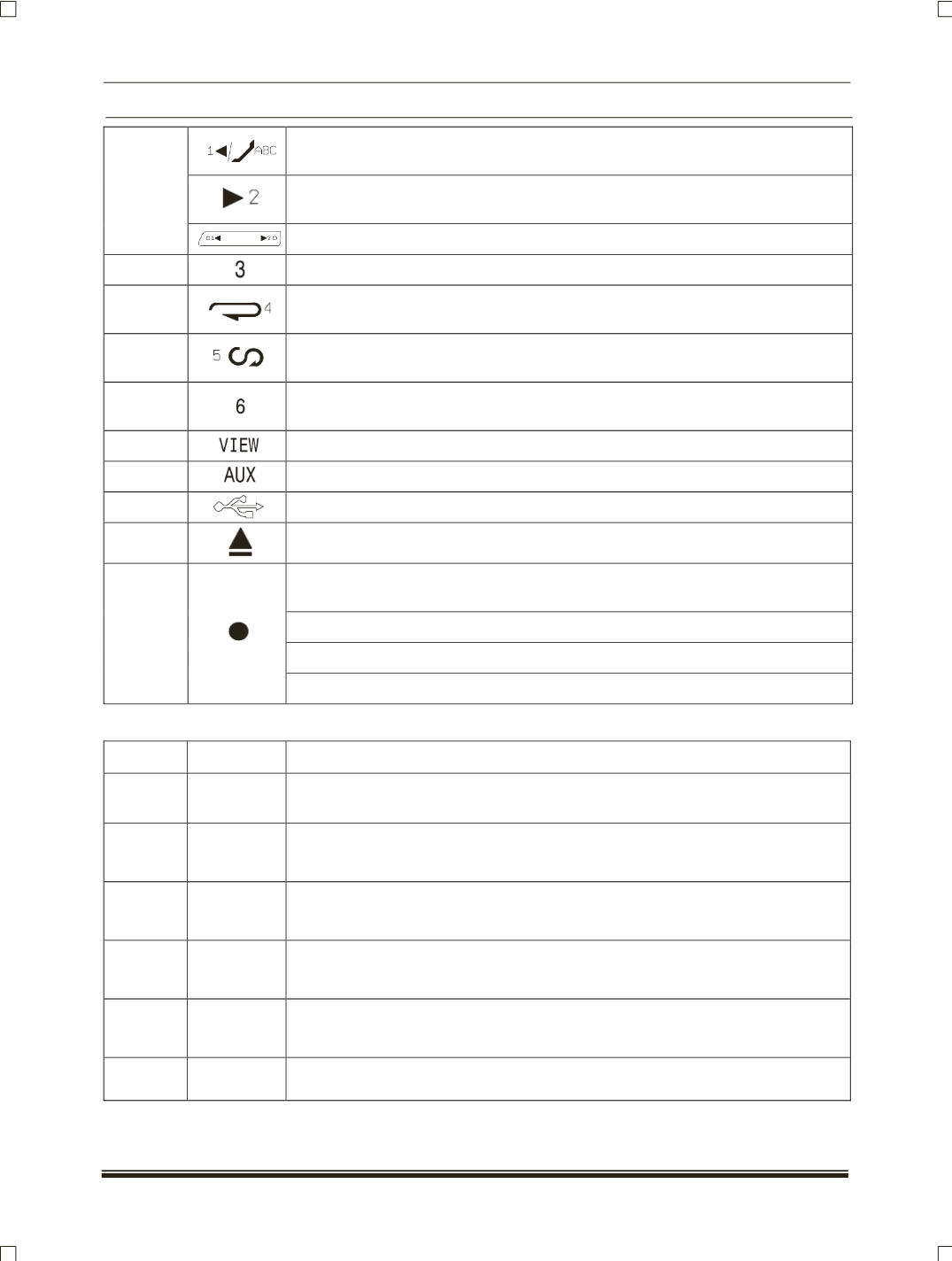
To store / play preset stations frequency in radio mode and to select previous
folder in CD mode (MP3 CD, phone book alphabet skip)
To store / play preset stations frequency in radio mode and to select next folder
in CD mode (MP3 CD)
12
Selecting desire folder
13
To store / play preset stations frequency in radio mode.
14
To store / play preset stations frequency in radio mode and to play track / folder
repeatedly in CD / USB / IPOD.
15
To store / play preset stations frequency in radio mode and to play track / folder
randomly in CD / USB / IPOD.
16
To store / play preset stations frequency in radio mode (To shuffle and play all
songs in IPOD / IPHONE randomly).
17
To display the clock and track information.
18
AUX IN.
19
USB port.
20
To eject CD from CD mechanism.
To adjust the volume, to select the desired outgoing call mode and to select
desired song search mode.
To select the desired outgoing mode (dialled / received / missed).
To select the desired name or telephone number.
21
To select the desired search mode.
FUNCTIONAL DETAILS:
SR. NO. FUNCTION
OPERATION
1
Power
ON/OFF
1.Switch on the music system by pressing Power button (
Button No.2
)
2
FM
1.Press left and right arrow switch for auto seek up/down (
Button No.8 and 12
)
2. Change volume using combi switch switch.
3. Mute the volume using Button no.6.
3
CD
1. Insert CD.Systems take CD and starts playing first track.
2. Select the track through steering wheel switches UP/down.
3. Eject CD by pressing Button no.20.
4
USB
1. Insert USB (which has MP3 Songs). System detects and starts playing first
track in USB
NOTE:
Music system should be ON.
5
AUX
1.Insert AUX device which plays audio and select aux by pressing ‘’AUX’’ Mode
(Button No.18)
NOTE:
Music system should be ON.
6
PHONE
A. Creating connection of mobile with infotainment system via Bluetooth
(
Refer Entertainment system manual
)