



 998 / 1236

ELECTRICAL
220
Clear DTCs
Change the tab from Read DTCs to Clear DTCs which will clear the available DTCs in the ECU.
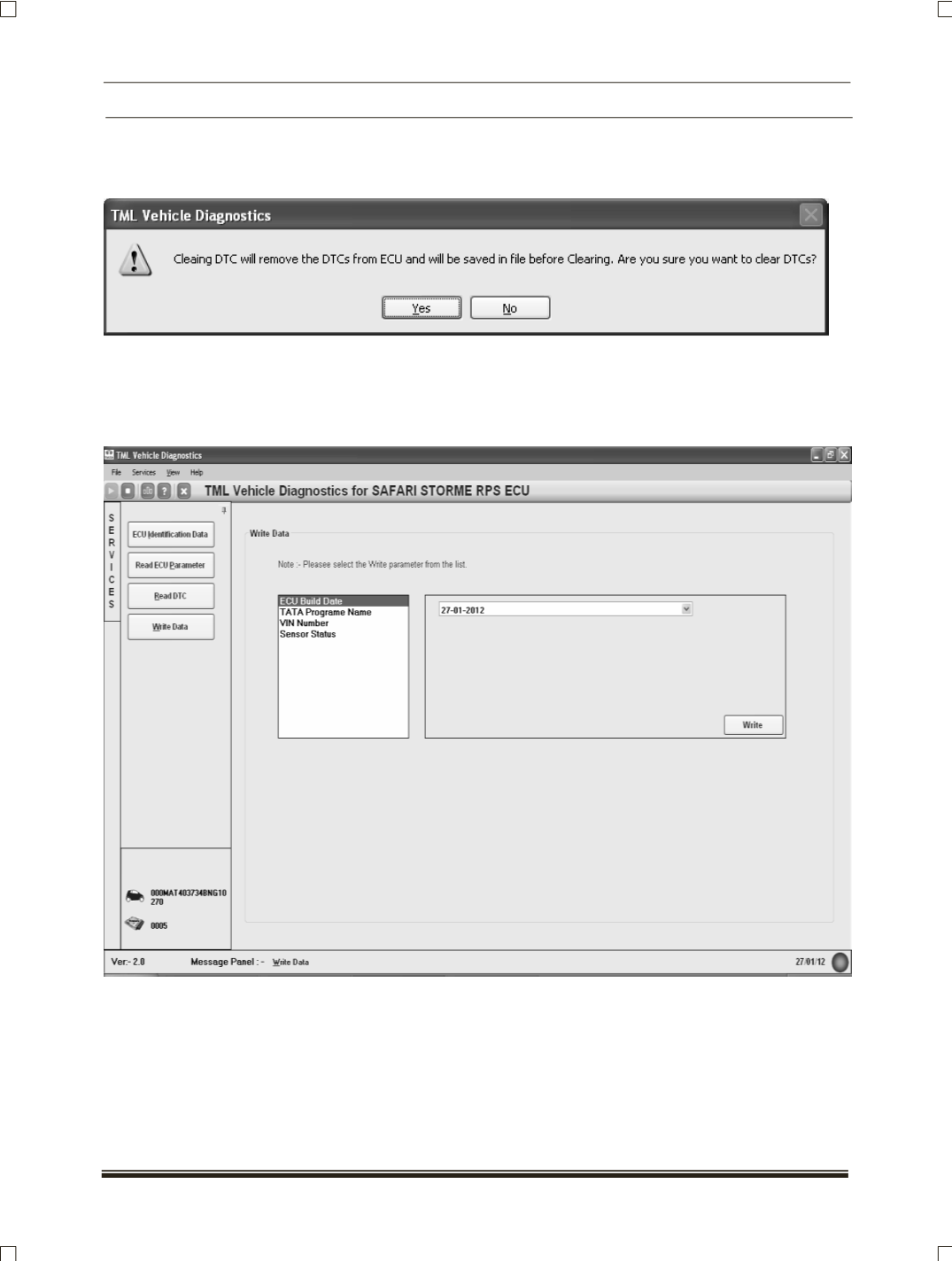
Changing to Clear DTCs option user is prompted for confirmation of clearing DTCs.
After clearing the DTCs the screen is displayed intimating user about DTC cleared.
Write Data
The write Data service is used to write the data in the ECU memory such as VIN Number, Sensor
Status, TATA Program Name etc.
NOTE:
The circuit schematic for the ECU is available for reference. Click on View
Circuit Schematic from menu
options.