



 1330 / 1526

ENGINE
162
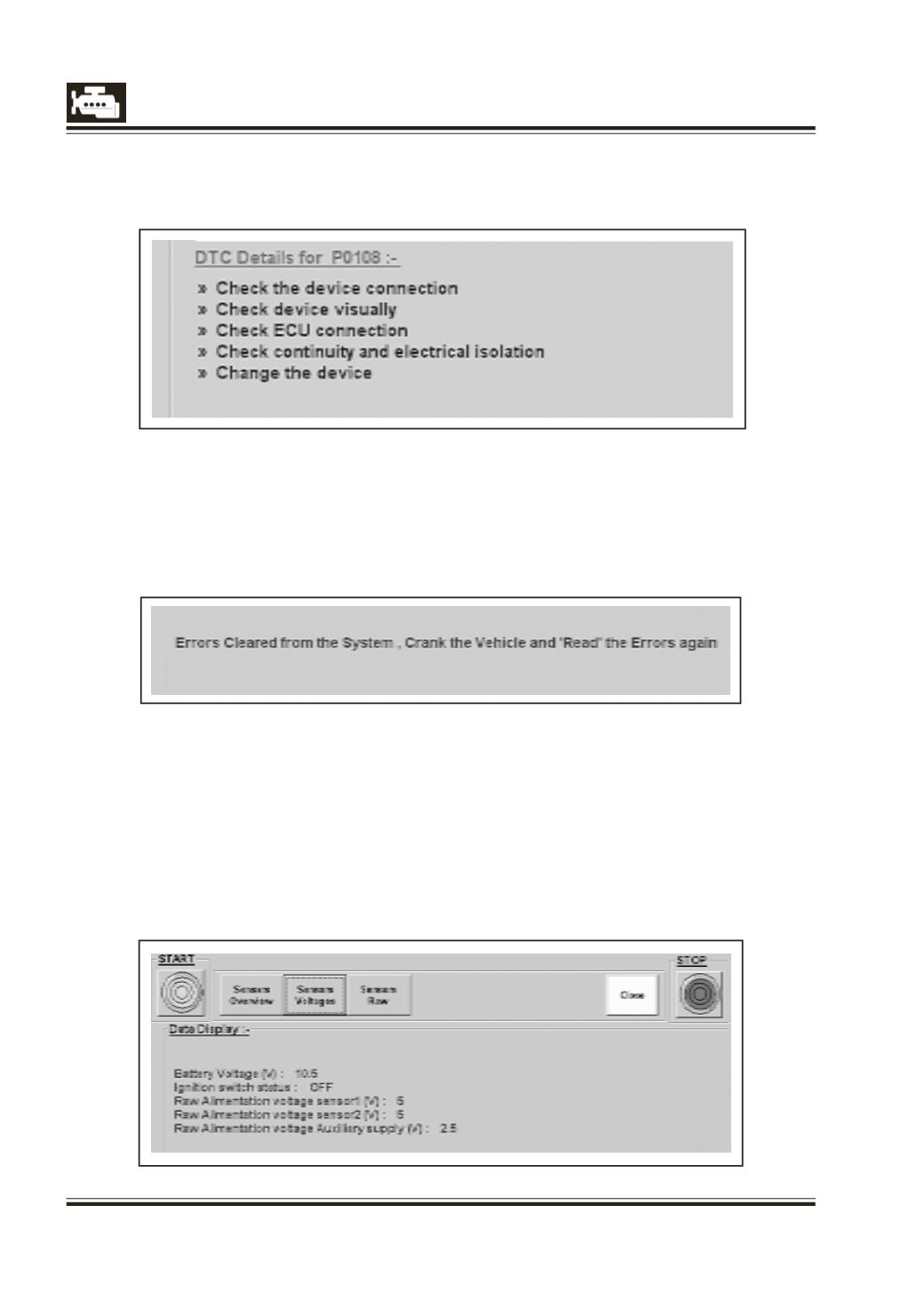
2.2) Error Details :-
This shows the detailed actions to be taken for the selected fault in the list.
3]
Clear DTC
Click this button to clear errors from ECU memory.
This does not clear errors physically from the vehicle. The user has to repair the vehicle and then click
the button to clear errors from the ECU memory.
4]
Read Sensor Data
This gives real time parameters display for different sensor parameters groups like
l
Sensors Overview
l
Sensors Voltages
l
Sensors Raw data
Select the required group to view the data.