



 1327 / 1526

ENGINE
159
4] Installation and Operating Procedure
4.1] Installation of Software
The Installation CD of the software is supplied
with the kit .
Installation Procedure:-
1)
Insert the CD in the CD Rom.
2)
Set-up will start running automatically.
3)
After this the program will guide you for
further installation.
4)
After successful installation, a short-cut to
program will appear on desk-top.
5)
This program will be loaded in following
directory ‘C: \Program files\TATA Motors
6)
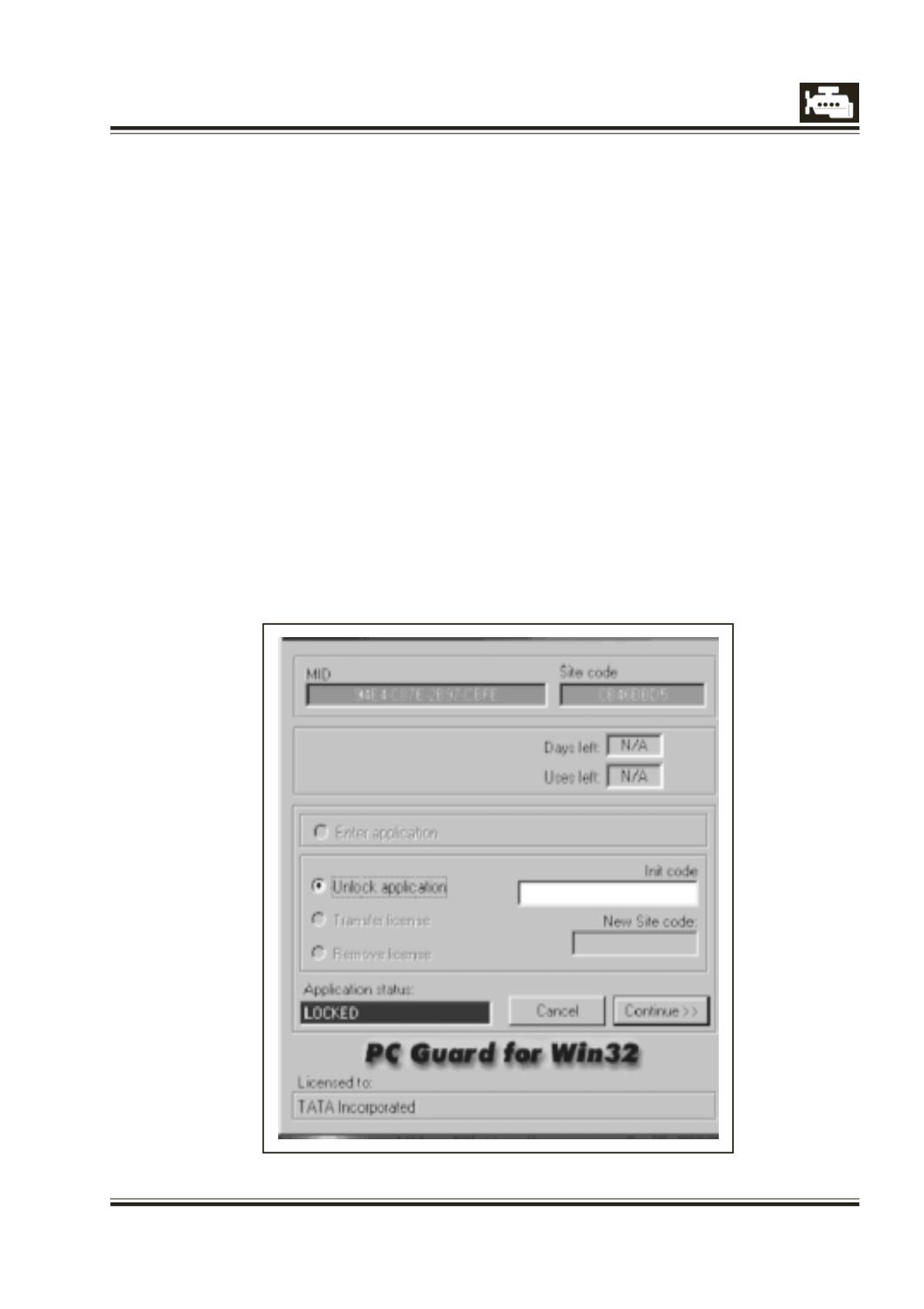
When user clicks the short-cut, following
screen will appear –
MID and Site code values in above fig. are
for example. These values are machine
dependent. These values will be different
for your machine.
The Application status will be ‘LOCKED’, for
unlocking the program user has to send
MID, Site code.
by E-mail on following . The
user should also send
Part No. and Serial
No.
appearing on the CD.
E-mail ID -
support_ed@tatamotors.com7)
After this customer will receive the Init
code via mail.
Please enter that code in the Init code box.
8)
Then Application status will change to
‘LICENSED’ .Click continue to start the
application.
9)
Now your application is unlocked.
Note : The software is single user licensed.