




 1333 / 1526

ENGINE
165
7.1) Read C2I Data :
Displays C2I data, Programming date and Reprogramming counter as shown above.
7.2) Write C2I Data :
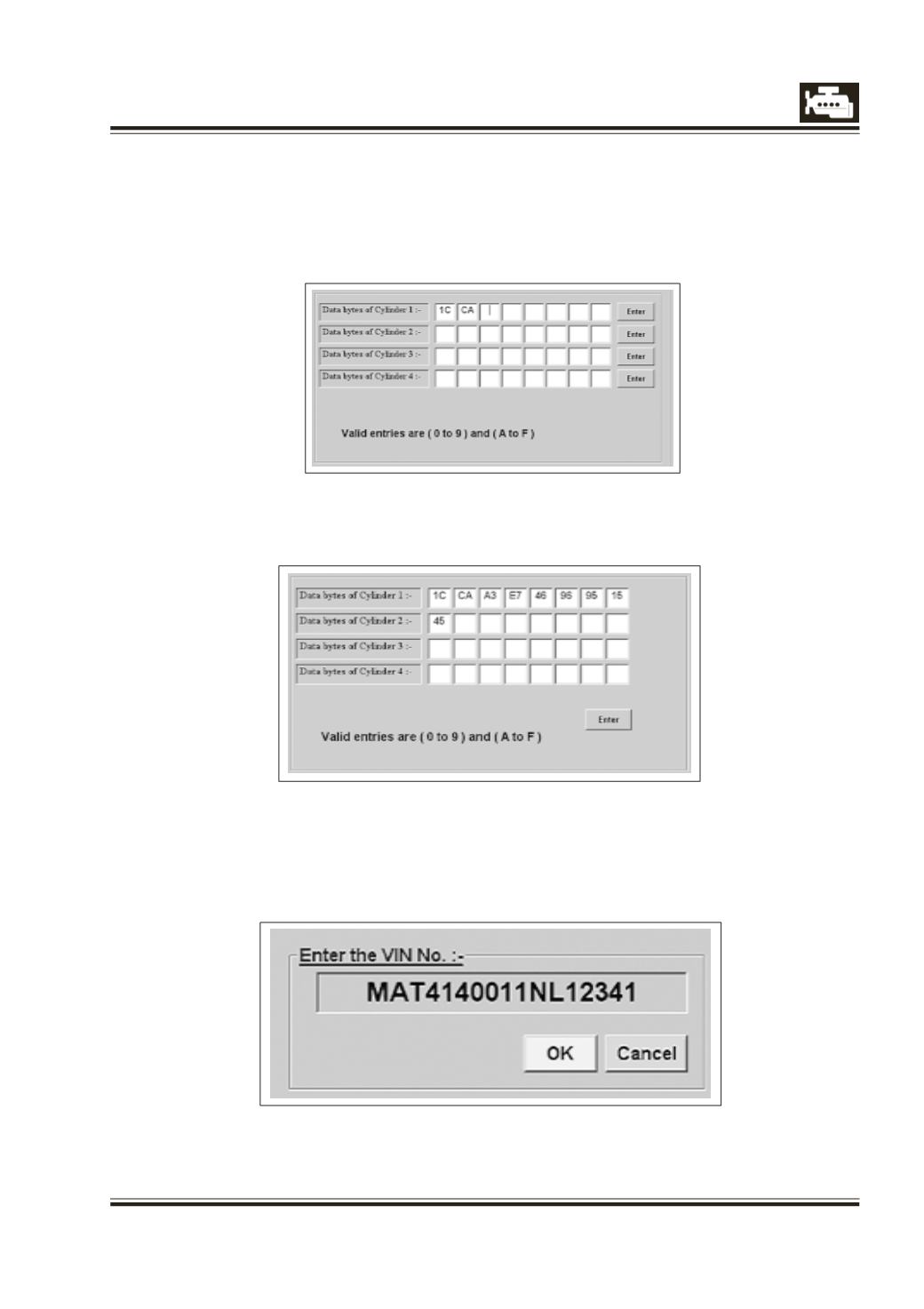
On clicking this button following screen will appear, enter the valid data for required cylinder and press
‘Enter’ to write data in the ECU.
7.3) Write All C2I Data :
This gives facility to write C2I data for all cylinders.
7.4) Write VIN Number :
For entering VIN number in the ECU, Click the Write VIN number, enter the VIN number and then click
‘OK’ Button on the screen. If the VIN number is successfully entered the message “Data Written
Successfully “appears on the screen.