



 1004 / 1235

ELECTRICAL
226
REMOVAL:
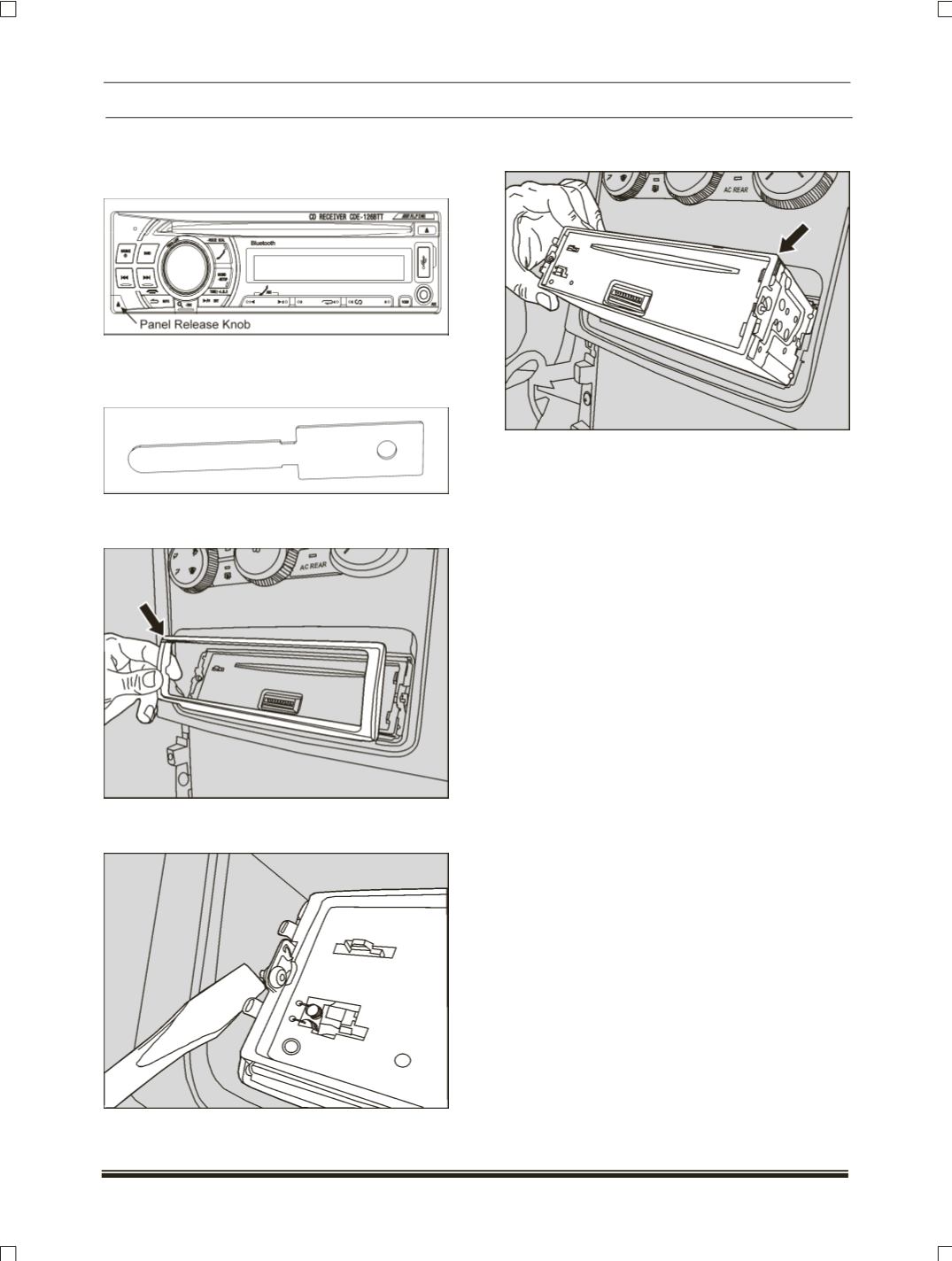
1.Remove the front head of music system by
pressing the release knob.
2.Remove the front detachable panel with the
help of special tool shown
(Part no.
540754809907
).
NOTE:
Make sure that there will be no scratches
on music system while removing.
3.Use small screw driver to push the locking pins
to the “UP” position of music system.
4.Pull out the music system from cutout provided
on the centre finisher of dashboard.
5.Disconnect the electrical connection of music
system.
6.Take out the music system.
REFITMEMT:
1.Connect the electrical connection of music
system.
2.Carefully fit the music system into the cutout
provided on the center finisher of dashboard.
(Snap fitted).
3.Ensure the music system is properly locked with
the locking pins.
4.Fit the front detachable panel
(Snap fitted).