



 1001 / 1235

ELECTRICAL
223
ELECTRICAL
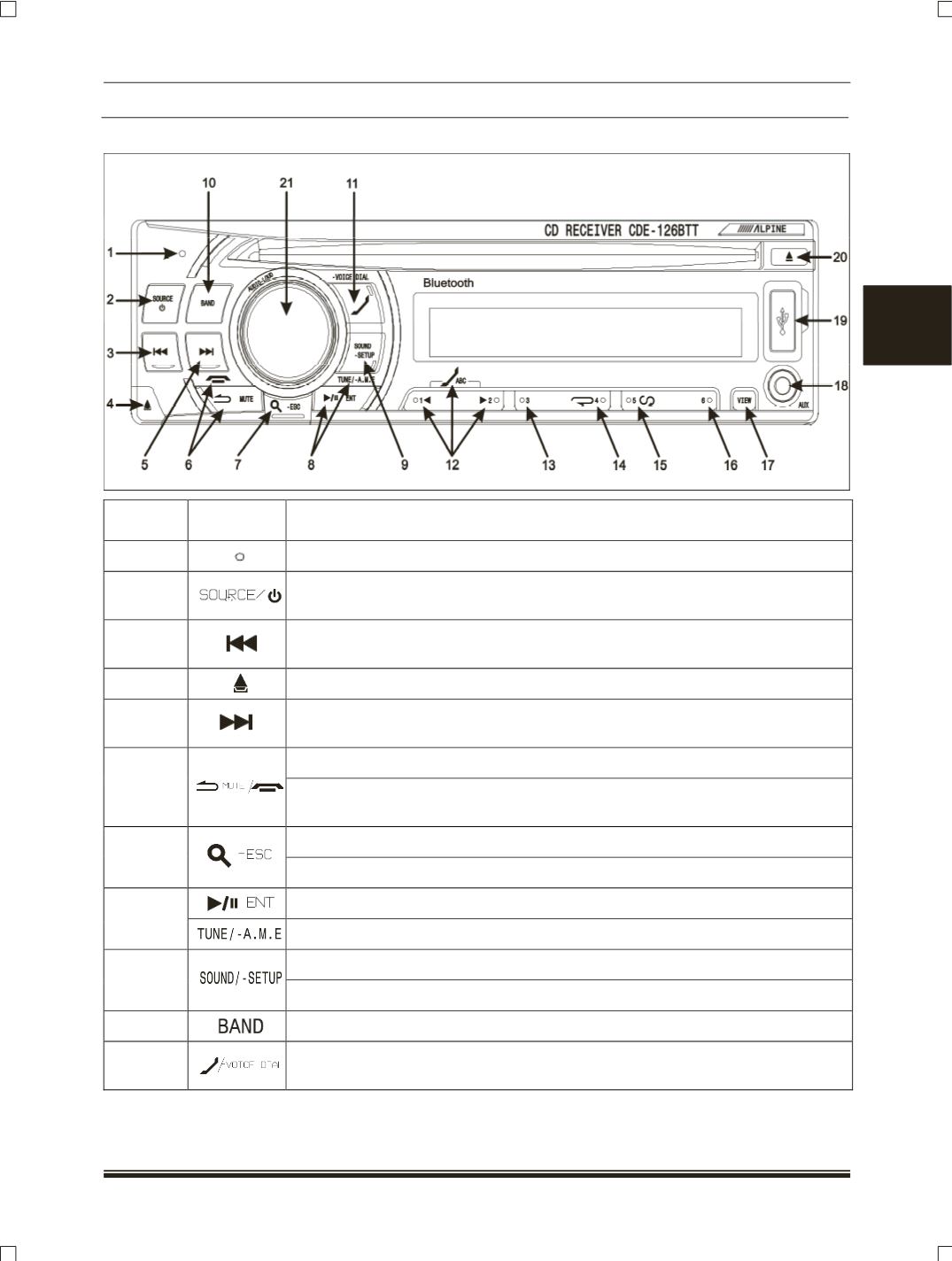
OPERATING BUTTON DETAILS:
BUTTON
NO
SYMBOL
DESCRIPTION
1
Power Indicator Light
2
Power Button
– To select Source (Tuner, CD, USB, AUX, I-POD (If
fitted
)) and
To switch OFF the set (When
Pressed and Hold
).
3
To seek tune frequency downward in Radio mode, and To select previous track
in CD mode and rewind
(When Press and Hold
).
4
To release the Panel.
5
To seek tune frequency upward in Radio mode, and To select next track in CD
mode and forward
(When Press and Hold
).
To attenuate the sound in any mode.
6
To hanging up the telephone. Press and hold for at least 2 sec to hang up the
telephone.
To activate search mode (S
hort Press
).
7
To deactivate search mode (Long
Press
).
To pause in CD / USB / IPOD, to enter selection in setup and search mode
8
To auto tune and store store radio station in memory
(When Press and Hold
).
Press to select Bass / Treble / HFP for sound adjustment.
9
Press and hold to enter setup mode
10
To select the band (F1, F2, AM) in radio mode.
11
To answer the incoming call. To activate outgoing method list selection mode (In
MP3CD, Phone book alphabet skip).