




 146 / 745

KRYOTEC ENGINE
138
8. ENGINE ON STAND
A. CLUTCH
REMOVAL
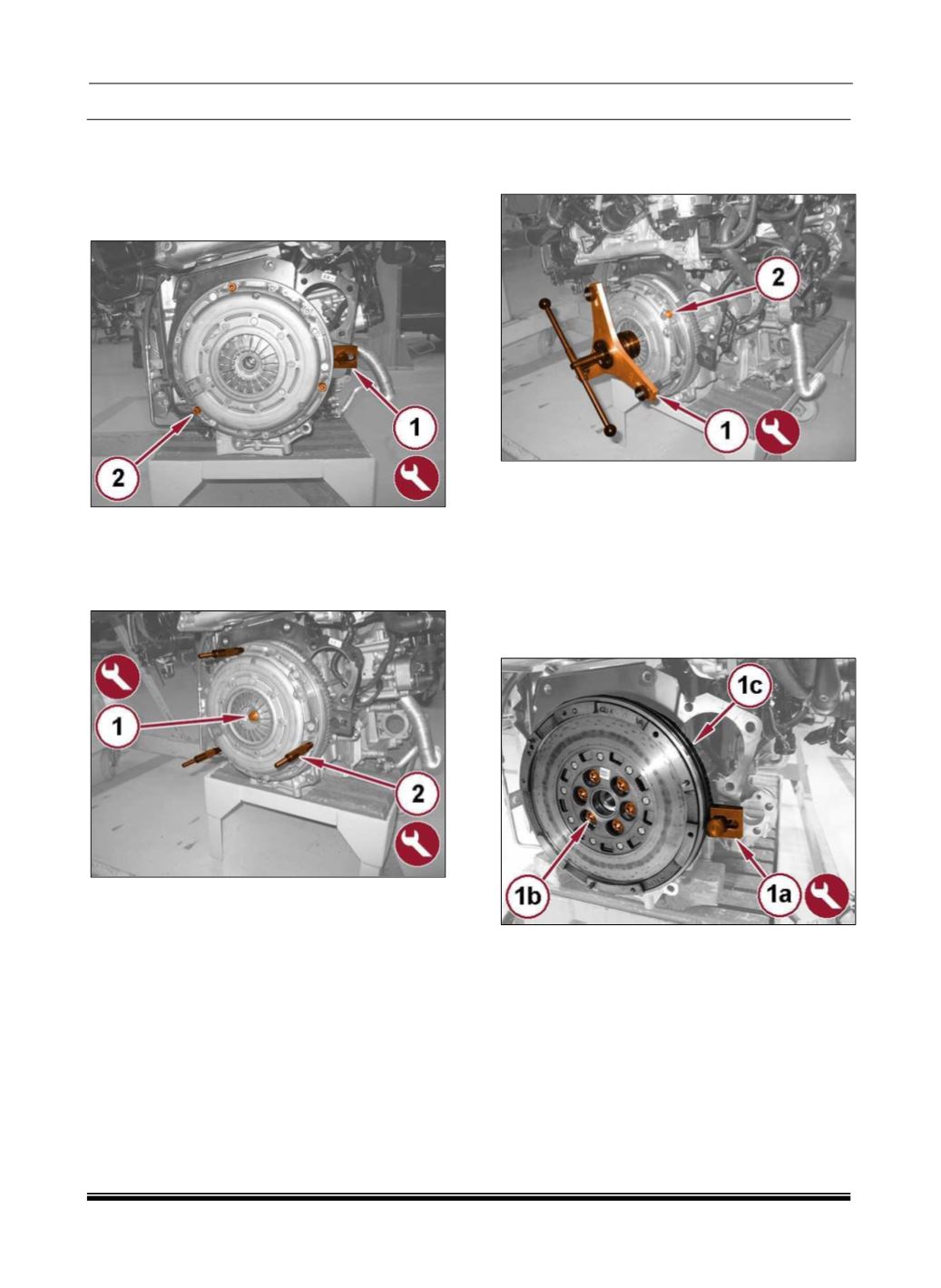
1. Install the 1860846000 flywheel holder tool (1).
2. Remove the three indicated clutch cover bolts
(2).
3. Install the clutch centering tool (1) from
the2000030800 tool kit.
4. Install the clutch compressor mounting posts (2)
from the 2000040925 tool kit, into the previously
removed bolt locations.
5. Install the clutch compressor tool (1) from the
1871003100 tool kit and rotate the handwheel to
compress the clutch spring.
6. Remove the remaining clutch cover bolts (2).
7. Rotate the handwheel to unload the clutch
spring.
8. Remove the clutch compressor and centering
tools, clutch pressure plate and friction disc.
9. With the 1860846000 flywheel holder tool (1a)
installed, remove the bolts (1b) and the flywheel
(1c).