



 1034 / 1119

FATC
11
CLIMATE SETTINGS CHANGE POPUP
The system displaysmessage when you change any
of the climate settings like temperature / blower us-
ing the FATC controls. The system displays popup
message when you:
Switch ON/OFF the AC
Increase/decrease the blower speed
Increase/decrease the temperature
Shift between air re-circulation options (Recircu-
late or Fresh)
Change the air distribution mode
Set Maximum Defrost
Set Economy mode
Set AUTO mode
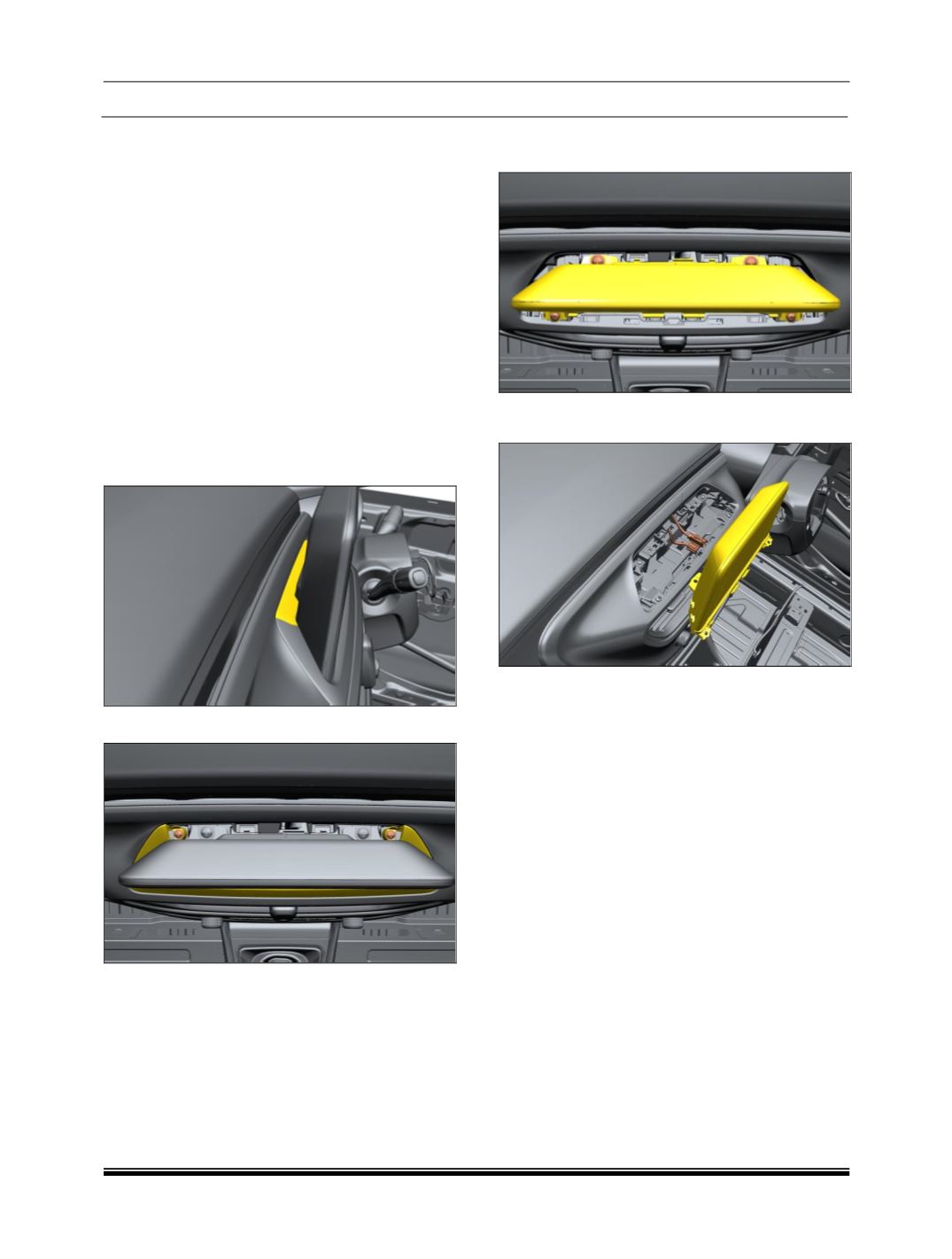
REMOVAL OF CLIAMTE CONTROL DISPLAY
1. Carefully remove cover assembly.
2. Remove two mounting screw on Bezel Display.
3. Remove the four mounting screw on HMI Dis-
play.
4. Disconnect all the electrical connections to pull
out the display from dashboard.
REFITMENT
For fitment, follow reverse procedure of removal.