




 404 / 418

TIAGO / TIGOR RPAS_RVC
106
Step 8
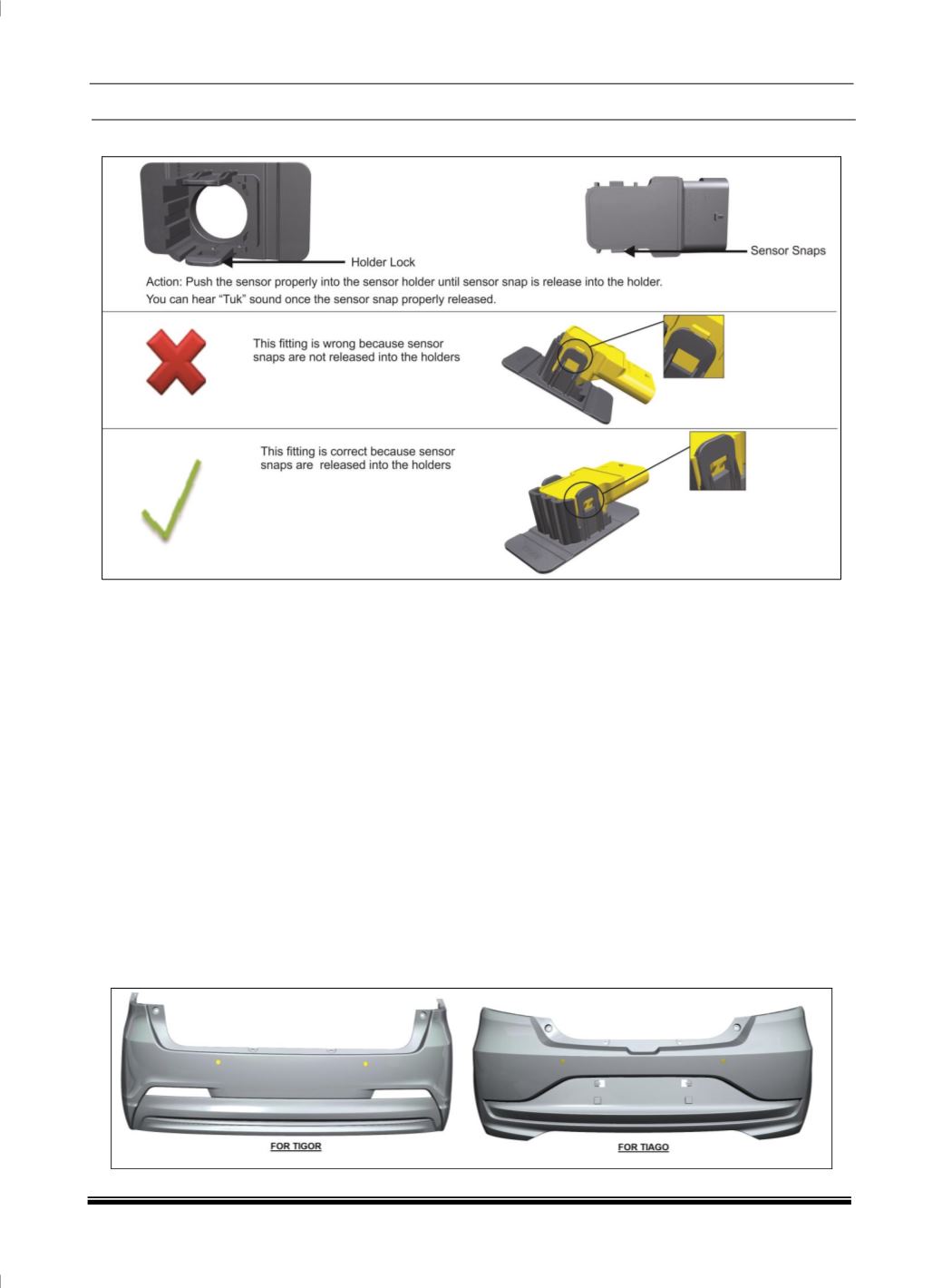
: After step 6, please ensure sensor is fitted into the holder or not. See below image.
Step 9:
If master sensor is replaced, then follow the procedure available in Service tool for PDC
configuration routine. If slave sensor is replaced, no configuration needs to be done. After configuration has
been done. Give an Ignition cycle and clear DTC command. Then Read the DTCs. If there is any DTC
present in BCM in active/confirmed state, do the necessary actions. If there is no DTC, then proper fitment
has been done.
Step 10:
Check wiring harness is fitted properly or not.
Step 11:
Activate park assist system, and check in Head Unit, whether sensor able to detect or not. This is to
ensure, you have done proper fitment.
Step 12:
In music system if HMI shows all sensors areas screen, it means, sensor are connected properly.
If “critical fault” appears on the screen, Check DTCs again if that particular sensor showing faulty or not. If
Yes, do the re fitment. Else, replace with other another new sensor.
In vehicles with no HMI screen, on activation of reverse gear, if a continuous beep is heard for one second
followed by no beep for one second, then the sensors are connected properly and the system is working
fine. If not, then check DTCs again and do the re-fitment, if necessary
Note:
1. While assembling, if sensor falls on concrete surface from above 1 meter height, do not use that sensor
for fitment
2. Due to any damage if holder comes out of the bumper, then replace with new bumper.
The view of rear bumper after proper installation of sensors as below: