



 686 / 924

ELECTRICAL
68
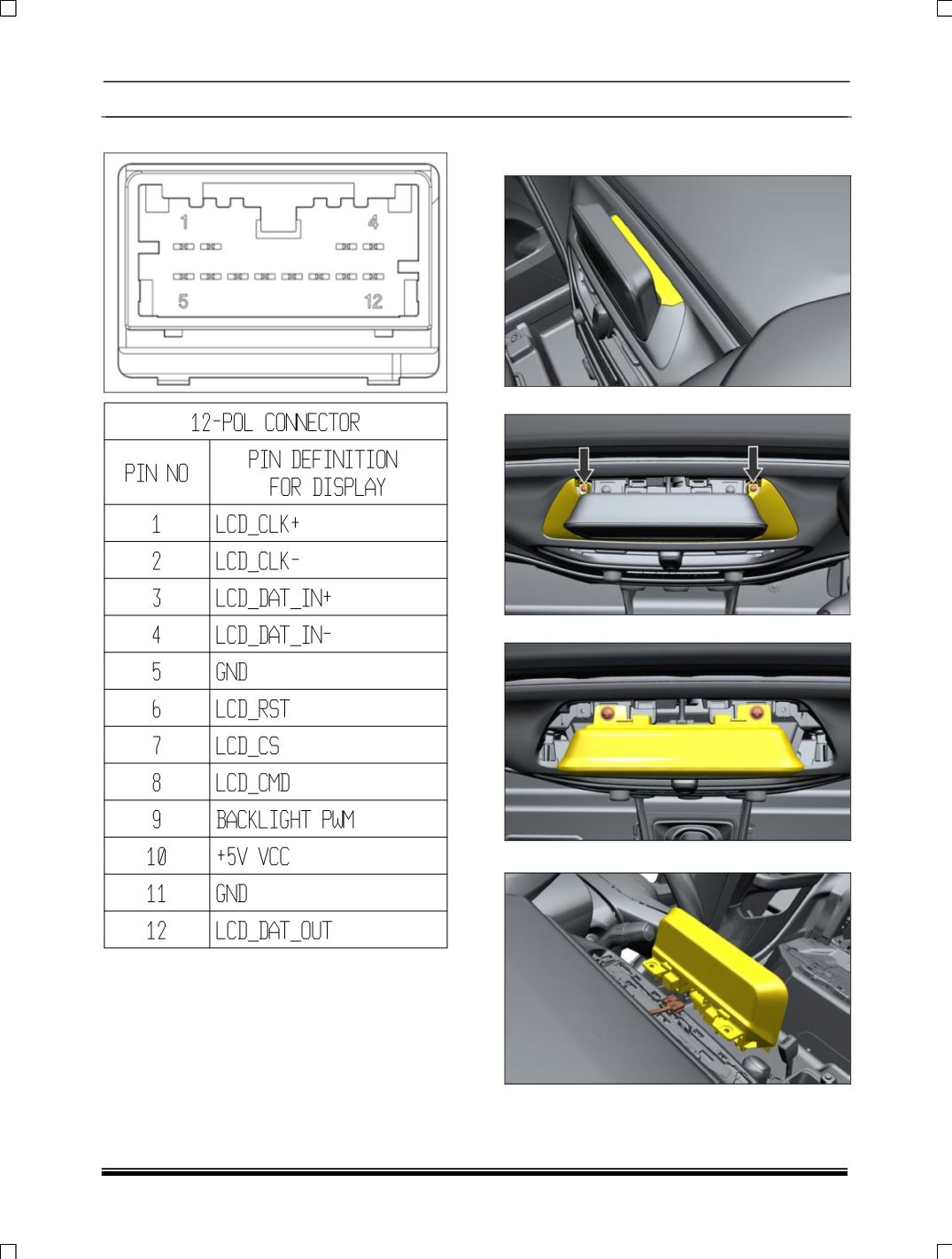
12 POL CONNECTOR DETAILS:
REMOVAL
1. Carefully pry out cover assembly.
2. Remove mounting screw of Display cover.
3. Remove the mounting screw of Display.
4. Disscoonect the electricle connection.
REFITMENT
For refitment, follow the procedure in reverse.