



 757 / 948

ELECTRICAL
132
DRIVE MODES & GEAR DISPLAY
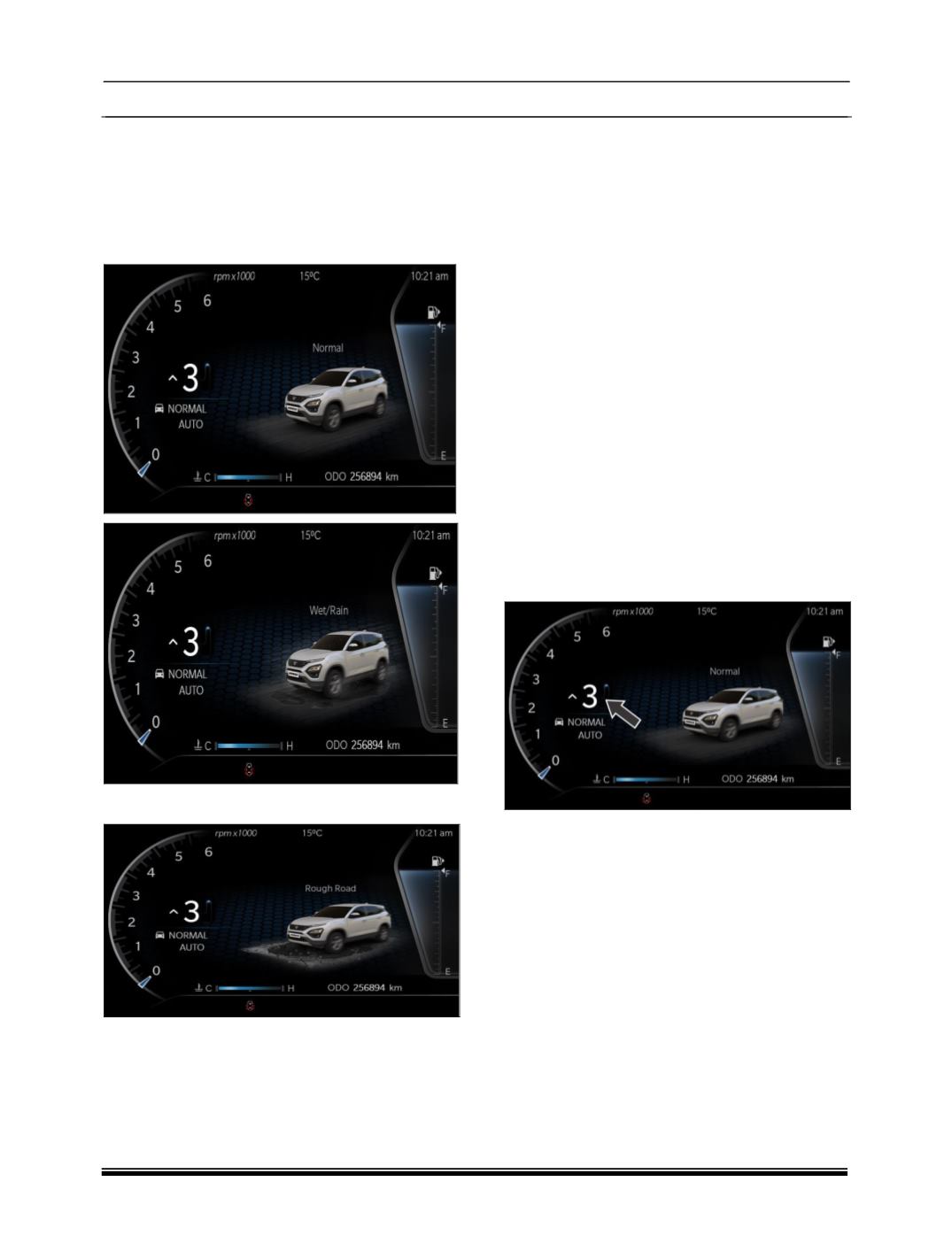
Instrument Cluster shall display Auto, Wet / Rain,
Rough road, Economy, Sport Drive modes based
on the user selection through the DCS switch.
1.
DCS rotation in Clock wise
2.
DCS rotation in Anti clock wise
AUTO / NORMAL MODE (TERRAIN MODE)
This display shows vehicle is in Auto / Normal
drive mode when user deselects the Sport or
Economy mode.
WET / RAIN MODE (TERRAIN MODE)
This display shows vehicle is in Wet / Rain drive
mode when user deselects the Sport or Economy
mode & rotate the DCS in clockwise direction.
ROUGH MODE (TERRAIN MODE)
This display shows vehicle is in Rough drive mode
when user deselects the Sport or Economy mode
& rotate the DCS in anticlockwise direction.
ECONOMY MODE (ENGINE MODE)
This display shows vehicle is in Economy drive
mode when user selects the Economy drive mode
from fascia switch.
SPORT MODE (ENGINE MODE)
This display shows vehicle is in Sport drive mode
when user selects the Sport drive mode from
fascia switch.
GEAR INDICATION
The Current Gear number displayed on the DIS
screen based on gear shift lever position when
clutch pedal is fully released.
Note:
When there is a failure in the system, instead of
gear no ‘F’ shall be displayed. If ’F’ is displayed in
the Gear number position, take your vehicle to
authorized TATA service centre to get it repaired.