



 1130 / 1232

ELECTRICAL
96
12.24.3 DRIVER INFORMATION SYSTEM
SR
NO
DRIVER
INFORMATION
SYSTEM
IMAGE
DESCRIPTION
1
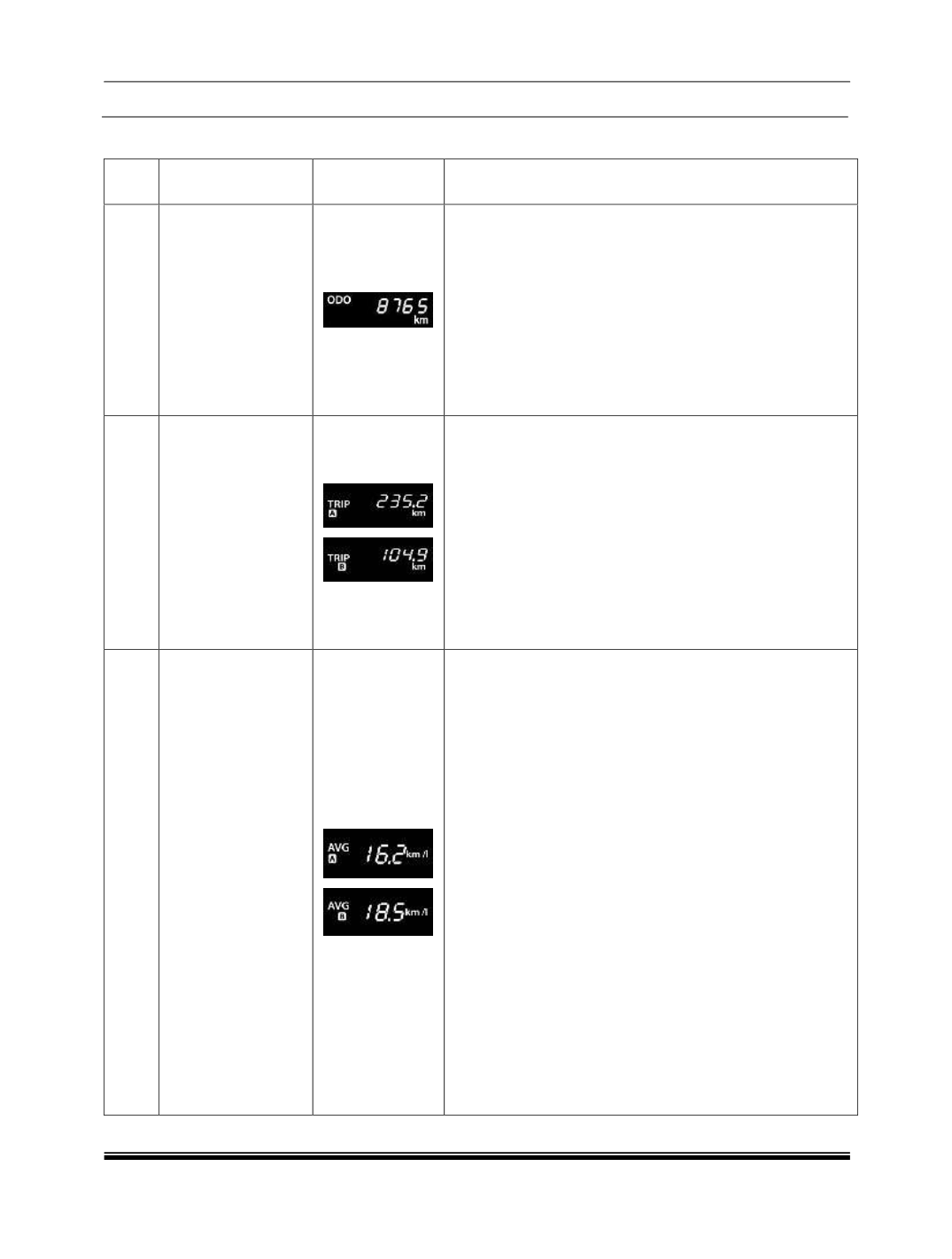
Odometer
Indicates distance traveled by a vehicle
Range: 0 to 999999
Resolution: 1 km
The Odometer reading does not over flow to “0”
when maximum value is reached, the display will
freeze to maximum value.
Note:
You can change the Distance unit as km or miles
(mi) using SET and MODE buttons.
‘mi’ is applicable for Export variant only.
2
Trip meter A & B
Indicates distance traveled by a vehicle in Trip
mode.
Range : 0.0 to 9999.9 (5 digits)
Resolution : 0.1 km
Trip meter reading becomes “0.0” after it crosses
9999.9 km.
Note: You can reset Trip meter using SET button.
For more information
You can change the Distance unit as km or miles
(mi) using SET and MODE buttons.
‘mi’ is applicable for Export variant only.
3
Average Fuel
Economy for Trip
A and Trip B
Displays “Average Fuel consumption” for trip A or B
since it was reset
Resolution : 0.1 km/l
Average Fuel Consumption will Reset to 0 when
respective Trip meter is reset.
Average Fuel Economy will be displayed as ‘--.-‘for
initial 0.5 km of respective trip. Once 0.5 km
distance is covered, Average Fuel Economy will be
displayed.
Even after 0.5 km distance covered for particular
trip, Average fuel economy is displayed as ‘--.-‘, take
your vehicle to authorized TATA MOTORS service
station.
NOTICE:
AFE value is estimate of fuel economy. It may vary
significantly based upon driving conditions, driving
habits and condition of vehicle.
Average Fuel Consumption will get Reset to 0
When Battery is removed and refitted.
Note:
You can change the AFE unit as km/l or Miles per
Gallon (MPG UK) using SET and MODE buttons.
‘MPG’ is applicable for Export variant only.