




 870 / 1232

BODY
29
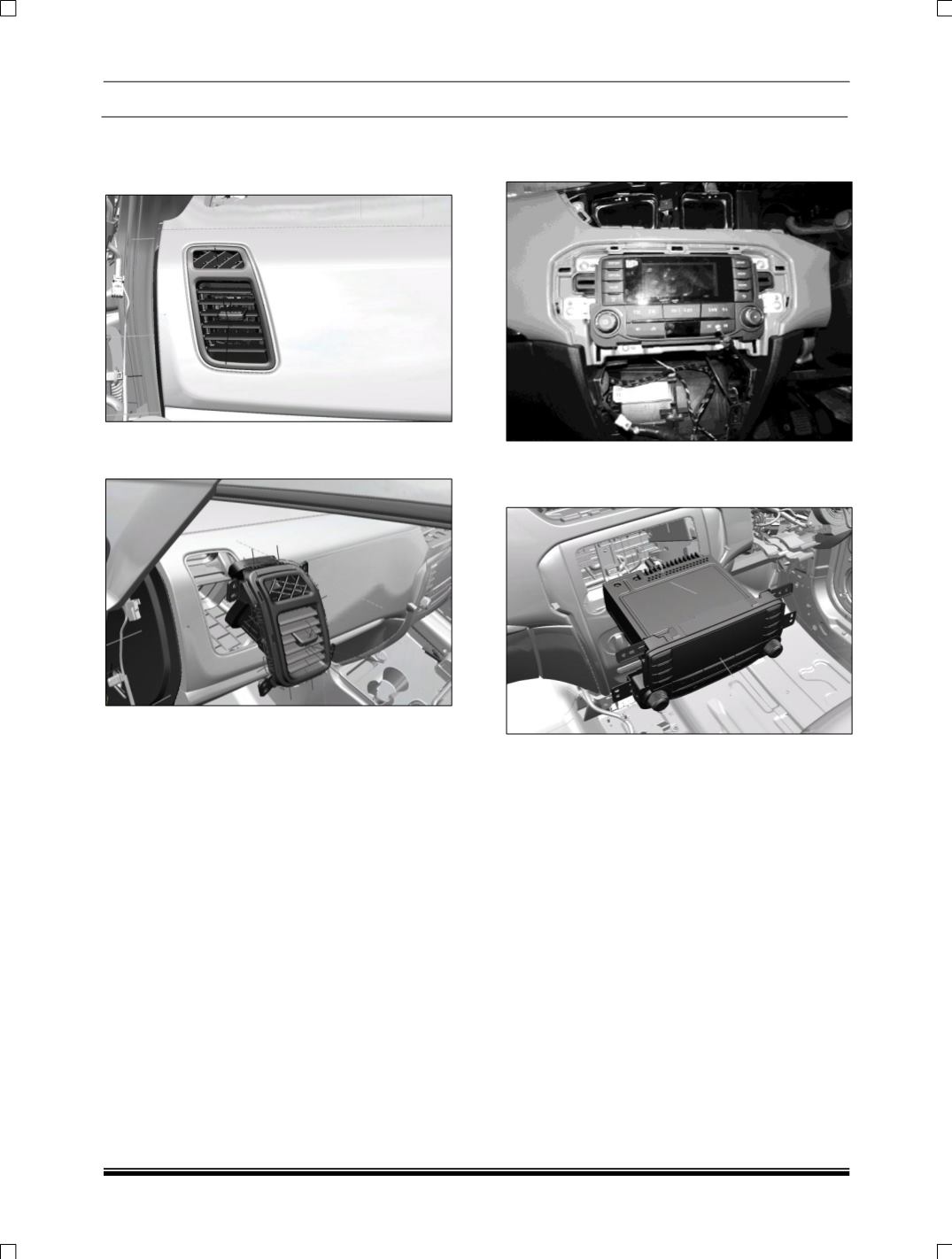
9.9.7 SIDE AIR VENT SERVICING
1. Insert the wedge in the gap available in the
end cover to remove it.
2. Pull out the air vent in the front direction, once
it protruded enough to pull.
ASSEMBLY
1. Position the side air vent properly and press
fit it.
9.9.8 RADIO BLANK COVER SERVICING
1. Remove four screws to remove radio blank.
2. Remove the wiring harness connections.
3. Remove radio blank.
ASSEMBLY
1. Connect the wire harness connections.
2. Fix the radio blank by four screws.